ADP Workforce Now Payroll Processing Guide: Mastering ADP Payroll Processing with ADP Workforce Now
A practical guide to processing payroll in ADP Workforce Now, with step-by-step steps, tips, and common questions answered.
ADP Workforce Now Payroll Processing Guide: Mastering ADP Payroll Processing with ADP Workforce Now
Payroll is at the heart of employee trust and regulatory compliance. ADP Workforce Now (WFN) combines payroll with HR, time, and benefits in a single cloud platform. This guide walks you through processing payroll in ADP Workforce Now, from initial setup to running a payroll cycle and reviewing reporting. Whether you’re new to ADP or transitioning to ADP Workforce Now from another system, the core steps stay the same: prepare data, run payroll, review results, and lock/close the period.

Comparison of payroll processing tasks in ADP Workforce Now
| Task category | Setup effort | Processing speed | Error handling | Automation level | Notes |
|---|---|---|---|---|---|
| Getting started | moderate | fast once setup | guided prompts | high | Includes onboarding and initial setup steps |
| Running payroll | standard | batch within cycle | built-in checks | moderate to high | Depends on network and data completeness |
| Approvals, reviews, post-payroll | step-by-step | after-run review | audit trail | elevated | Requires supervisor sign-off workflow |
Compiled November 2026; check the provider's site for current details.
Getting started with ADP Workforce Now payroll
Before you process payroll, make sure you have the right access and a clean data state.
- Verify user roles and permissions: payroll processor, supervisor, and admin access.
- Confirm organizational setup: company, legal entities, tax IDs, and earning/deduction rules.
- Prepare employee records: personal details, tax withholdings, benefits elections, and wage types.
- Validate time data: hours, PTO, overtime, and leave balances if you’re using ADP for time tracking.
- Ensure accuracy of pay items: pay rate, bonuses, reimbursements, and allowances.
Key setup tasks to prevent issues
- Tax setup: confirm state, local, and federal tax rates and any new changes.
- Benefit and deduction setup: 401(k), health, commuter benefits, and other voluntary deductions.
- Garnishments: ensure court-ordered deductions are configured with proper limits and frequency.
- SUI/FUTA and other employer taxes: review unemployment and tax agencies for each jurisdiction.
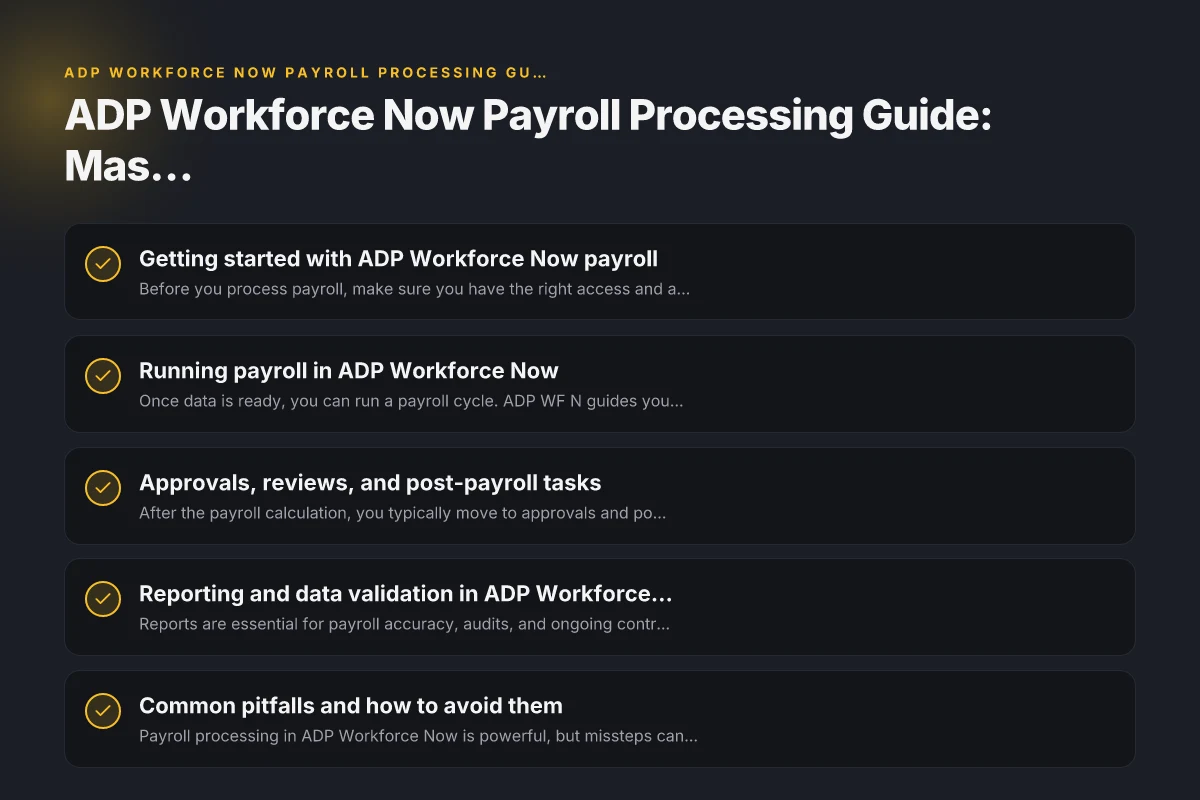
Running payroll in ADP Workforce Now
Once data is ready, you can run a payroll cycle. ADP WF N guides you through a typical payroll flow.
- Create or review the payroll calendar: ensure the correct pay period, processing date, and close date.
- Import or verify time data: ensure hours, overtime, commissions, and tips are accurate.
- Validate earnings: base pay, bonuses, commissions, retroactive pay, or adjustments.
- Apply deductions and withholdings: pre-tax and post-tax deductions, benefit premiums, and garnishments.
- Run the paycheck calculation: confirm payroll results, tax withholdings, and net pay.
- Review and approve: route to approvers if you have a multi-step process.
A quick checklist for payroll run readiness
- All employee records complete and active
- Time data submitted and approved
- Tax and benefit setups accurate for the period
- Garnishments correctly configured and current
- Review of any retroactive payments or manual adjustments
Approvals, reviews, and post-payroll tasks
After the payroll calculation, you typically move to approvals and post-processing.
- Approvals: route payroll for supervisor or payroll administrator sign-off.
- Validate payroll results: compare expected vs. calculated pay, verify tax withholdings, and confirm deductions.
- Post to general ledger: ensure payroll expenses, liabilities, and tax entries post correctly to the GL.
- Worker notification: confirm employees receive pay stubs with correct details and dates.
- Reporting: generate standard payroll reports (earnings, deductions, tax summaries) and custom reports if needed.
Common post-payroll tasks
- Adjustments: work through any pay errors or retroactive changes in a timely manner.
- Reconciliation: match payroll GL entries to the source payroll data.
- Compliance checks: ensure tax deposits, wage garnishments, and benefit remittances are accurate.
Reporting and data validation in ADP Workforce Now
Reports are essential for payroll accuracy, audits, and ongoing control.
- Payroll summaries: gross pay, deductions, net pay, and taxes by period.
- Tax filings: wage reports, payroll tax liabilities, and agency deposits.
- Employee-level detail: earnings by employee, tax withholdings, and deductions.
- Time/tracking reports: attendance, overtime, and PTO usage if you use integrated timekeeping.
- Custom reports: tailor fields, filters, and groupings to your organization’s needs.
A sample reporting table and how to read it
Table: Snapshot of a typical payroll period Smeg soda maker gas refills: everything you need to know about CO2 for Smeg SKC01
- Period: 2026-11
- Employee count: 180
- Gross payroll: $1,250,000
- Taxes withheld: $320,000
- Net pay: $930,000
- Deductions: $100,000
- Garnishments: $15,000
- GL postings: Payroll expense, benefits, and payroll tax Liabilities
Notes:
- Use filters to segment by department, location, or job code.
- Save frequently used reports as favorites for quick access.
- Reconcile reports with bank deposits and payroll tax payments.
Common pitfalls and how to avoid them
Payroll processing in ADP Workforce Now is powerful, but missteps can lead to compliance risk or unhappy employees.
- Data accuracy: incomplete employee records or incorrect tax settings lead to wrong calculations.
- Time data gaps: missing or late time data can throw off pay and overtime.
- Late posting: failing to post the payroll in time can delay deposits and benefits deductions.
- Incorrect garnishments: misconfigured garnishments can result in legal penalties or overpayment.
- Reporting discrepancies: mismatches between payroll GL and payroll module can trigger audits.
Tips to prevent issues:
- Establish a data validation step before payroll runs.
- Schedule time data imports well ahead of processing dates.
- Use built-in validations for earnings, deductions, and taxes.
- Run a payroll preview or test run if available in your configuration.
- Implement an approval workflow to catch errors before processing.
Feature and capability snapshot (ADP Workforce Now vs. general payroll options)
| Feature | ADP Workforce Now | On-prem payroll system | Cloud-based payroll | DIY spreadsheet | Notes |
|---|---|---|---|---|---|
| Hosted solution | yes | no | yes | no | Cloud options available |
| Real-time validation | yes | no / limited | yes | no | Checks during entry |
| Automation level | high | variable | high | none | Automation varies by option |
| Updates / compliance | yes | depends | yes | no | Compliance updates delivered by provider |
| Data accessibility | centralized | local | centralized | manual | Accessibility varies by setup |
Compiled November 2026; check the provider's site for current details. World series winners payroll ranking comparison
How ADP Workforce Now compares to other payroll options
If you’re evaluating options, here’s a quick comparison framework to consider (in a simplified view).
- Core scope: ADP WF N combines payroll with HR and time in a single system. Standalone payroll systems may handle fewer HR components.
- Compliance: ADP provides ongoing tax updates and jurisdictional guidance. Small or niche providers may require more manual monitoring.
- Integration: ADP WF N typically offers native integrations with benefits, timekeeping, and GL systems. Third-party payrolls vary in breadth.
- User roles and approvals: ADP supports multi-user workflows and robust access controls. Some systems offer fewer layered approvals.
- Reporting: ADP includes standard payroll reports and customizable options. Some solutions require add-ons for advanced reporting.
Table: Quick feature snapshot (high level)
- Feature: Core payroll processing
- ADP Workforce Now: Yes
- Standalone payroll tools: Varies
- Feature: Time and attendance integration
- ADP Workforce Now: Yes
- Standalone: Varies
- Feature: Garnishments and compliance
- ADP Workforce Now: Yes
- Standalone: May require plugins
- Feature: GL posting
- ADP Workforce Now: Yes
- Standalone: Not always built-in
- Feature: Self-service for employees
- ADP Workforce Now: Yes
- Standalone: Often yes, depends on package
How to learn ADP Workforce Now payroll processing
If you’re new to ADP WFN, start with the basics and progressively dive deeper.
- Learn the navigation: dashboards, payroll, time, and HR modules.
- Review the payroll workflow: data import, calculation, review, and posting.
- Use ADP’s resources: product guides, portal administrator guides, and training materials.
- Practice with test data: if your environment supports it, run practice payrolls to see how changes affect results.
- Seek community and support: user groups, forums, and ADP support can help with specific questions.
Beginner-friendly learning path
- Week 1: Understand data requirements and employee records
- Week 2: Learn timekeeping integration and earnings types
- Week 3: Practice run, review, and approvals
- Week 4: Explore reporting and GL posting
- Ongoing: Keep up with tax changes and system updates
Practical decision factors for choosing ADP Workforce Now
| Factor | Relevance to ADP | Alternative options | Decision guidance | Example decision trigger |
|---|---|---|---|---|
| Cost model | paid subscription | per-use / license | compare TCO | growing payroll headcount |
| Support quality | high | mixed | prioritize SLAs | need 24/7 help |
| Integration options | strong | weaker | prefer integrated HRIS | existing HRIS in use |
| Scale suitability | suitable for mid-large | small-scale limits | align with org size | 150+ employees |
Compiled November 2026; check the provider's site for current details. Where to buy kdat lumber near me
Practical steps to process payroll in ADP Workforce Now (concise workflow)
- Step 1: Prepare data
- Confirm employees, tax withholdings, deductions, benefits, and garnishments
- Ensure time data (hours, overtime, PTO) is complete
- Step 2: Validate settings
- Check payroll calendar, earning types, and tax rules
- Step 3: Run payroll
- Generate payroll run, preview calculations, and confirm results
- Step 4: Post and disburse
- Approve, post to GL, and distribute pay
- Step 5: Report and reconcile
- Run standard reports, reconcile with bank deposits, and verify tax payments
- Step 6: Close period
- Finalize the period according to your policy to prevent changes
Recommendation
For most organizations, starting with a clean data state and a clear payroll calendar is the quickest path to accurate payroll in ADP Workforce Now. Emphasize data validation before the first run, use the built-in approvals, and leverage the available reporting to stay compliant and auditable. If you’re switching from another system, plan a phased transition with parallel runs to catch discrepancies early. As you gain experience, create standard operating procedures (SOPs) for common scenarios (retroactive pay, garnishment updates, and benefits changes) so payroll processing remains smooth and predictable.

Ezekiel Saavedra has been writing about consumer technology since 2018, with bylines covering streaming geo-unblocking, P2P networking, and router firmware. Approaches each review by setting up the product the same way a typical reader would and recording every snag along the way.