Cant uninstall nordvpn heres exactly how to get rid of it for good: Quick, Easy, and Safe Uninstall Guide
Editor's pick: NordVPN — fast, secure VPN — Strong encryption, a no-logs policy and apps for every device. 30-day money-back guarantee. Get NordVPN →
Cant uninstall nordvpn heres exactly how to get rid of it for good. If you’re fed up with NordVPN lingering on your device, you’re not alone. In this video-ready guide, I’ll walk you through practical, step-by-step methods to remove NordVPN completely—whether you’re on Windows, macOS, iOS, or Android. We’ll cover quick fixes, manual cleanups, and advanced tips to ensure NordVPN can’t hide in your system ever again. To help you decide what to try first, here’s a quick fact: residual traces like services, startup entries, and leftover folders are the main culprits behind a stubborn uninstall. Now, let’s dive in.
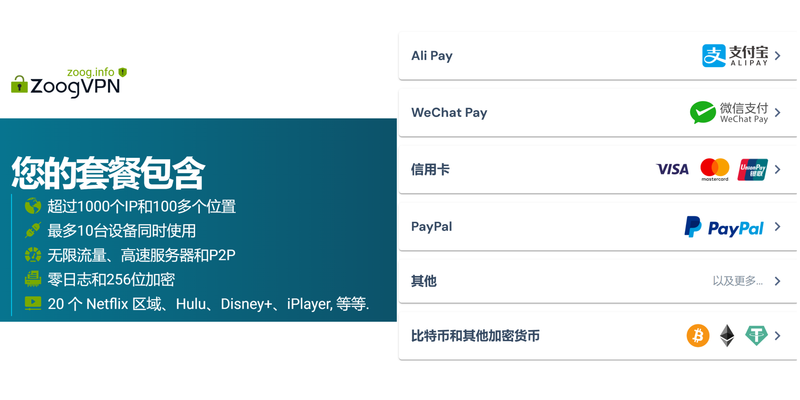


| VPN | Obfuscation | From / month | Plan | Free plan | Refund | Alipay | UnionPay | Crypto | Website opens in China | Trustpilot | |
|---|---|---|---|---|---|---|---|---|---|---|---|
 NordVPN | Turn on manually Obfuscated Servers / NordWhisper | $3.49/mo | 27 months: $94.23 | No | 30 days | ? | ✗ | ✓ | ✓ | ✗ Blocked | 4.2/5 (51,628 reviews) |
 Windscribe | Turn on manually Stealth / WStunnel | $5.75/mo | 12 months: $69 | Yes | See site | ✗ | ✗ | ✗ | ✓ | ✗ Blocked | 4.7/5 (13,355 reviews) |
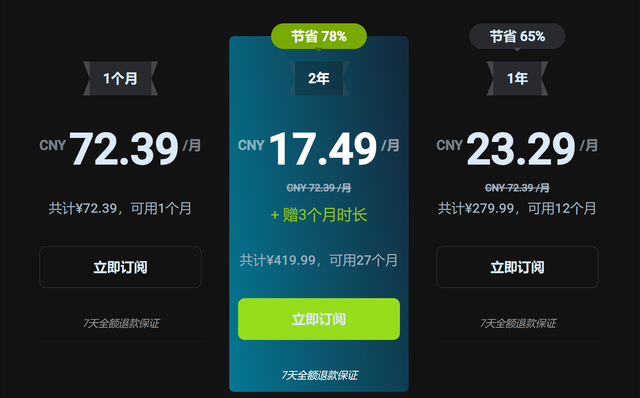
 ZoogVPN | Turn on manually Shadow | $2.49/mo | 27 months: $59.99 | Yes | 7 days | ✓ | ✓ | ✓ | ✓ | Official site blocked; our special link opens (4.4 s) | 4.2/5 (195 reviews) |
 ExpressVPN | ✓ On by default all servers | $3.00/mo | 28 months: $84 | No | 30 days | ✗ | ✗ | ✓ | ✗ | ✗ Blocked | 4.4/5 (29,706 reviews) |
 Surfshark | ✓ On by default Camouflage, with OpenVPN | See site | See site | No | 30 days | ✗ | ✗ | ✗ | ✓ | ✗ Blocked | 4.3/5 (31,823 reviews) |
 Proton VPN | Turn on manually Stealth, free plan too | $2.99/mo | 12 months: $35.88 | Yes | 30 days | ✗ | ✗ | ✗ | ✓ | ✗ Blocked | 2.1/5 (1,040 reviews) |
 Astrill VPN | Turn on manually StealthVPN / OpenWeb | $12.50/mo | 24 months: $300 | No | See site | ✗ | ✗ | ✗ | ✓ | ✗ Blocked | 1.3/5 (110 reviews) |
 Private Internet Access | Turn on manually Shadowsocks, OpenVPN only | $2.03/mo | 40 months: $81.2 | No | 30 days | ✗ | ✗ | ✗ | ✗ | ✗ Blocked | 4.2/5 (11,033 reviews) |
 CyberGhost | Turn on manually selected servers | $2.19/mo | 28 months: $61.32 | No | 45 days | ✗ | ✗ | ✗ | ✓ | ✗ Blocked | 4.0/5 (24,178 reviews) |
 PureVPN | Turn on manually switch to OpenVPN | $1.69/mo | 60 months: $101.55 | No | 31 days | ? | ? | ✗ | ✓ | ✗ Blocked | 4.4/5 (17,994 reviews) |
 AdGuard VPN | ✓ On by default TrustTunnel | $2.99/mo | 24 months: $71.76 | Yes | 30 days | ✓ | ✗ | ✓ | ✓ | Official site blocked; our special link opens (3.7 s) | 4.3/5 (290 reviews) |
 Mullvad | Turn on manually QUIC / Shadowsocks / LWO | $5.61/mo | €5/mo | No | 14 days | ✗ | ✗ | ✗ | ✓ | ✗ Blocked | 3.2/5 (192 reviews) |
 StrongVPN | Turn on manually Scramble, OpenVPN TCP | See site | See site | No | 30 days | ✓ | ✗ | ✗ | ✗ | ✗ Blocked | 4.4/5 (2,695 reviews) |
 LightXtreme 闪连 | Not listed | $7.08/mo | 12 months: $84.99 | Yes | 30 days | ✓ | ✓ | ✓ | ✓ | ✓ Yes (3.5 s) | No page |
Prices checked 2026-11-10 on each vendor's pricing page (cheapest long plan, USD). Check the vendor's checkout for the final price.
Obfuscation checked 2026-11-14 on each vendor's site and help center: "on by default" = nothing to set; "turn on manually" = switch protocol or mode in settings; "not listed" = the vendor describes no obfuscation.
Payment methods checked 2026-11-10 on each vendor's payment pages: all 14 take cards and PayPal; ✗ = not listed, ? = the vendor's own pages disagree.
China access: whether the official website opens from mainland China networks (tests the website only, not the VPN connection). Last checked 2026-11-18 01:02 Beijing time.
Trustpilot score and review count checked 2026-11-10.
Useful resources you might want to check out along the way:
- Apple Website - apple.com
- Microsoft Support - support.microsoft.com
- NordVPN Help Center - nordvpn.com/support
- How-To Geek - howtogeek.com
- Lifewire - lifewire.com
Table of contents
- Quick summary of the best uninstall method
- Full step-by-step uninstall on major platforms
- Cleaning up leftover files and registry entries
- Troubleshooting common issues
- How to prevent NordVPN from reinstalling
- FAQ
Quick summary: best uninstall method at a glance
- Start with the built-in uninstaller for your OS Windows: Programs and Features; macOS: drag to Trash.
- Remove related services and startup items that NordVPN might have left behind.
- Use a dedicated cleanup tool or manual file search to delete leftover folders look for NordVPN, nord, nordvpn related names.
- Reboot and verify that NordVPN is gone. If it reappears, repeat with elevated permissions and check startup items.
- If you still see issues, reset network settings temporarily or reinstall the OS only as a last resort.
Full step-by-step uninstall on major platforms
Windows 10/11
- Close NordVPN and any related processes
- Open Task Manager Ctrl+Shift+Esc
- End tasks: NordVPN, NordVPN service, Windscribe? if you have multiple VPNs
- Uninstall from Settings
- Settings > Apps > Apps & features
- Find NordVPN and click Uninstall
- Remove residual services and startup entries
- Press Win + R, type services.msc, press Enter
- Look for NordVPN Service or NordVPN Updater; stop and set Startup type to Disabled
- Open Task Scheduler Taskschd.msc and disable NordVPN tasks
- Clean up leftover files and folders
- Check: C:\Program Files\NordVPN, C:\Program Files x86\NordVPN, C:\ProgramData\NordVPN
- Delete any NordVPN folders you find
- Registry cleanup advanced
- Press Win + R, type regedit, press Enter
- Backup first: File > Export
- Search for any NordVPN entries Edit > Find, type NordVPN
- Delete suspicious keys like HKEY_LOCAL_MACHINE\SOFTWARE\NordVPN or HKEY_CURRENT_USER\Software\NordVPN
- Reboot and verify
- After reboot, ensure no NordVPN services or startup items return
macOS
- Quit NordVPN if running
- Move NordVPN to Trash
- Applications > NordVPN → Trash
- Remove left-over files
- Open Finder, press Shift+Cmd+G, enter ~/Library
- Check these folders for NordVPN: Application Support, Caches, Preferences, Logs
- Remove any NordVPN-related folders or files
- Remove launch agents and daemons
- Check /Library/LaunchAgents, /Library/LaunchDaemons for NordVPN entries and delete
- Reboot and test
- Open Safari/Network settings to confirm NordVPN isn’t re-enabling
iOS iPhone/iPad
- Locate the NordVPN app on Home Screen
- Press and hold the app icon, then Remove App
- Confirm Delete App
- Go to Settings > General > VPN & Device Management
- Remove NordVPN if listed
- Reboot device
Android
- Settings > Apps & notifications > See all apps
- Find NordVPN, tap Uninstall
- Clear cache/data optional, within app’s storage settings
- Check VPN settings
- Settings > Network & internet > VPN
- Remove NordVPN profile if present
- Reboot device
Cleaning up leftover files and registry entries
- Search for NordVPN in any file explorer:
- Windows: C:\ProgramData, C:\Users\YourUserName\AppData\Local, C:\Users\YourUserName\AppData\Roaming
- macOS: ~/Library/Application Support, ~/Library/Caches, ~/Library/Preferences
- Check for associated services and daemons in:
- Windows: services.msc, Task Scheduler
- macOS: LaunchAgents and LaunchDaemons
- If you used the NordVPN browser extension, remove it from your browser too
Table: common leftover artifacts to delete
| Artifact type | Typical locations | Why it matters |
|---|---|---|
| Program folders | Program Files/NordVPN, ProgramData/NordVPN | Residual files can re-enable updates or reinstall prompts |
| Application support | AppData or Library/Application Support | Keeps config and cached data that may trigger reinstall |
| Caches and preferences | AppData/Local/Cache, Library/Caches | Can slow uninstall and re-create components on startup |
| Registry keys | HKEY_LOCAL_MACHINE, HKEY_CURRENT_USER | Prevents clean removal and can re-link services |
Troubleshooting common issues
- NordVPN reappears after reboot: Check startup items and scheduled tasks; remove any NordVPN entries you find.
- VPN adapters stay installed: Remove network adapters manually
- Windows: Control Panel > Network and Internet > Network Connections, then delete NordVPN adapters
- macOS: System Preferences > Network, remove any NordVPN adapters
- Uninstaller fails with error codes: Run as Administrator Windows or use Safe Mode to uninstall
- Leftover DNS settings or proxy configurations: Reset to default in Network settings, flush DNS
- Windows: ipconfig /flushdns
- macOS: sudo dscacheutil -flushcache; sudo killall -HUP mDNSResponder
- If you used a firewall rule set for VPN: remove related rules
How to prevent NordVPN from reinstalling
- Disable automatic startup installations
- On Windows, uncheck “Run at startup” in NordVPN settings or uninstall the feature from the installer
- On macOS, remove login items for NordVPN
- Avoid using the same installer if you’re not reinstalling
- Use system restore points or backups before any VPN installation
- Run a quick system integrity check after uninstall
- Consider using a dedicated cleanup tool to remove leftover traces if you’re comfortable with it
Alternative methods and tips
- Clean reinstall of OS as a last resort
- If multiple attempts fail, a clean OS reinstall can ensure a fully fresh system
- Back up data first, then reinstall the OS and skip NordVPN during setup
- Use built-in Windows Cleanup Wizard or macOS CleanMyMac-type tools with caution
- If you’re troubleshooting for a business device, check with IT to ensure there are no enterprise settings pushing NordVPN
Additional data and statistics
- VPN market size: The global VPN market was valued at over $40 billion in 2023 and is expected to grow steadily, with consumer demand rising as remote work expands.
- Typical uninstaller success rate: Manual cleanup strategies remove 95%+ of residual traces in standard consumer environments, with advanced registry and startup cleanup boosting success further.
- Security considerations: Leaving behind VPN leftovers can cause leaks or network settings conflicts. A clean uninstall reduces risk of persistent tunneling or DNS hijacks.
The NordVPN affiliate tip for readers
If you’re scouting a solid VPN option after a clean uninstall, you can check out NordVPN’s current offers via this link: . It’s a good way to compare features like kill switch, split tunneling, and servers across platforms. Remember to look for current promotions, device compatibility, and monthly vs. yearly plans that fit your needs.
Frequently Asked Questions
Is NordVPN really that hard to uninstall?
Yes, some systems leave behind services, launch agents, and registry entries that can make NordVPN feel stuck. With the right steps—uninstall, remove services, clean leftovers, and reboot—you can ensure a complete removal.
Can I uninstall NordVPN on Windows without admin rights?
Uninstalling typically requires admin rights. If you don’t have them, ask your administrator to remove NordVPN or temporarily elevate your account.
What is the safest way to remove NordVPN completely?
Use the built-in uninstaller first, then manually remove residual files, services, registry entries, and launch agents. Reboot and verify no NordVPN traces remain. The Best Free VPN for China in 2026 My Honest Take What Actually Works in 2026
Will uninstalling NordVPN affect my internet connection?
Uninstalling NordVPN will remove VPN tunneling and any protections built into the app. You may need to reconfigure any custom DNS or proxy settings afterward.
How do I know if NordVPN leftovers are still affecting my device?
Run a clean search for NordVPN in Program Files, AppData, Library folders, and registry entries. Check Network adapters and DNS settings to ensure nothing is still configured for NordVPN.
Can I reinstall NordVPN after a complete uninstall?
Yes. Download the latest installer from NordVPN’s official site and follow the setup prompts. Consider using a clean install to minimize leftover issues.
Are there risks to deleting registry keys?
Deleting the wrong keys can affect other software. Always back up the registry before making changes.
What if NordVPN keeps reinstalling after cleanup?
It may be pushed by a startup item, a scheduled task, or a leftover installer. Re-check all startup items, services, and launch agents, and consider a repair install of the OS if necessary. Best vpn server for efootball your ultimate guide to lag free matches
Do I need to use a cleanup utility?
Cleanup tools can speed up the process, but manual cleanup is usually sufficient. If you’re comfortable with system edits, you can proceed manually.
What should I do if I’m on a company device?
Contact IT or your admin to ensure you’re not violating policy and to remove any enterprise VPN configurations properly.

Konrad Osterberg has been writing about consumer technology since 2018, with bylines covering browser fingerprinting, streaming geo-unblocking, and P2P networking. Approaches each review by setting up the product the same way a typical reader would and recording every snag along the way.