iPhone VPN: How It Works, How to Set It Up, and When to Use One
Learn what an iPhone VPN does, how to install or configure one, and what to consider before choosing a free or paid service.
An iPhone VPN routes your internet connection through a VPN server, helping protect traffic between your device and that server and changing the IP address visible to many websites. iPhone does not come with a general-purpose VPN service included. To use one, install a VPN provider’s app or add configuration details supplied by a workplace or VPN provider.
Editor's pick: NordVPN — fast, secure VPN — Strong encryption, a no-logs policy and apps for every device. 30-day money-back guarantee. Get NordVPN →
Compare VPN setup options on iPhone
| Option | What you need | Setup effort | Best for | Main limitation |
|---|---|---|---|---|
| VPN app | App Store app and account | Low | Most iPhone users | Depends on provider |
| Manual VPN configuration | Server details and login credentials | Medium | Work or school VPNs | Requires configuration details |
| Work or school profile | Organization-provided profile | Low to medium | Managed access | Controlled by the organization |
| iCloud Private Relay | iCloud+ subscription | Low | Safari privacy | Not a full VPN |
| No VPN | Nothing | None | Everyday use on trusted networks | No VPN traffic protection |
| Router VPN | VPN-enabled router | Medium | Devices on a home network | Does not protect iPhone on other networks |
Compiled November 2026; check the provider's site for current details.
| VPN | Obfuscation | From / month | Plan | Free plan | Refund | Alipay | UnionPay | Crypto | Website opens in China | Trustpilot | |
|---|---|---|---|---|---|---|---|---|---|---|---|
 Proton VPN | Turn on manually Stealth, free plan too | $2.99/mo | 12 months: $35.88 | Yes | 30 days | ✗ | ✗ | ✗ | ✓ | ✗ Blocked | 2.1/5 (1,040 reviews) |
 ZoogVPN | Turn on manually Shadow | $2.49/mo | 27 months: $59.99 | Yes | 7 days | ✓ | ✓ | ✓ | ✓ | Official site blocked; our special link opens (4.4 s) | 4.2/5 (195 reviews) |
 NordVPN | Turn on manually Obfuscated Servers / NordWhisper | $3.49/mo | 27 months: $94.23 | No | 30 days | ? | ✗ | ✓ | ✓ | ✗ Blocked | 4.2/5 (51,628 reviews) |
 ExpressVPN | ✓ On by default all servers | $3.00/mo | 28 months: $84 | No | 30 days | ✗ | ✗ | ✓ | ✗ | ✗ Blocked | 4.4/5 (29,706 reviews) |
 Surfshark | ✓ On by default Camouflage, with OpenVPN | See site | See site | No | 30 days | ✗ | ✗ | ✗ | ✓ | ✗ Blocked | 4.3/5 (31,823 reviews) |
 Astrill VPN | Turn on manually StealthVPN / OpenWeb | $12.50/mo | 24 months: $300 | No | See site | ✗ | ✗ | ✗ | ✓ | ✗ Blocked | 1.3/5 (110 reviews) |
 Private Internet Access | Turn on manually Shadowsocks, OpenVPN only | $2.03/mo | 40 months: $81.2 | No | 30 days | ✗ | ✗ | ✗ | ✗ | ✗ Blocked | 4.2/5 (11,033 reviews) |
 CyberGhost | Turn on manually selected servers | $2.19/mo | 28 months: $61.32 | No | 45 days | ✗ | ✗ | ✗ | ✓ | ✗ Blocked | 4.0/5 (24,178 reviews) |
 PureVPN | Turn on manually switch to OpenVPN | $1.69/mo | 60 months: $101.55 | No | 31 days | ? | ? | ✗ | ✓ | ✗ Blocked | 4.4/5 (17,994 reviews) |
 AdGuard VPN | ✓ On by default TrustTunnel | $2.99/mo | 24 months: $71.76 | Yes | 30 days | ✓ | ✗ | ✓ | ✓ | Official site blocked; our special link opens (3.7 s) | 4.3/5 (290 reviews) |
 Mullvad | Turn on manually QUIC / Shadowsocks / LWO | $5.61/mo | €5/mo | No | 14 days | ✗ | ✗ | ✗ | ✓ | ✗ Blocked | 3.2/5 (192 reviews) |
 Windscribe | Turn on manually Stealth / WStunnel | $5.75/mo | 12 months: $69 | Yes | See site | ✗ | ✗ | ✗ | ✓ | ✗ Blocked | 4.7/5 (13,355 reviews) |
 StrongVPN | Turn on manually Scramble, OpenVPN TCP | See site | See site | No | 30 days | ✓ | ✗ | ✗ | ✗ | ✗ Blocked | 4.4/5 (2,695 reviews) |
 LightXtreme 闪连 | Not listed | $7.08/mo | 12 months: $84.99 | Yes | 30 days | ✓ | ✓ | ✓ | ✓ | ✓ Yes (3.5 s) | No page |
Prices checked 2026-11-10 on each vendor's pricing page (cheapest long plan, USD). Check the vendor's checkout for the final price.
Obfuscation checked 2026-11-14 on each vendor's site and help center: "on by default" = nothing to set; "turn on manually" = switch protocol or mode in settings; "not listed" = the vendor describes no obfuscation.
Payment methods checked 2026-11-10 on each vendor's payment pages: all 14 take cards and PayPal; ✗ = not listed, ? = the vendor's own pages disagree.
China access: whether the official website opens from mainland China networks (tests the website only, not the VPN connection). Last checked 2026-11-18 01:02 Beijing time.
Trustpilot score and review count checked 2026-11-10.
Does iPhone have a built-in VPN?
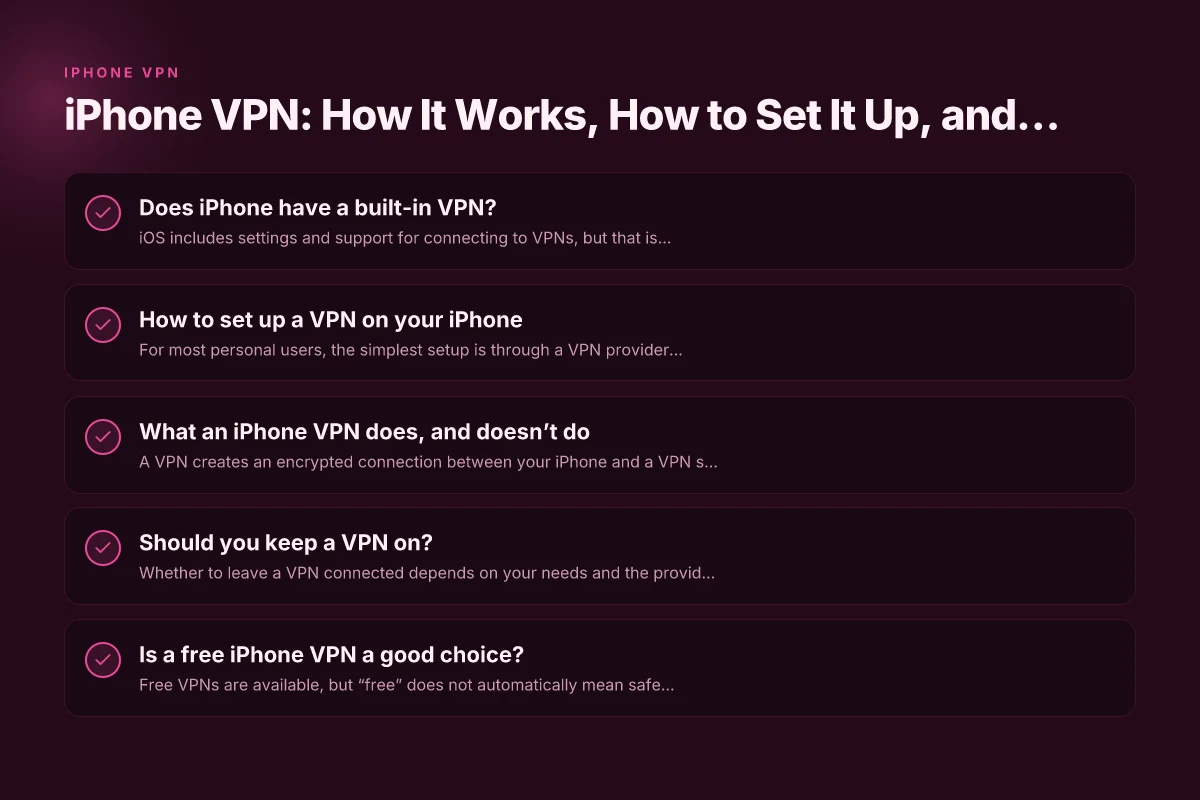
iOS includes settings and support for connecting to VPNs, but that is not the same as including a VPN service. You need an account with a VPN provider or setup details from your organization.
Apple also supports VPN configurations for managed devices. For example, VPN On Demand can automatically establish a connection when needed. This is often relevant to workplace or school deployments, where an administrator sets up the connection.
A VPN can help keep your connection private from people on the same local network, such as other users on public Wi-Fi. However, it does not guarantee anonymity or prevent every kind of tracking. Websites may still identify you through account sign-ins, cookies, or other information.
How to set up a VPN on your iPhone
For most personal users, the simplest setup is through a VPN provider’s official iPhone app:
- Choose a VPN provider and create an account if required.
- Download its app from the App Store.
- Open the app and sign in.
- Follow the app’s instructions to add a VPN configuration.
- Approve the iPhone’s request to add the configuration, then connect.
Your iPhone may ask for permission to add VPN settings. Review the request and make sure you trust the app and provider before approving it. Forti VPN: What It Is, How It Works, and Whether You Need It
If your employer, school, or provider gave you manual configuration details, go to Settings > General > VPN & Device Management > VPN. The precise options can vary by iOS version and the configuration provided. Enter only details supplied by a trusted administrator or provider. Do not guess server or account information.
When connected, iOS displays a VPN indicator in the status area or Control Center, depending on your iPhone and iOS version. You can also check the VPN settings or app to confirm the connection.
What an iPhone VPN does, and doesn’t do
A VPN creates an encrypted connection between your iPhone and a VPN server. This can make it harder for others on a local network to inspect your traffic. The VPN provider, however, becomes an important party in that connection, so its privacy practices matter.
| What a VPN can help with | What it does not guarantee |
|---|---|
| Encrypting traffic between your iPhone and the VPN server | Complete anonymity online |
| Reducing exposure to other users on the same Wi-Fi network | Protection from phishing, scams, or unsafe downloads |
| Making your connection appear to come from the VPN server’s location | Hiding your activity from every service or authority |
| Connecting securely to a workplace network | Preventing tracking through accounts, cookies, or device data |
A VPN also does not replace basic security measures. Keep iOS and apps updated, use strong account passwords, and be cautious with unexpected links and downloads.
What an iPhone VPN can and can’t do F5 VPN Download: How to Get the Right F5 Access Client
| Use or concern | VPN helps? | What it does | What it doesn’t do | Better next step |
|---|---|---|---|---|
| Public Wi-Fi privacy | Yes | Encrypts traffic between iPhone and VPN server | Hide activity from the VPN provider | Choose a trusted provider |
| IP address privacy | Yes | Replaces your public IP with the VPN server’s | Make you anonymous | Limit account and browser tracking |
| Internet provider visibility | Yes | Reduces what your provider can see about VPN traffic | Hide that you’re using a VPN | Review provider privacy practices |
| Malware protection | No | Routes traffic through a VPN server | Remove malware or block every threat | Keep iOS updated |
| Phishing protection | No | Does not verify whether a site is legitimate | Prevent deceptive links | Use caution with links and messages |
| Location access | Sometimes | May show the VPN server’s location | Override GPS or app location permissions | Review app location settings |
| Account tracking | No | Protects network traffic in transit | Stop tracking tied to your signed-in accounts | Adjust account and app privacy settings |
Compiled November 2026; check the provider's site for current details.
Should you keep a VPN on?
Whether to leave a VPN connected depends on your needs and the provider. Some people use one regularly, while others connect only on public Wi-Fi, when accessing a work network, or when they need a particular VPN feature.
Consider these points:
- Trust: Your provider handles your VPN connection. Review its privacy policy and reputation.
- Connection quality: A VPN may affect speed or access to some apps and websites.
- Battery and reliability: The effect varies by service, network, and usage.
- Purpose: A workplace VPN may be necessary for internal resources. A consumer VPN is typically used for privacy or location-related features.
- Network rules: Some workplaces, schools, or services restrict VPN use.
If a website or app stops working, try switching VPN servers or disconnecting temporarily. Avoid disabling a required workplace VPN without checking your organization’s guidance.
Is a free iPhone VPN a good choice?
Free VPNs are available, but “free” does not automatically mean safe or suitable. Check how the provider supports the service, what data it collects, and whether it imposes limits or other restrictions. For instance, Proton VPN advertises a free iPhone and iPad app with no data limits. Review its current terms and features before installing it. Free VPN to Change Location: What to Choose and What to Know
Before choosing any free or paid VPN, look for clear answers to these questions:
- What information does the provider collect?
- How is the service funded?
- Which features and locations are included?
- Does the provider explain how it handles security and connection records?
- Is the app published by the provider you intended to download?
Avoid apps that make sweeping promises, such as guaranteeing total anonymity or protection from all online threats.
Decide whether to keep an iPhone VPN on
| Situation | Keep VPN on? | Why | What to check |
|---|---|---|---|
| Public Wi-Fi | Yes | Adds protection on shared networks | Confirm the VPN is connected |
| Travel or unfamiliar networks | Yes | Encrypts traffic on networks you don’t trust | Check local service access |
| Trusted home Wi-Fi | Optional | The network may be more trusted | Consider your privacy needs |
| Banking or shopping | Usually | Adds traffic protection | Use the official app or website |
| Streaming or restricted services | It depends | VPNs can affect access or availability | Check service terms |
| Poor connection or blocked access | No, if needed | VPN routing can cause problems | Reconnect when conditions improve |
| Free VPN with unclear policies | No | Privacy and security practices may be uncertain | Review logging, ownership, and business model |
Compiled November 2026; check the provider's site for current details.
Recommendation
For everyday use, pick a reputable VPN provider whose privacy practices and features fit your needs, and install its official iPhone app. Use a workplace configuration only when it comes from your organization. A VPN can improve connection privacy in some situations, but it is one layer of protection, not a substitute for careful browsing and sound account security. NordVPN Download Windows 11: How to Get and Install the App

Marcus Yeats has been writing about consumer technology since 2018, with bylines covering Wireguard, split tunneling, and VPN performance. Approaches each review by setting up the product the same way a typical reader would and recording every snag along the way.