Microsoft Edge secure network VPN

A clear, practical guide to Microsoft Edge Secure Network VPN, what it is, what it protects, limitations, and how to use it.
Microsoft Edge Secure Network VPN
Open in Edge, browse with more privacy, and protect your traffic on public Wi‑Fi? That’s the promise behind Microsoft Edge Secure Network. Microsoft positions it as a built-in privacy feature that uses VPN-like technology to safeguard traffic as you browse in the Edge browser. It’s not a system-wide VPN, and it’s not a replacement for all-purpose security tools. This article lays out what Edge Secure Network is, how it works, where its protections apply, and how to use it effectively. It also covers common questions and limitations so you can decide when to switch it on, keep it on, or look for alternatives.

Edge Secure Network vs. Traditional VPN comparison
| Feature | Edge Secure Network | Traditional VPN | Notes |
|---|---|---|---|
| Core purpose | Secure network for browsing | Private tunnel to network | Edge focuses on security and performance; VPNs tunnel to networks |
| App integration | Built into Edge browser | Separate app or system-wide | Edge integration streamlines use |
| Operating scope | Per browser session | System-wide or per-application | Edge scope is browser-focused |
| Data encryption | Yes | Yes | Both encrypt data |
| IP masking | Yes | Yes | Both hide IP address |
| Speed impact | Minimal | Potential slowdown | Depends on server, protocol |
| Configuration | Automatic by browser | Manual or app-based | Edge config is automatic |
| Logging policy | Depends on Edge policy | Varies by provider | Check provider/Edge policy |
| Device compatibility | Windows, Mac, mobile likely | Cross-platform | VPNs often broader support |
| Cost | Free with Edge | Often paid or freemium | Edge integration may be free |
Compiled November 2026; check the provider's site for current details.
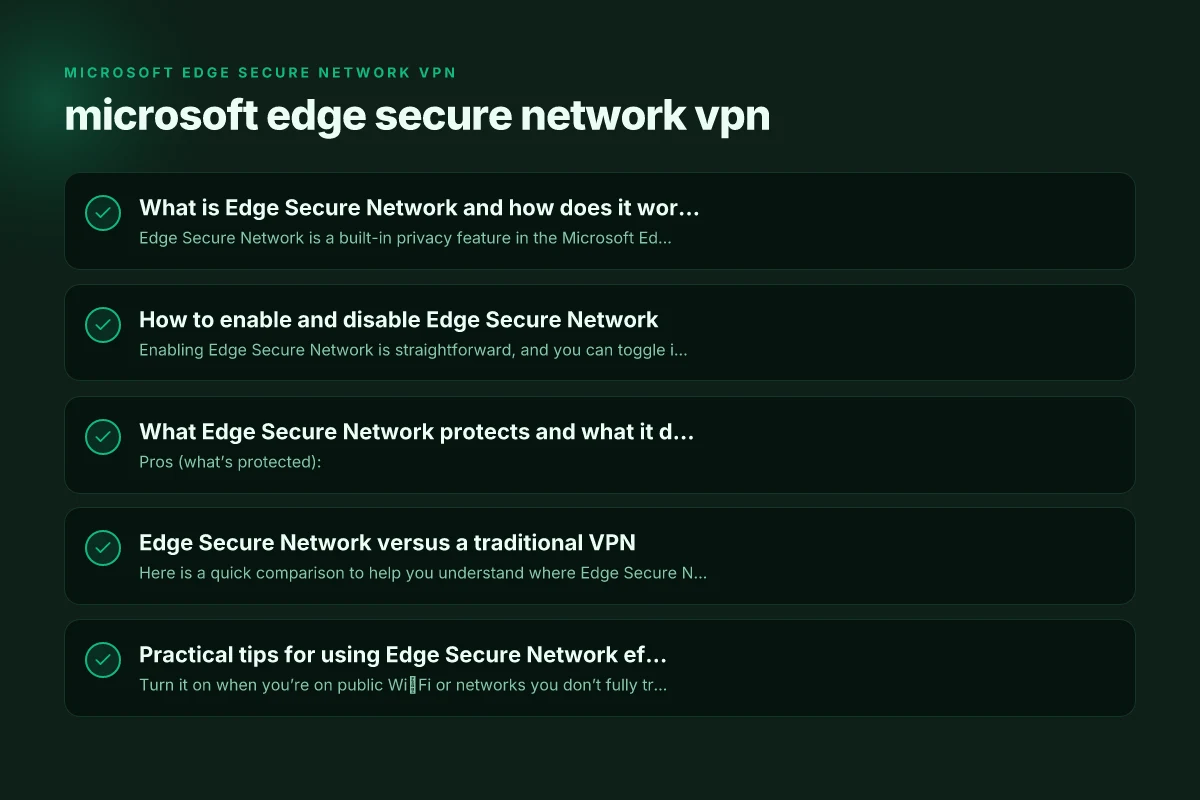
What is Edge Secure Network and how does it work?
Edge Secure Network is a built-in privacy feature in the Microsoft Edge browser. It uses VPN technology to encrypt and route your browser traffic through secure servers, with the aim of:
- Reducing exposure to IP-based tracking on open networks
- Encrypting traffic in transit when you’re connected to public Wi‑Fi or other unsecured networks
- Providing an additional privacy layer while browsing within Edge
Key point: the protection applies to Edge browser traffic, not every app or service on your device. In other words, it’s a browser-level safeguard rather than a system-wide VPN.
Understanding the scope is important. If you’re using Edge to browse the web, you’ll benefit from the encryption and IP masking while Edge is active. If you’re using other apps (email clients, messaging apps, or games), their traffic remains outside Edge Secure Network’s reach.
How to enable and disable Edge Secure Network
Enabling Edge Secure Network is straightforward, and you can toggle it based on your needs. Here’s a typical path, though menus may update with Edge versions:
- Open Edge and go to Settings
- Choose Privacy, Search, and services
- Find the Microsoft Edge Secure Network section
- Turn on the feature to enable it
- To disable, switch it off in the same area
Some configurations in managed environments or enterprise setups may restrict toggling, so if you don’t see the option, that could reflect policy controls rather than a missing feature. How to export ovpn files
If you’re trying to enable it via a guide or a support article, you’ll often see tips about ensuring you’re signed in with a Microsoft account and that the feature isn’t blocked by organizational policies. Always verify the current path in your Edge version, as menu names and arrangements can shift over updates.
What Edge Secure Network protects and what it doesn’t
Pros (what’s protected):
- Edge browser traffic on open or compromised networks
- Encryption of data in transit within Edge
- Some reduction in exposure to basic IP-based tracking while browsing in Edge
- A privacy-oriented layer during online activities inside the browser
Limitations (what it doesn’t protect)
- It is not a true, system-wide VPN. Applications outside Edge are not routed through Edge’s VPN servers.
- It does not provide full device-wide protection for all apps or background processes.
- If you’re using other browsers or non-browser apps, their traffic won’t be covered.
- Some websites or services may still identify or monitor you through cookies, fingerprinting, or other tracking methods.
- The performance impact on Edge can vary by device and network conditions.
If you’re evaluating privacy for sensitive activities, remember that a full VPN on the entire device may be preferable in some contexts, especially when you want to cover multiple apps and services beyond Edge.
How to enable/disable Edge Secure Network vs. manual VPN setup How to cancel your Astrill VPN subscription and say goodbye
| Step | Edge Secure Network | Manual VPN | Notes |
|---|---|---|---|
| Find toggle | In Edge settings | In OS or VPN app | Edge toggle is browser-based |
| Enable/disable | One switch | Connect/Disconnect | Simple in Edge |
| Required sign-in | Microsoft account | VPN account or none | Edge may require account for features |
| Scope affected | Browser traffic | All device traffic (depending on setup) | Edge affects browsing traffic by default |
| Automatic start | On when enabled | May auto-start based on app | Edge auto-handles browser traffic |
| Network indicator | Shield icon in Edge | VPN icon in status bar | UI cues differ |
| Kill switch | Not typical | Often present | VPNs may have kill switch |
| DNS handling | Edge DNS managed | VPN DNS through provider | DNS leakage risk varies |
| Reconnect behavior | Automatic on page load | Automatic on reconnect | Edge preserves session flow |
Compiled November 2026; check the provider's site for current details.
Edge Secure Network versus a traditional VPN
Here is a quick comparison to help you understand where Edge Secure Network fits in the broader privacy landscape:
- Scope of protection
- Edge Secure Network: Browser-level, Edge-only
- Traditional VPN: System-wide, per-device or per-network
- App coverage
- Edge Secure Network: Edge browser traffic
- Traditional VPN: All apps and services via the VPN tunnel
- Control and configuration
- Edge Secure Network: Managed through Edge settings
- Traditional VPN: Often configurable per app or via OS-level VPN settings
- Performance considerations
- Edge Secure Network: May introduce some latency within Edge, depending on servers
- Traditional VPN: Can affect all traffic. Choice of servers and protocol matters
- Use cases
- Edge Secure Network: Safe browsing on public Wi‑Fi, quick privacy boost inside Edge
- Traditional VPN: Privacy and security for all device traffic, including non-browser apps
Bottom line: Think of Edge Secure Network as a convenient, browser-specific privacy tool. If you need comprehensive device-wide protection, you’ll likely want a full VPN service.
Practical tips for using Edge Secure Network effectively
- Turn it on when you’re on public Wi‑Fi or networks you don’t fully trust. It adds a layer of encryption for Edge traffic during browsing sessions.
- Leave it off for sites or services that rely on geo-constraints or performance-sensitive tasks where you don’t want traffic to be routed through Edge servers.
- Monitor performance. If Edge feels slower on certain pages, try turning the feature off to see if there’s a noticeable improvement.
- Manage expectations. Don’t rely on Edge Secure Network to obscure your entire online footprint. Complement it with strong privacy practices (cookie management, tracking protection, and mindful search engine choices).
- Check for enterprise or parental controls. In business or family setups, administrators may enforce defaults or block toggling to align with policy or compliance requirements.
- Keep Edge updated. Privacy features and their behavior can evolve with new builds, so using the latest version helps ensure you have current protections and settings.
What Edge Secure Network protects and doesn’t protect
| Protection area | Edge Secure Network | Not if | Notes |
|---|---|---|---|
| Browsing data in Edge | Yes | On non-Edge apps | Edge secures Edge browsing |
| Public Wi-Fi risk | Yes | Local apps or OS-level traffic | Reduces exposure in Edge browser |
| IP masking | Yes | With non-Edge apps | Only for Edge-related traffic |
| Access to restricted sites | Yes | Based on Edge policy | May respect publisher restrictions |
| Full device protection | No | A true VPN or firewall | Edge is browser-focused |
| Malware blocking | Limited | Antivirus needed | Not a replacement for AV |
| DNS privacy | Yes (Edge-managed) | Depends on VPN config | DNS requests for Edge are protected |
Compiled November 2026; check the provider's site for current details. Globalprotect VPN not connecting on Windows 11
Does Edge Secure Network cost money? Is it free?
Edge Secure Network is described as a built-in privacy feature in the Edge browser. Microsoft sometimes positions it as included with Edge usage, but there have been discussions about tiered or premium access in certain regions or plans. Prices and availability may vary by account type (personal versus enterprise) and by platform. If you see a prompt for payment, verify whether it’s for an upgrade within Edge or if you’re still using the free, browser-level version. In many cases, users can enable and use the feature without direct charges within a standard consumer Edge experience, but always check the current terms in your Edge settings or the Microsoft support pages for the most up-to-date information.
| VPN | Obfuscation | From / month | Plan | Free plan | Refund | Alipay | UnionPay | Crypto | Website opens in China | Trustpilot | |
|---|---|---|---|---|---|---|---|---|---|---|---|
 ZoogVPN | Turn on manually Shadow | $2.49/mo | 27 months: $59.99 | Yes | 7 days | ✓ | ✓ | ✓ | ✓ | ✓ Yes (2.5 s) | 4.2/5 (195 reviews) |
 NordVPN | Turn on manually Obfuscated Servers / NordWhisper | $3.49/mo | 27 months: $94.23 | No | 30 days | ? | ✗ | ✓ | ✓ | ✗ Blocked | 4.2/5 (51,628 reviews) |
 ExpressVPN | ✓ On by default all servers | $3.00/mo | 28 months: $84 | No | 30 days | ✗ | ✗ | ✓ | ✗ | ✗ Blocked | 4.4/5 (29,706 reviews) |
 Surfshark | ✓ On by default Camouflage, with OpenVPN | See site | See site | No | 30 days | ✗ | ✗ | ✗ | ✓ | ✗ Blocked | 4.3/5 (31,823 reviews) |
 Proton VPN | Turn on manually Stealth, free plan too | $2.99/mo | 12 months: $35.88 | Yes | 30 days | ✗ | ✗ | ✗ | ✓ | ✓ Yes (2.5 s) | 2.1/5 (1,040 reviews) |
 Astrill VPN | Turn on manually StealthVPN / OpenWeb | $12.50/mo | 24 months: $300 | No | See site | ✗ | ✗ | ✗ | ✓ | ✗ Blocked | 1.3/5 (110 reviews) |
 Private Internet Access | Turn on manually Shadowsocks, OpenVPN only | $2.03/mo | 40 months: $81.2 | No | 30 days | ✗ | ✗ | ✗ | ✗ | ✗ Blocked | 4.2/5 (11,033 reviews) |
 CyberGhost | Turn on manually selected servers | $2.19/mo | 28 months: $61.32 | No | 45 days | ✗ | ✗ | ✗ | ✓ | ✗ Blocked | 4.0/5 (24,178 reviews) |
 PureVPN | Turn on manually switch to OpenVPN | $1.69/mo | 60 months: $101.55 | No | 31 days | ? | ✗ | ✗ | ✓ | ✓ Yes (2.6 s) | 4.4/5 (17,994 reviews) |
 AdGuard VPN | ✓ On by default TrustTunnel | $2.99/mo | 24 months: $71.76 | Yes | 30 days | ✓ | ✗ | ✓ | ✓ | Official site blocked; our special link opens (2.3 s) | 4.3/5 (290 reviews) |
 Mullvad | Turn on manually QUIC / Shadowsocks / LWO | $5.61/mo | €5/mo | No | 14 days | ✗ | ✗ | ✗ | ✓ | ✗ Blocked | 3.2/5 (192 reviews) |
 Windscribe | Turn on manually Stealth / WStunnel | $5.75/mo | 12 months: $69 | Yes | See site | ✗ | ✗ | ✗ | ✓ | ✗ Blocked | 4.7/5 (13,355 reviews) |
 StrongVPN | Turn on manually Scramble, OpenVPN TCP | See site | See site | No | 30 days | ✓ | ✗ | ✗ | ✗ | ✗ Blocked | 4.4/5 (2,695 reviews) |
 LightXtreme 闪连 | Not listed | $7.08/mo | 12 months: $84.99 | Yes | 30 days | ✓ | ✓ | ✓ | ✓ | ✓ Yes (2.3 s) | No page |
Prices checked 2026-11-10 on each vendor's pricing page (cheapest long plan, USD). Check the vendor's checkout for the final price.
Obfuscation checked 2026-11-14 on each vendor's site and help center: "on by default" = nothing to set; "turn on manually" = switch protocol or mode in settings; "not listed" = the vendor describes no obfuscation.
Payment methods checked 2026-11-10 on each vendor's payment pages: all 14 take cards and PayPal; ✗ = not listed, ? = the vendor's own pages disagree.
China access: whether the official website opens from mainland China networks (tests the website only, not the VPN connection). Last checked 2026-11-11 04:07 Beijing time.
Trustpilot score and review count checked 2026-11-10.
Common questions and FAQs
- Q: Is Edge Secure Network a true VPN?
- A: Not exactly. It’s a browser-level VPN-like feature designed to protect Edge traffic. It does not secure all device traffic.
- Q: How do I turn on VPN on Microsoft Edge?
- A: Open Edge settings, go to Privacy, Search, and services, find Microsoft Edge Secure Network, and toggle it on. The exact steps may vary with updates.
- Q: Can I use Edge Secure Network on mobile Edge apps?
- A: Edge Secure Network features are primarily described for the desktop Edge browser. Mobile implementations may differ. Check the latest guidance for iOS and Android Edge versions.
- Q: Do I need a Microsoft account?
- A: Some configurations may ask you to sign in to access or customize features, especially in managed environments.
The bottom line: should you use Edge Secure Network?
- If your primary browsing is done in Edge and you frequently use open Wi‑Fi networks, Edge Secure Network can add a privacy layer for the sites you visit within the browser.
- If you want device-wide protection for all apps, or you rely on other browsers, or you need to safeguard gaming or background processes, a traditional VPN or a broader privacy setup may be a better fit.
- For enterprise or family-managed devices, verify policy settings. Some organizations restrict or configure VPN features by policy, which can influence how you use the feature.
Recommendation
- Start with Edge Secure Network if you’re curious about browser-level privacy protection and you want a quick, built-in option without installing additional software. Turn it on when you’re on public networks and you want extra protection for Edge traffic. If you discover you need broader coverage or you notice limitations in how it protects your workflows, consider pairing it with a reputable, full-device VPN or other privacy tools. Remember: no single feature eliminates all privacy risks. Complement Edge Secure Network with careful privacy hygiene, cookie controls, tracking protection, and mindful browsing practices, to build a more private browsing experience.

Konrad Osterberg has been writing about consumer technology since 2018, with bylines covering browser fingerprinting, streaming geo-unblocking, and P2P networking. Approaches each review by setting up the product the same way a typical reader would and recording every snag along the way.