NordVPN for Windows: How to Download, Install, and Use It
Learn how to install NordVPN on Windows 10 or 11, connect securely, and troubleshoot common connection problems.
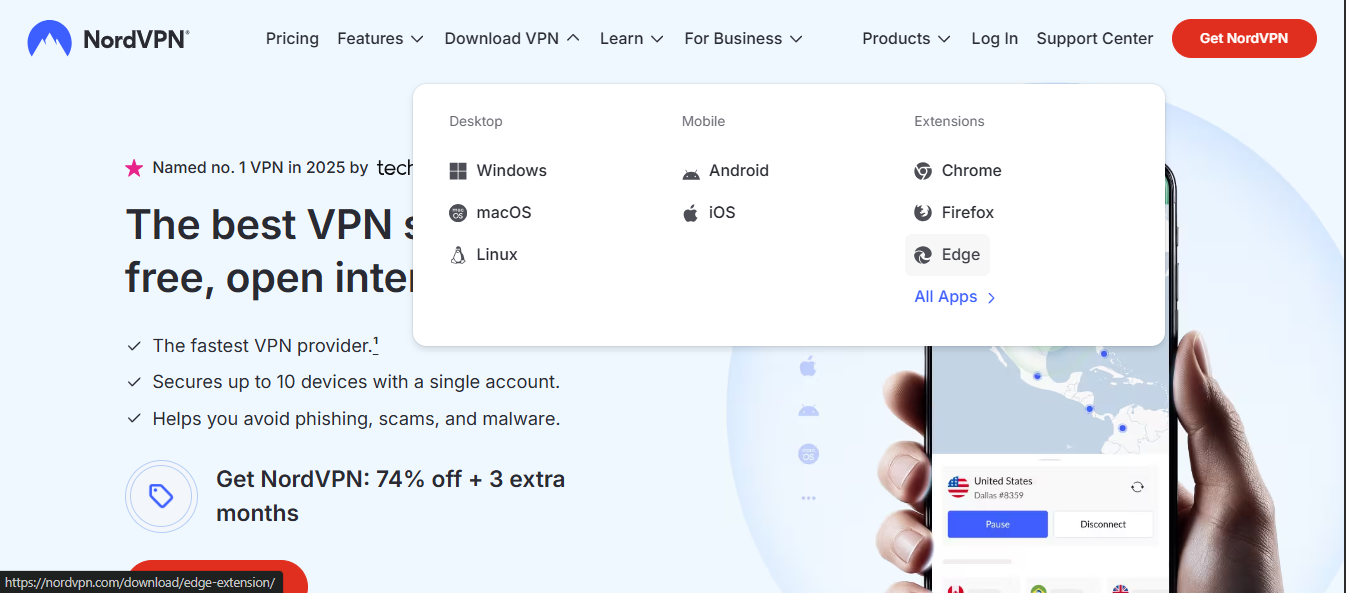
NordVPN for Windows is a desktop app that helps encrypt your internet traffic and change your IP address while you browse, stream, or work online. To get started, download the app from NordVPN’s official Windows download page, install it on a supported PC, and sign in with your Nord Account. You’ll need Windows 10 (64-bit) or Windows 11, plus an internet connection for downloading and logging in.
Editor's pick: NordVPN — fast, secure VPN — Strong encryption, a no-logs policy and apps for every device. 30-day money-back guarantee. Get NordVPN →
Compare the ways to get NordVPN for Windows
| Option | Where to get it | Installation | Updates | Best for |
|---|---|---|---|---|
| NordVPN website | Official NordVPN site | Download and run the installer | Through the app | Direct download |
| Microsoft Store | Microsoft Store | Install from the Store | Through the Store | Store-managed apps |
| Existing installation | NordVPN app | Open the app and check for updates | Through the app | Current users |
| Windows 11 PC | Either supported source | Install the Windows app | Depends on source | Windows 11 users |
| Windows 10 PC | Either supported source | Install the Windows app | Depends on source | Windows 10 users |
| Other Windows versions | Check NordVPN requirements | Confirm compatibility first | Depends on source | Users with older PCs |
Compiled November 2026; check the provider's site for current details.
| VPN | Obfuscation | From / month | Plan | Free plan | Refund | Alipay | UnionPay | Crypto | Website opens in China | Trustpilot | |
|---|---|---|---|---|---|---|---|---|---|---|---|
 NordVPN | Turn on manually Obfuscated Servers / NordWhisper | $3.49/mo | 27 months: $94.23 | No | 30 days | ? | ✗ | ✓ | ✓ | ✗ Blocked | 4.2/5 (51,628 reviews) |
 ZoogVPN | Turn on manually Shadow | $2.49/mo | 27 months: $59.99 | Yes | 7 days | ✓ | ✓ | ✓ | ✓ | Official site blocked; our special link opens (4.4 s) | 4.2/5 (195 reviews) |
 ExpressVPN | ✓ On by default all servers | $3.00/mo | 28 months: $84 | No | 30 days | ✗ | ✗ | ✓ | ✗ | ✗ Blocked | 4.4/5 (29,706 reviews) |
 Surfshark | ✓ On by default Camouflage, with OpenVPN | See site | See site | No | 30 days | ✗ | ✗ | ✗ | ✓ | ✗ Blocked | 4.3/5 (31,823 reviews) |
 Proton VPN | Turn on manually Stealth, free plan too | $2.99/mo | 12 months: $35.88 | Yes | 30 days | ✗ | ✗ | ✗ | ✓ | ✗ Blocked | 2.1/5 (1,040 reviews) |
 Astrill VPN | Turn on manually StealthVPN / OpenWeb | $12.50/mo | 24 months: $300 | No | See site | ✗ | ✗ | ✗ | ✓ | ✗ Blocked | 1.3/5 (110 reviews) |
 Private Internet Access | Turn on manually Shadowsocks, OpenVPN only | $2.03/mo | 40 months: $81.2 | No | 30 days | ✗ | ✗ | ✗ | ✗ | ✗ Blocked | 4.2/5 (11,033 reviews) |
 CyberGhost | Turn on manually selected servers | $2.19/mo | 28 months: $61.32 | No | 45 days | ✗ | ✗ | ✗ | ✓ | ✗ Blocked | 4.0/5 (24,178 reviews) |
 PureVPN | Turn on manually switch to OpenVPN | $1.69/mo | 60 months: $101.55 | No | 31 days | ? | ? | ✗ | ✓ | ✗ Blocked | 4.4/5 (17,994 reviews) |
 AdGuard VPN | ✓ On by default TrustTunnel | $2.99/mo | 24 months: $71.76 | Yes | 30 days | ✓ | ✗ | ✓ | ✓ | Official site blocked; our special link opens (3.7 s) | 4.3/5 (290 reviews) |
 Mullvad | Turn on manually QUIC / Shadowsocks / LWO | $5.61/mo | €5/mo | No | 14 days | ✗ | ✗ | ✗ | ✓ | ✗ Blocked | 3.2/5 (192 reviews) |
 Windscribe | Turn on manually Stealth / WStunnel | $5.75/mo | 12 months: $69 | Yes | See site | ✗ | ✗ | ✗ | ✓ | ✗ Blocked | 4.7/5 (13,355 reviews) |
 StrongVPN | Turn on manually Scramble, OpenVPN TCP | See site | See site | No | 30 days | ✓ | ✗ | ✗ | ✗ | ✗ Blocked | 4.4/5 (2,695 reviews) |
 LightXtreme 闪连 | Not listed | $7.08/mo | 12 months: $84.99 | Yes | 30 days | ✓ | ✓ | ✓ | ✓ | ✓ Yes (3.5 s) | No page |
Prices checked 2026-11-10 on each vendor's pricing page (cheapest long plan, USD). Check the vendor's checkout for the final price.
Obfuscation checked 2026-11-14 on each vendor's site and help center: "on by default" = nothing to set; "turn on manually" = switch protocol or mode in settings; "not listed" = the vendor describes no obfuscation.
Payment methods checked 2026-11-10 on each vendor's payment pages: all 14 take cards and PayPal; ✗ = not listed, ? = the vendor's own pages disagree.
China access: whether the official website opens from mainland China networks (tests the website only, not the VPN connection). Last checked 2026-11-18 01:02 Beijing time.
Trustpilot score and review count checked 2026-11-10.
How to download NordVPN for Windows
For the safest, simplest installation, get the app from NordVPN’s official website rather than an unfamiliar download site. The official Windows page provides the PC app and guidance for getting started.
Before downloading, check that:
- Your PC runs Windows 10 (64-bit) or Windows 11.
- You have a working internet connection.
- You have a Nord Account, or are ready to create one.
After downloading the installer, open it and follow the on-screen instructions. When installation is complete, launch NordVPN and sign in. Keep the app updated so you can use the latest version available for your device.
How to connect and use the app
Once you’re signed in, you can connect to a VPN server from the app. Choose a location or use the app’s quick-connect option to connect without manually selecting a server. The app then routes your internet traffic through the VPN connection.
A basic setup looks like this: Microsoft Edge Secure Network VPN Reviews: Is It Safe and Worth Using?
- Open NordVPN on your Windows PC.
- Sign in with your Nord Account.
- Select a server location, or choose quick connect.
- Wait for the app to confirm that you’re connected.
- Browse or use your online apps as usual.
A VPN can add privacy on public Wi-Fi and help protect traffic between your device and the VPN server. It does not make you fully anonymous, prevent every form of tracking, or replace safe browsing habits. Websites may still identify you through account sign-ins, cookies, or other information.
Common reasons to use NordVPN on Windows
- Browsing: Encrypt your traffic while using networks you don’t fully trust.
- Work: Add a layer of protection when connecting from outside your usual network.
- Streaming: Connect through a server location when access or availability varies. Streaming services can still restrict VPN connections.
Compare common ways to use NordVPN on Windows
| Task | App area | What to do | Result |
|---|---|---|---|
| Connect quickly | Main screen | Select Quick Connect | Connects to a recommended server |
| Choose a location | Server list or map | Select a country or server | Connects to that location |
| Disconnect | Connection controls | Select Disconnect | Ends the VPN connection |
| Change settings | Settings | Choose a setting and adjust it | Customizes app behavior |
| Check connection status | Main screen | Review the status indicator | Shows whether the VPN is connected |
| Use on Windows 11 | Windows app | Install and connect as usual | Supported on Windows 11 |
Compiled November 2026; check the provider's site for current details.
What the Windows app offers
NordVPN’s Windows app is designed to bring VPN connection controls and security features together in one place. Available features can depend on your app version, account, and settings, so check the app or NordVPN’s support information for details about what’s included.
| What you need | What to look for |
|---|---|
| A quick connection | Use the app’s quick-connect option |
| A particular server location | Select a location in the app |
| Protection while browsing | Connect to the VPN before going online |
| Help with a feature or setting | Consult the app’s settings or NordVPN support |
The VPN connection encrypts traffic sent between your Windows device and the VPN server. A VPN can also replace the IP address websites see with the VPN server’s address. It won’t protect you from every online threat, and it can’t prevent a website or service from applying its own access rules. NordVPN in China: Does It Work and How to Prepare
Does NordVPN work on Windows 11?
Yes. NordVPN’s support guidance lists Windows 11 and Windows 10 (64-bit) as supported requirements for its Windows app. If you’re using Windows 11 and the app won’t install or connect, first confirm that your system meets the requirements and that your internet connection is working.
If NordVPN isn’t working
Try these steps in order:
- Check your internet connection. Disconnect from the VPN and see whether other websites load.
- Restart the app. Close NordVPN completely, reopen it, and try connecting again.
- Try another server location. A particular server may be temporarily unavailable or unsuitable for a specific service.
- Check for app updates. An older app version may not behave as expected.
- Review VPN settings. If you recently changed connection or security settings, return to the default configuration and test again.
- Restart your PC. A restart can clear temporary system or network issues.
- Contact NordVPN support. If the problem continues, share your Windows version, app version, and any error message.
For streaming problems, remember that a VPN connection does not guarantee access to every service. A streaming platform may block VPN traffic or change its access rules. Switching servers may help, but if it doesn’t, consult the service’s support guidance and NordVPN’s troubleshooting resources.
Assess NordVPN for a Windows PC
| Decision point | What to check | Helpful sign | Consider before choosing |
|---|---|---|---|
| Download source | Publisher and website address | Official NordVPN source | Avoid unofficial installers |
| Windows compatibility | Your Windows version | Windows 11 is supported | Check requirements for older versions |
| Installation | Installer prompts | App installs successfully | Follow on-screen instructions |
| Connection | App status | Connected indicator appears | Pick a server if needed |
| Ease of use | Main-screen controls | Quick Connect is available | Explore settings for more control |
| Trustworthiness | NordVPN’s privacy and security information | Clear company policies | Review current terms and claims |
| Recommendation | Your needs and preferences | Features fit your use | Compare plans and requirements before subscribing |
Compiled November 2026; check the provider's site for current details. Does Microsoft Edge Have VPN? What Edge Secure Network Does
Is NordVPN trustworthy?
NordVPN is a VPN service, but choosing any VPN involves deciding which provider you want to handle your encrypted connection. A VPN can reduce exposure on local networks and conceal your regular IP address from websites, but it shifts the point of trust from your internet provider to the VPN provider. It also does not replace antivirus software, strong passwords, or careful handling of links and downloads.
For a more informed decision, review NordVPN’s current privacy information, account terms, and feature details before signing up. Downloading the Windows app from the official site also helps reduce the risk of installing a modified or unwanted program.
Recommendation
If your PC runs Windows 10 (64-bit) or Windows 11, download NordVPN from its official Windows page, sign in, and test the connection before relying on it. Use the app’s server selection or quick-connect option, keep it updated, and treat the VPN as one part of your broader online security, not a guarantee of anonymity or unrestricted access.

Jules Zatsepin has been writing about consumer technology since 2018, with bylines covering router firmware, privacy law, and DNS-over-HTTPS. Approaches each review by setting up the product the same way a typical reader would and recording every snag along the way.