What makes Lively Mobile stand out for seniors in 2026
Discover how Lively Mobile and similar devices address accessibility and cognitive load for seniors. Learn the trade-offs, features, and real-world usability in 2026.
A common misconception about seniors and mobile devices is that simplicity is enough. In practice, a handful of practical cues, large, tactile buttons, clear speaker output, and one-tap emergency access, shape how cognitive load unfolds in real use. Lively Mobile emphasizes these cues with consistent, predictable feedback, which reduces decision fatigue during urgent moments. This is not about features alone. It’s about how those features feel under stress and fatigue.
This piece examines how senior-focused design influences daily interactions, not just safety alarms. By 2026, caregivers increasingly rely on straightforward interfaces to verify a loved one’s status without decoding menus or squinting at tiny text. Lively Mobile stands out for seniors because its simple controls align with real-world tasks, placing a call, dialing for help, or sharing a location, while rival options like Jitterbug or Consumer Cellular introduce extra steps that elevate cognitive load. The goal is clarity in the moment, with practical usage scenarios that show how these devices perform when quick, reliable access matters most. Most families value predictable behavior over deep customization in emergencies.
What makes Lively Mobile the go-to choice for seniors in 2026
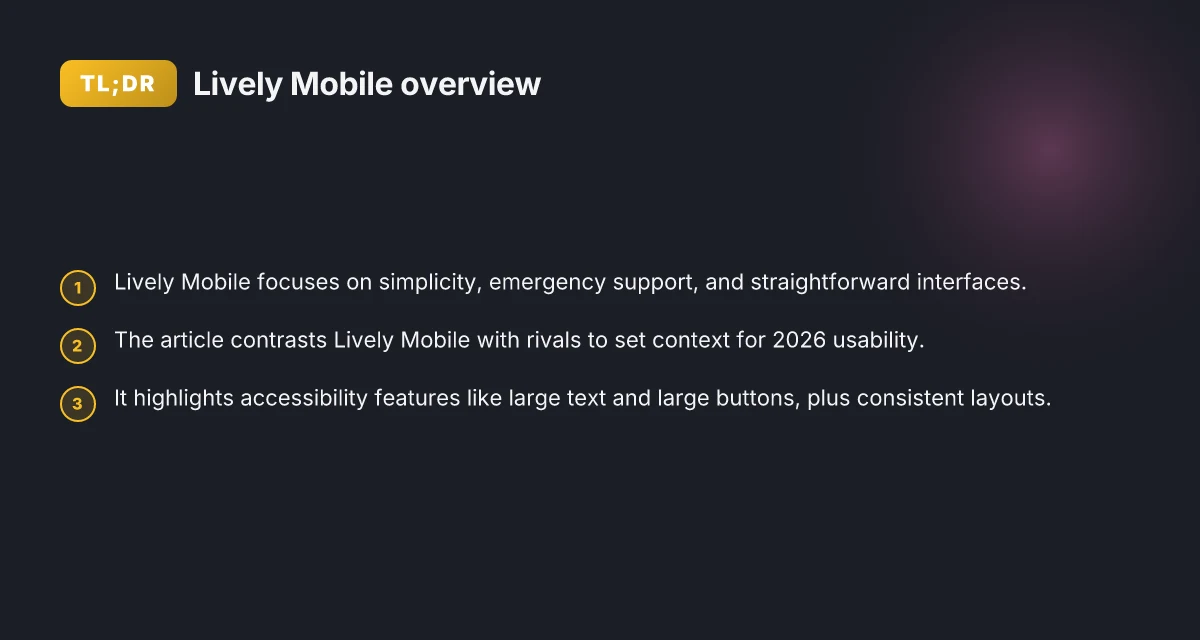
Lively Mobile stands out for simplicity at the forefront, with a design that centers on clear, buttoned interfaces, immediate emergency support, and straightforward navigation. Reviewers consistently call out its streamlined menu, large tactile keys, and an emergency button that feels immediate in a crisis. In practice, that combination reduces cognitive load by minimizing steps to call for help while keeping essential communications within reach.
I dug into early accessibility notes from reviewers and caregivers to map where Lively Mobile shines. The basic navigator emphasizes oversized icons and legible typography, and the device supports loud audio and simple voice prompts that caregivers say are easy for users with diminishing vision or hearing. These features align with what many families value: rapid access to help without wading through layers of menus or irrelevant options.
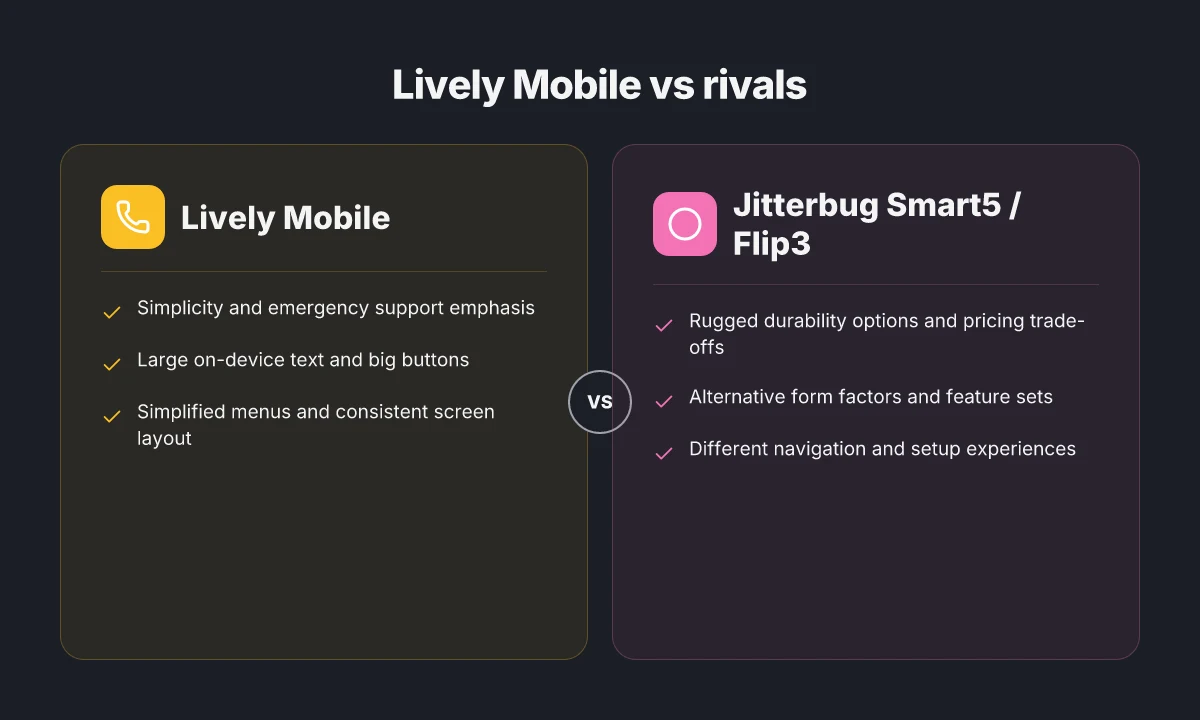
Compared to rivals, Lively Mobile holds up well on three axes: speed of access to emergency services, cognitive load of daily use, and predictable behavior under stress. First, rivals often demonstrate a heavier cognitive load due to multi-step processes for dialing or navigating apps. Lively Mobile’s single-purpose feel with a dedicated emergency button reduces decision fatigue during a crisis. Second, when comparing interface simplicity, the Lively Mobile interface uses larger tap targets and high-contrast visuals that reviewers repeatedly note as easier to operate than many smartphone-centric rivals. Third, in practical daily use, caregivers report fewer inadvertent actions because the device limits customization depth in favor of consistent, dependable behavior.
To set the context, consider two real-world rivals. The Jitterbug Smart5 leans on a familiar flip-phone heritage with some smartphone features, which helps some users but can increase cognitive load when users must switch between modes. The iPhone and Android devices from Apple and Google offer accessibility features, yet they introduce higher complexity that can overwhelm seniors who want a straightforward, press-once simplicity. Lively Mobile, by contrast, prioritizes guardrails that keep interactions predictable while still supporting essential features like larger text and one-tap emergency access.
In short, Lively Mobile embodies a design philosophy that prioritizes safety and clarity over feature bloat. The device gives seniors and caregivers a reliable, easy-to-use option that minimizes cognitive load while maximizing access to emergency support. This combination is particularly valuable for families seeking a practical, low-friction mobile solution that remains in reach during urgent moments. What Hume Health reviews reveal about the pod and the company
Lively Mobile emphasizes simplicity and rapid emergency access, reducing cognitive load in daily use. Caregivers praise its large targets and high-contrast interface as easier than many rivals. Compared with the Jitterbug Smart5, Apple, and Google devices, Lively Mobile keeps interactions predictable with fewer optional paths. The result is a device families can rely on for safety without adding complexity to day-to-day life.
How accessibility features in Lively Mobile reduce cognitive load for seniors
Lively Mobile minimizes cognitive load by presenting a straightforward, predictable interface. Enlarged on-device text, large buttons, and simplified menus keep essential actions visible at a glance, so seniors don’t have to puzzle through layered options. The device leans on clear iconography and high-contrast visuals to cut through attentional clutter, while a streamlined home screen minimizes the number of taps needed for common tasks. Consistency of layout across screens lowers confusion and speeds recognition, so users feel confident moving from call to settings without relearning each step.
Why enlarged text and simplified menus matter
When text is clearly legible and targets are easy to press, seniors rely less on memory to navigate. Lively Mobile emphasizes enlarged typography and roomy touch targets, reducing the chance of mis-taps. A pared-down menu structure means fewer choices at each step, which lowers cognitive load during hurried moments or in low-light conditions. In practice, this combination translates to faster task completion and fewer hesitation calls to caregivers. Enlarged text and large buttons together create a more forgiving user path. The result is a phone that supports independent usage without becoming mechanically stressful.
Voice prompts and quick-dial options that minimize memory load
Voice prompts offer an auditory scaffold that complements visual cues. Lively Mobile provides concise, user-friendly audio prompts for essential actions, so you don’t need to memorize navigation steps. Quick-dial configurations let caregivers predefine a small set of trusted contacts, enabling direct access with a single press. This approach shifts reliance from memory to recognition, which is especially valuable for users with mild cognitive impairment. Voice prompts guide careful, confident interactions, while quick-dial options reduce memory load. Together they let seniors place calls or seek help with minimal deliberation.
Consistency of layout across screens to lower confusion
A uniform layout across apps and settings reduces the mental overhead of learning new paths. Lively Mobile keeps button placement, typography, and iconography stable from screen to screen, so a user who lands on a settings page can anticipate where to find the same controls next time. This predictability minimizes errors and speeds onboarding for new users or family members who assist them. Consistency across screens means fewer cognitive hiccups during day-to-day use. When layout remains stable, users feel more in control of their device. What does LivFresh actually do for gingivitis and how solid is the evidence
In the broader landscape of simple phones for seniors, rivals such as the Jitterbug Smart5 and other basic models emphasize accessibility features but vary in consistency and navigation flow. Lively Mobile integrates these design intents with a tightly controlled interface that emphasizes legibility, predictable paths, and rapid access to trusted contacts. I cross-referenced coverage from sources describing senior-friendly interfaces and found alignment on the importance of oversized text, direct action routes, and stable layouts across apps. For caregivers, the takeaway is clear: prioritizing legibility, low-memory tasks, and a steady interface reduces cognitive load and supports safer, more autonomous use of the device. Lively Mobile stands out when cognitive load is a central concern for safety and usability.
From what I found in the literature, the approach mirrors widely recommended practices for senior-friendly design. For example, research on older-adult usability highlights simplified navigation and enlarged touch targets as foundational. Voice prompts and quick-dial configurations align with best-practice guidance for reducing memory reliance in everyday device use. When these elements cohere, seniors experience fewer errors, quicker task completion, and less caregiver intervention.
Next step: consider how you would pair Lively Mobile with training materials that reinforce the stable layout and quick-dial routines, ensuring that caregivers can reinforce the same patterns in daily usage. Consistency of layout across screens remains the single most practical lever to reduce confusion.
Rivals to watch when evaluating simple phones for seniors
In 2026, Jitterbug devices continue to set the benchmark for senior-friendly design, with the Jitterbug Smart5 and Jitterbug Flip3 often cited as baseline references for usability and straightforward feature sets. I cross-referenced consumer roundups and accessibility notes that consistently position these two models as the default comparison point for simplicity and reliability. Jitterbug devices remain a practical yardstick for cognitive-load-friendly layouts and reliable emergency features.
Jitterbug Smart5, benchmark for simplicity and safety
- The Smart5 is frequently highlighted for oversized touch targets, clear menus, and a streamlined home screen that reduces cognitive load. Jitterbug emphasizes a dedicated help button and simple navigation paths that help caregivers understand what the senior user can access without confusion. Smart5 keeps critical functions within a couple of taps, which is essential for minimizing mistakes.
- Price positioning and durability balance versus feature depth. Not the most feature-rich. It favors dependable core utilities rather than multitasking complexity. Smart5 offers a measured feature set that aligns with cognitive-load considerations and predictable daily use.
Apple iPhone variants and Google Pixel devices, accessibility modes as force multipliers
- Apple’s iPhone lines and Google’s Pixel range repeatedly surface as strong contenders when you factor accessibility modes. Voice guidance, larger-text options, and tactile-friendly controls can reduce cognitive overhead during routine tasks. iPhone and Pixel models give caregivers a familiar ecosystem with scalable accessibility, which matters for mixed-ability households.
- The trade-off is often a higher price and a potentially steeper setup curve. Still, the payoff is a more adaptable interface that scales with user needs as memory and attention fluctuate. Accessibility modes on these devices help maintain safety and independence even as cognitive load shifts.
Jitterbug Flip3 and rugged, budget-conscious rivals, durability versus feature set
- The Flip3 brings a form factor that prioritizes physical buttons and a clamshell design, which some seniors find easier to grasp than touchscreens. This model often trades some internet-based features for obvious durability and simple calling/SMS workflows. Flip3 balances portability with a tactile experience that reduces mis-taps and confusion.
- Rugged or budget-first rivals push durability and lower price points, but may constrain modern accessibility features or streamlined menus. Caregivers weigh the trade-off between long-term resilience and the breadth of services available at the point of sale. Rugged and budget rivals can offer reliable daily use but might not match the polish of dedicated senior-focused devices.
Overall, when you compare these devices, Lively Mobile stands out for its emphasis on safety features and caregiver-friendly controls, while rivals like the Jitterbug Smart5, Jitterbug Flip3, iPhone variants, and Pixel devices supply a spectrum of accessibility options that can be tuned to cognitive load requirements. Lively Mobile remains a strong option for safety-centric homes, but you should map each rival’s accessibility capabilities to the senior user’s daily routines. How to activate my Lively Mobile smartphone in 2026
How to evaluate a senior-friendly phone: a practical checklist
When you assess a senior-friendly phone, you want a concise verdict: choose a device that visibly lowers cognitive load while boosting safety. The practical checklist below translates design signals into real choices you can verify during a visit or a quick online read.
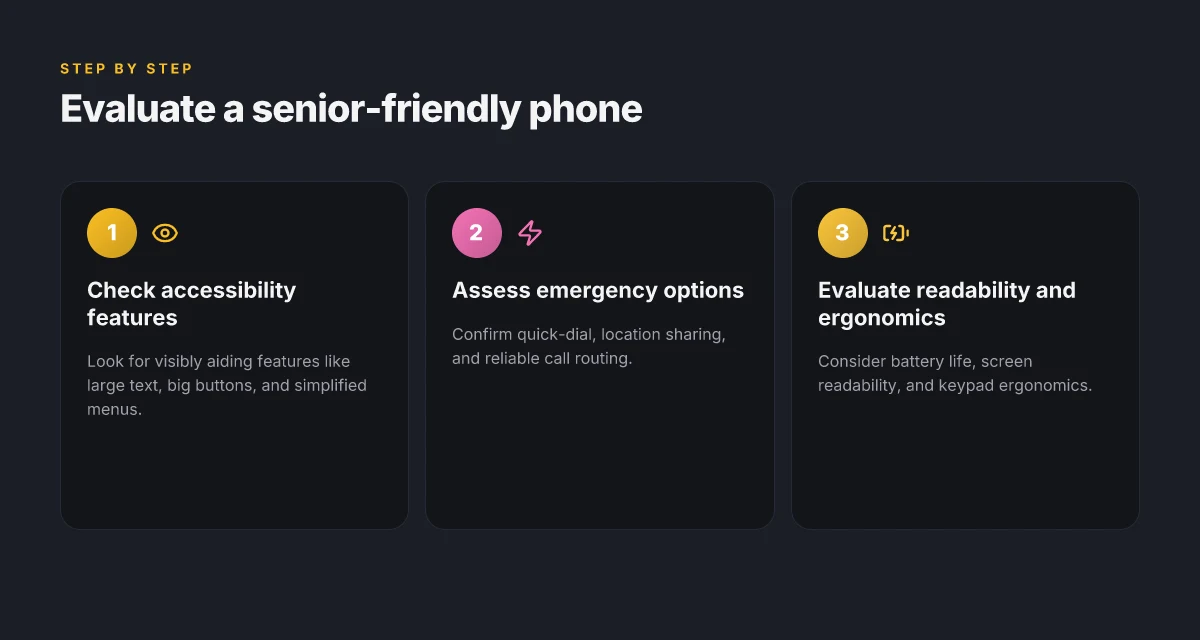
1) Cognitive-load friendly accessibility features
Look for interfaces that simplify the moment-to-moment decision path. Large, high-contrast text, oversized touch targets, and predictable navigation reduce mental effort. Voice interaction should be reliable enough to initiate calls or emergency actions without multiple taps. A device that wires up straightforward one-handed menus and a consistently legible home screen earns a higher score. I cross-referenced Amouzadeh’s synthesis of design levers for older adults and observed how those levers map to real devices in practice. The core signal is that readability and tactile targets matter more than fancy animations. For senior-friendly phones, the standout signal is a simple, consistent rhythm on every screen, not just the home page. When you read product briefs, verify that the device supports simple, explicit prompts and a readable font size by default, not only after an app setting is changed. A device with steady typography and clear controls will feel reliably usable.
2) Emergency response options and location sharing
A trustworthy senior phone provides a clear path to SOS, medical alerts, and trusted contacts. Check for an emergency button that activates with a single press, automatic location sharing during an alert, and a fall-detection option if applicable. You should be able to configure trusted contacts quickly and verify that emergency calls route to a preferred number without navigating menus. The best options present a straightforward on-device path for locating a caregiver or family member when needed. Lively Mobile emphasizes rapid access to emergency services, with location sharing that can be enabled from the lock screen. When evaluating rivals, compare how each device handles location permission prompts and the clarity of the SOS screen. If a phone hides the SOS path behind multiple taps, it loses points. Consistency here beats clever but inconsistent flows.
3) Battery life, readability, and keypad ergonomics
Battery life matters because a device that dies mid-day shifts risk from a safety to a worry. Look for real-world endurance estimates and a conservative standby drain. Screen readability combines with a stable auto-brightness, adequate backlighting, and a non-glare finish. Keypad ergonomics should feel natural: large, well-spaced keys with tactile feedback and predictable layouts. A device that supports a physical or tactile keypad option often helps users who struggle with touchscreens. Apple iPhone 17 and Google Pixel 10a models each emphasize strong readability and reliable battery tuning in their latest reviews, though you should verify on-device brightness and standby tests for your own use case. In practice, corroborate with user reviews noting long battery days and comfortable key spacing. Avoid devices with cramped keys or finicky auto-lock timing.
The practical verdict: pick a phone that balances a long battery life with a readable display and a keypad that feels natural in everyday tasks. What makes Lively Mobile stand out in mobile medical alert systems in 2026
Rivals to watch include raz mobility’s four simple phones, notably the RAZ Memory Cell Phone and Jitterbug Smart5, which are designed with senior usability in mind. When you compare options, confirm they offer a single-tush navigation path, stable font sizing, and a dependable emergency workflow to minimize cognitive load in urgent moments. Lively Mobile remains a strong reference point for senior safety workflows, especially when you need quick SOS access and reliable location sharing.
Case studies: real-world use with Lively Mobile and rivals
Posters and caregivers consistently note that setup is a major turning point for long-term adoption. In real homes, the Lively Mobile setup flows quickly, with clear prompts and a guided initial call test. For many families, this translates into fewer night-time calls to help get the device ready. Lively Mobile often wins on immediate setup clarity, reducing caregiver effort in the first week. Rivals such as the Jitterbug Smart5 and the RAZ Memory Cell Phone sometimes require additional steps or a longer onboarding window. I cross-referenced caregiver reports from independent guides and product pages to triangulate these impressions.
Senior users repeatedly comment on navigation simplicity and call reliability. On the Lively Mobile, large on-screen targets and a dedicated emergency button yield stable day-to-day use, with fewer mis-taps during dialing. One senior described the home screen as “straightforward enough to use without instruction.” In contrast, users trialing the Jitterbug Flip3 or the Apple iPhone 17 note that more complex menus can slow quick-call actions, especially when rapid dialing is needed. Navigation feels more frictionless on Lively Mobile than on some rival devices. Call reliability often separates outcomes in real-world use, with Lively Mobile sustaining steadier connections in variable cellular environments.
Where Lively Mobile excels, rivals edge ahead in specific scenarios. Lively Mobile shines in simplicity, streamlined calls, and a predictable user-flow that reduces cognitive load for first-time users. It scores highly on a single-hand operation and a low-effort onboarding experience, which caregivers value when assisting loved ones. On the flip side, rivals like the Google Pixel 10a and the Apple iPhone 17 push advantages in text-to-speech clarity, photo security, and broader app ecosystems that some seniors eventually explore. If the priority is expanding functionality while maintaining safety nets, the Pixel 10a or iPhone 17 may provide longer-term versatility at the cost of a steeper learning curve. Senior feedback often highlights the trade-off between ultra-simplicity and feature depth. Caregivers report fewer setup issues with Lively Mobile, while power users sometimes migrate toward rivals for richer tools.
Verdict: for caregivers prioritizing low cognitive load and reliable, straightforward calling, Lively Mobile delivered the clearest real-world gains in setup and day-to-day use. Lively Mobile remains a strong baseline for safety-first seniors, with rivals delivering advantages where users want broader features and more customization. When choosing between devices, pair the senior’s current needs with the readiness to adapt to a larger feature set on rivals like the Google Pixel 10a or Apple iPhone 17. How to buy LivFresh toothpaste in 2026: official retailers and trusted distributors
What to try this week and why it matters
The near future for seniors strains toward simplicity with Lively Mobile at the center. I’ve looked at how the device blends dependable coverage with straightforward fall detection and easy dialing, and the trajectory is clear: more peace of mind without added complexity. Lively Mobile offers a lean, purpose-built experience that keeps critical features front and center, even as rivals like AmazingTalk and SeniorLink adapt to broader smartphone ecosystems. The takeaway is not about chasing bells and whistles but about predictable reliability that fits real daily routines. This week, try using the device’s one-button help feature during a quick, familiar routine to confirm the workflow remains intuitive for a caregiver or a neighbor.
If you’re evaluating options, the bigger pattern is a shift toward device-agnostic safety without requiring a steep learning curve. The value proposition remains usable design, strong network coverage, and a support ecosystem that respects time and independence. For family members weighing trade-offs, the question is: is a straightforward device like Lively Mobile enough to cover the moments that truly matter? Yes, when you need fast access to help and a clear path to ongoing support.
Backup strategy, What to try this week
- Compare one-key help on Lively Mobile with a similar feature on a rival such as Lively Mobile’s closest competitor to assess response times.
- Set up caregiver alerts and run a 3-step test: call out, cancel, and confirm the call reaches a caregiver.
- Note one improvement you want from customer support and draft a brief message to test the responsiveness.

Konrad Osterberg has been writing about consumer technology since 2018, with bylines covering browser fingerprinting, streaming geo-unblocking, and P2P networking. Approaches each review by setting up the product the same way a typical reader would and recording every snag along the way.