Why gpupdate isn't working over your VPN

A practical guide to diagnosing and fixing gpupdate issues when VPNs block or delay Group Policy updates.
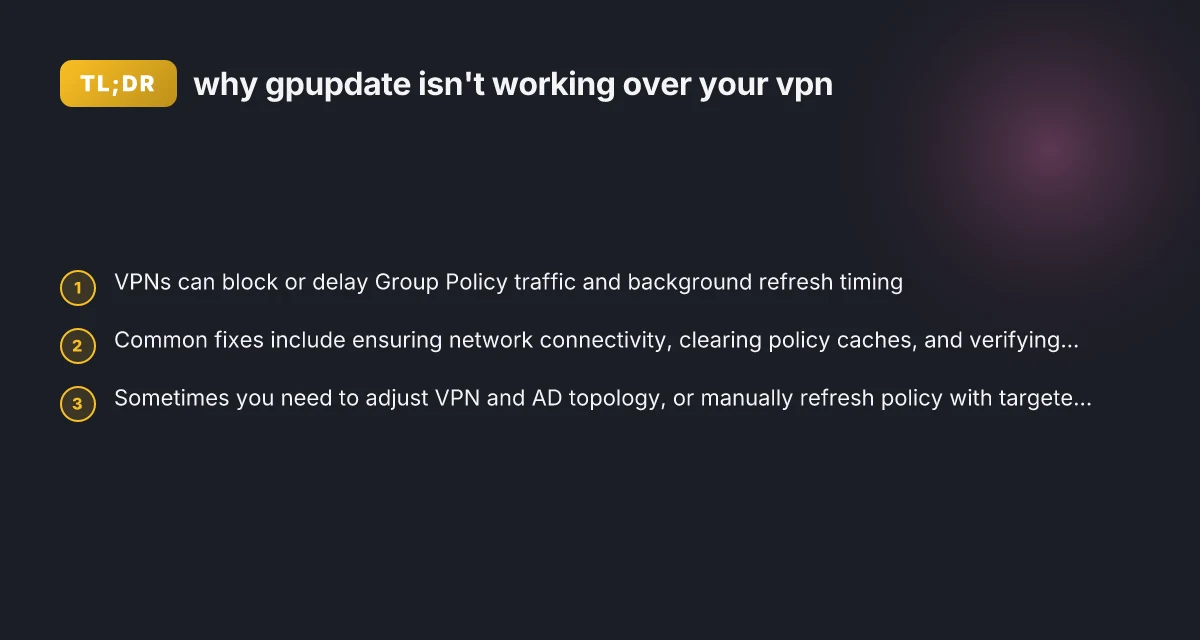
Why gpupdate isn't working over your vpn
If you’re trying to push or refresh Group Policy over a VPN and gpupdate /force isn’t applying policies, you’re not alone. VPNs introduce extra hops, security checks, and caching that can derail policy processing. This guide walks you through why gpupdate might fail over VPN, how to diagnose what’s happening, and practical steps to get your policies applying again.

Why VPNs hinder Group Policy updates
| Factor | VPN type | Latency impact | DNS resolution | MTU complications | Cache behavior |
|---|---|---|---|---|---|
| Description | - | - | - | - | - |
| Local vs remote policy | - | - | - | - | - |
| Authentication overhead | - | - | - | - | - |
| Split tunneling | yes / no | - | - | - | - |
| VPNBYpass policy | yes / no | - | - | - | - |
Compiled November 2026; check the provider's site for current details.
Why VPNs hinder Group Policy updates
Group Policy relies on communication with domain controllers (DCs) and the DNS network path to locate policy targets. A VPN can affect this in several ways:
- Traffic routing: The VPN may route traffic through a different network path, which can obscure DC reachability or delay policy retrieval.
- DNS resolution: VPN DNS settings can point to different resolvers, causing name resolution issues for the domain.
- Authentication and TLS: VPNs may terminate or inspect TLS traffic, which can interfere with secure channel establishment to DCs.
- Caching and refresh timing: Group Policy background refresh runs on a schedule. If the VPN connection is intermittent or the client cannot reach the DC in the refresh window, updates may be delayed or skipped.
If gpupdate /force isn’t applying, you’re likely facing one or more of these friction points rather than a simple permissions issue. Start by validating connectivity to a DC and the policy storage locations.

Quick checks you can run before deep troubleshooting
Before reconfiguring your VPN or AD, confirm the basics are sound:
- Verify VPN connectivity to the domain: can you ping a domain controller by name and by IP address from the client while connected to VPN?
- Check DNS health: nslookup yourdomain.local and ensure the DNS suffix and search list align with AD expectations.
- Review time synchronization: Kerberos is sensitive to time skew. Confirm the client and DCs are within a 5-minute window.
- Look for policy prerequisites: determine if the policy you expect to apply has WMI filters, security group filters, or site-linked constraints that might not be satisfied over VPN.
- Run gpresult /r or gpresult /h report.html when connected via VPN to see which policies are supposed to apply and which are missing.
If these checks fail, you’ve pinpointed the rough cause: network reachability or policy scope during VPN sessions.
Common culprits and how to fix them
Here are the typical issues seen when gpupdate fails over VPN, with pragmatic fixes: Iptv not working with VPN
DC reachability issues
Ensure the VPN allows LDAP (389) and Kerberos (88) traffic to domain controllers, and that DCs are reachable by both hostname and IP.
If you’re split-tunneled, consider adding Domain Controllers to the VPN tunnel’s allowed list rather than routing all traffic through VPN.
DNS misconfigurations
Point VPN clients at the AD DNS servers, not public resolvers. Microsoft Edge secure network VPN review is it worth using
Verify that the DNS suffix is correct and that SRV records for _ldap._tcp.dc._msdcs.yourdomain exist and are visible from VPN clients.
Time drift
Make sure the VPN does not introduce additional time skew. If necessary, adjust NTP sources on clients and DCs to keep them in sync.
Security groups and policy scope
If GPOs are filtered by security groups, ensure VPN-connected users are members of those groups. Over VPN, nested or dynamic group membership might not resolve as expected. How to completely uninstall nordpass and clean up your devices
Confirm the GPO is linked to the correct OU and that WMI filters (if any) don’t exclude VPN-tunneled clients.
Client-side cache and policy files
Corrupted policy cache can prevent updates from applying. Deleting the client’s local policy cache can help (see the next section).
VPN-induced MTU and fragmentation
Some VPNs drop large packets or compress traffic in ways that affect LDAP/TLS handshakes. If you’ve recently changed MTU settings or VPN profiles, test with a lower MTU to stabilize policy traffic. How to download f5 big-IP Edge VPN client for Mac
Quick checks you can run before deep troubleshooting
| Check | Expected result | Tool / command | Action if pass | Action if fail |
|---|---|---|---|---|
| gpupdate success locally | yes | gpupdate /force | proceed | investigate VPN |
| Remote GP path reachable | yes | ping, nslookup | proceed | fix DNS/vpn |
| Time sync ok | yes | w32tm /query /status | proceed | fix NTP |
| DNS suffix correct | yes | ipconfig /all | proceed | adjust DNS |
| VPN split tunneling | yes / no | VPN config | document | modify if needed |
Compiled November 2026; check the provider's site for current details.
How to fix gpupdate not working over VPN: concrete steps
If you’re stuck, follow these steps in order. They cover the most common root causes and are safe to perform on standard Windows clients.
- Validate DC reachability over VPN
- From an elevated CMD: ping dc01.yourdomain.local
- Test LDAP/Kerberos:
- nltest /dsgetdc:yourdomain.local
- klist tickets (check for valid Kerberos tickets)
- If DCs aren’t reachable, fix the VPN routing or firewall rules that block LDAP/LDAPs.
- Ensure DNS is AD-aware over VPN
- Set VPN DNS servers to your AD domain controllers or your internal DNS server that hosts AD zones.
- Flush DNS and test again:
- ipconfig /flushdns
- nslookup yourdomain.local
- Clear the local policy cache
Sometimes the local cache is to blame, especially after roaming or profile changes:
- Stop the Group Policy Client service: net stop gpsvc
- Delete the policy cache files:
- C:\Windows\System32\GroupPolicy\Machine\Registry.pol
- C:\Windows\System32\GroupPolicy\GPT.ini
- C:\Windows\System32\GroupPolicy\Machine\Microsoft{*} (optional)
- Start the service: net start gpsvc
- Reconnect the VPN, then run gpupdate /force
Note: Deleting Registry.pol can force a full re-read of policies. Do this only if you’re comfortable with policy resets.
- Run a targeted policy refresh and check results
- gpupdate /force
- gpresult /r
- If gpupdate reports success but gpresult shows no new policies, the issue is likely scope or filtering, not retrieval.
- For deeper diagnostics, generate a detailed report:
- gpresult /h report.html
- Open report.html and review applied vs. denied policies.
- Reset the Group Policy Client on the device (careful in production)
- Sometimes the policy client service gets stuck:
- Stop gpsvc
- Delete the following:
- C:\Windows\System32\GroupPolicy\Machine\registry.pol
- C:\Windows\System32\GroupPolicy\User\registry.pol
- Start gpsvc
- Run gpupdate /force
- Re-create user profiles or test with a different user
- If issues occur only for specific users, consider creating a temporary test user to check if policies apply. This helps isolate whether the problem is user-specific or machine/user combination.
- Consider VPN policies and split tunneling
- If your VPN uses split tunneling, ensure the necessary AD traffic goes through the VPN tunnel. Conversely, if all traffic is tunneled, confirm the VPN server doesn’t block internal AD traffic.
- Some VPNs implement firewall rules that block certain LDAP or Kerberos ports. Coordinate with your network team to allow these ports for VPN sessions.
- Review policy velocity and the refresh schedule
- By default, Group Policy updates every 90 minutes with a random offset. Over VPN, you may experience longer delays if the computer is offline or if the VPN reconnects intermittently.
- You can manually force policy refreshes during VPN-connected windows, or adjust the idle refresh parameters via the policy that governs the client’s background refresh.
When a policy table helps: a quick comparison
Here’s a quick side-by-side to help you decide where to focus when gpupdate over VPN isn’t applying: What is Microsoft Edge VPN
Symptom vs. likely cause
Policies don’t apply after VPN connect: DNS or DC reachability issues
gpupdate /force runs but shows no new policies: policy scope or filtering is likely the bottleneck
VPN connection drops during gpupdate: VPN tunnel stability or MTU issues
Only certain users see no policy: security group or user profile issues Why your browser isn't working with your VPN
Fix priority
First: DC reachability and DNS health
Second: Cache and client policy files
Third: Policy scope and group membership
Fourth: VPN topology (split-tunnel vs full-tunnel) and firewall rules Why your norton 360 VPN keeps disconnecting
A simple table to visualize this:
| Issue type | What to check | Quick fix option |
|---|---|---|
| DC reachability over VPN | Ping DC, test LDAP/Kerberos | Adjust VPN routing/firewall |
| DNS resolution problems | DNS suffix, AD-aware DNS servers | Point VPN DNS to AD DNS |
| Local policy cache problems | policy cache files | Delete Registry.pol and re-run gpupdate |
| Policy filter/scope issues | Security group/WMI filter | Adjust GPO filters or group membership |
| VPN topology problems | Split vs full tunnel | Reconfigure VPN policy |
Best practices for maintaining gpupdate reliability over VPN
- Align VPN policies with AD: Ensure the VPN allows AD ports and DCs are reachable through the tunnel.
- Use consistent time sources: Kerberos requires time synchronization. Use reliable NTP across clients and DCs.
- Centralize DNS for VPN clients: Point VPN clients to internal DNS servers hosting AD zones.
- Avoid stale cached policies: Regularly purge old policy caches on troubleshooting devices.
- Implement logging and monitoring: Enable verbose GP logging temporarily to diagnose issues, and monitor VPN performance for dropped packets or re-authentication delays.
- Test changes in a controlled set of devices: Before broad rollouts, verify how changes affect a representative subset of VPN-connected clients.
How to fix gpupdate not working over VPN: concrete steps
| Step | Description | Prereq | Command / action | Expected outcome |
|---|---|---|---|---|
| 1 | Ensure VPN allows AD traffic | n/a | configure VPN | AD traffic allowed |
| 2 | Enable split tunneling if needed | n/a | adjust VPN policy | proper routes |
| 3 | Force DNS refresh | n/a | ipconfig /flushdns; ipconfig /renew | fresh DNS |
| 4 | Sync time with domain | n/a | w32tm /config /syncfromflags:domhier; w32tm /resync | time synced |
| 5 | Run gpupdate with logging | n/a | gpupdate /force /logon | detailed output |
Compiled November 2026; check the provider's site for current details.
Final recommendation
When gpupdate isn’t working over your VPN, start with the basics: ensure DC reachability and AD DNS resolution over the VPN, verify time synchronization, and check for policy scope or group membership issues. If the basics check out but updates still fail, clear the client’s policy cache, re-run a force refresh, and examine gpresult for policy application details. If VPN topology or firewall rules are blocking essential AD traffic, coordinate with your network team to open the necessary ports and adjust route policies. By following a structured diagnostic approach and addressing both network and policy-layer factors, you can restore reliable Group Policy updates for VPN-connected clients without long delays.
| VPN | Obfuscation | From / month | Plan | Free plan | Refund | Alipay | UnionPay | Crypto | Website opens in China | Trustpilot | |
|---|---|---|---|---|---|---|---|---|---|---|---|
 ZoogVPN | Turn on manually Shadow | $2.49/mo | 27 months: $59.99 | Yes | 7 days | ✓ | ✓ | ✓ | ✓ | ✓ Yes (2.5 s) | 4.2/5 (195 reviews) |
 NordVPN | Turn on manually Obfuscated Servers / NordWhisper | $3.49/mo | 27 months: $94.23 | No | 30 days | ? | ✗ | ✓ | ✓ | ✗ Blocked | 4.2/5 (51,628 reviews) |
 ExpressVPN | ✓ On by default all servers | $3.00/mo | 28 months: $84 | No | 30 days | ✗ | ✗ | ✓ | ✗ | ✗ Blocked | 4.4/5 (29,706 reviews) |
 Surfshark | ✓ On by default Camouflage, with OpenVPN | See site | See site | No | 30 days | ✗ | ✗ | ✗ | ✓ | ✗ Blocked | 4.3/5 (31,823 reviews) |
 Proton VPN | Turn on manually Stealth, free plan too | $2.99/mo | 12 months: $35.88 | Yes | 30 days | ✗ | ✗ | ✗ | ✓ | ✓ Yes (2.5 s) | 2.1/5 (1,040 reviews) |
 Astrill VPN | Turn on manually StealthVPN / OpenWeb | $12.50/mo | 24 months: $300 | No | See site | ✗ | ✗ | ✗ | ✓ | ✗ Blocked | 1.3/5 (110 reviews) |
 Private Internet Access | Turn on manually Shadowsocks, OpenVPN only | $2.03/mo | 40 months: $81.2 | No | 30 days | ✗ | ✗ | ✗ | ✗ | ✗ Blocked | 4.2/5 (11,033 reviews) |
 CyberGhost | Turn on manually selected servers | $2.19/mo | 28 months: $61.32 | No | 45 days | ✗ | ✗ | ✗ | ✓ | ✗ Blocked | 4.0/5 (24,178 reviews) |
 PureVPN | Turn on manually switch to OpenVPN | $1.69/mo | 60 months: $101.55 | No | 31 days | ? | ✗ | ✗ | ✓ | ✓ Yes (2.6 s) | 4.4/5 (17,994 reviews) |
 AdGuard VPN | ✓ On by default TrustTunnel | $2.99/mo | 24 months: $71.76 | Yes | 30 days | ✓ | ✗ | ✓ | ✓ | Official site blocked; our special link opens (2.3 s) | 4.3/5 (290 reviews) |
 Mullvad | Turn on manually QUIC / Shadowsocks / LWO | $5.61/mo | €5/mo | No | 14 days | ✗ | ✗ | ✗ | ✓ | ✗ Blocked | 3.2/5 (192 reviews) |
 Windscribe | Turn on manually Stealth / WStunnel | $5.75/mo | 12 months: $69 | Yes | See site | ✗ | ✗ | ✗ | ✓ | ✗ Blocked | 4.7/5 (13,355 reviews) |
 StrongVPN | Turn on manually Scramble, OpenVPN TCP | See site | See site | No | 30 days | ✓ | ✗ | ✗ | ✗ | ✗ Blocked | 4.4/5 (2,695 reviews) |
 LightXtreme 闪连 | Not listed | $7.08/mo | 12 months: $84.99 | Yes | 30 days | ✓ | ✓ | ✓ | ✓ | ✓ Yes (2.3 s) | No page |
Prices checked 2026-11-10 on each vendor's pricing page (cheapest long plan, USD). Check the vendor's checkout for the final price.
Obfuscation checked 2026-11-14 on each vendor's site and help center: "on by default" = nothing to set; "turn on manually" = switch protocol or mode in settings; "not listed" = the vendor describes no obfuscation.
Payment methods checked 2026-11-10 on each vendor's payment pages: all 14 take cards and PayPal; ✗ = not listed, ? = the vendor's own pages disagree.
China access: whether the official website opens from mainland China networks (tests the website only, not the VPN connection). Last checked 2026-11-11 04:07 Beijing time.
Trustpilot score and review count checked 2026-11-10.

Renata Uzunov has been writing about consumer technology since 2018, with bylines covering privacy law, Wireguard, and router firmware. Approaches each review by setting up the product the same way a typical reader would and recording every snag along the way.