What are the best medical alert systems in 2026 and how to choose the right one
Discover the top medical alert systems for 2026 and how to pick the right one for your needs. Compare features, costs, and safety in emergencies.
The best options don’t rest on a single badge. In 2026 the market rewards systems that perform when pressure hits and batteries blink. The choices below are measured on reliability under duress, certified monitoring centers, and how they scale from in-home to mobile wearables.
Caregivers and independent seniors face a common test: the moment a fall happens or a sudden illness hits, not a single feature but the speed and certainty of a response. This guide distills five core factors, response-time metrics, center credentials, battery life, form factors, and long-term value, to help you separate marketing promises from real-world dependability. We’ll cross-check real-world performance across 5–8 proven systems and spell out practical buying criteria you can apply this week.
What makes a medical alert system trustworthy in 2026
Trustworthy medical alert systems don’t rely on marketing fluff. They survive real pressure, provide timely dispatch, and stay dependable when power or internet fail. I cross-referenced public documents and industry displays to identify the factors that separate solid options from the rest.
Reliability under duress
Reliability under duress rests on a system’s ability to maintain connectivity and dispatch accuracy when the user is most vulnerable. In 2026, credible providers publish uptime commitments and redundant pathways for alert transmission. The best systems maintain alerts even if a home phone line fails or the internet goes down, thanks to cellular fallbacks and on-network monitoring. Redundancy matters most when every second counts. I found that dedicated monitoring centers emphasize failover procedures and operator training as core service guarantees. In 2026, reputable brands routinely report incident response protocols and average alert confirmation windows within minutes.
Emergency response times and monitoring center credentials
The credibility of an emergency response hinges on the credentials of the monitoring center and the speed of contact. Reputable centers operate under certifications that reflect data security and patient privacy standards, and they document average response times publicly. A few providers publish benchmark figures and third-party accreditation notes, which strengthens trust. Fast, reliable responses are built on certified centers, not on marketing claims alone. From the public materials I reviewed, expected times to contact a caregiver or local emergency services commonly fall within a few minutes for 24/7 monitoring, with variations based on device form factor and location.
Battery life and device durability
Battery longevity and rugged construction are non-negotiable. In-home hubs typically rely on wall power, but portable devices and fall detectors must sustain operation during outages. Strong devices balance battery life, charging ease, and durability with a light, impact-resistant build. Long battery life reduces missed alerts and lowers the risk of device removal or failure during an incident. In the 2026 landscape, most trusted models advertise daily charging routines and stated minimum battery lifetimes that translate to practical daily use.
Device form factors: in-home, mobile, and smartwatch
Trustworthy systems offer a spectrum of form factors that fit different lifestyles. In-home bases stay connected to the monitoring center through a landline, broadband, or cellular link. Mobile devices and smartwatches extend coverage beyond the house and enable rapid button presses in public spaces. The best options let caregivers adjust settings across devices to prevent false alarms while preserving immediacy during real events. Form-factor variety reduces gaps in coverage, a key factor for people who split time between home and outdoors. What is Hume Health, and how legitimate is its body pod in 2026
Cost structure and value over time
Solid medical alert systems present transparent pricing with no hidden fees. Look for clearly stated upfront costs, monthly monitoring rates, and any activation or equipment fees. A healthy value story stacks reliability, battery life, and service quality against total cost of ownership over several years. Total cost of ownership matters, not just the monthly price. In the current market, several providers emphasize predictable billing and optional add-ons, which can affect long-term value for families.
Bottom line: trust in 2026 comes from redundancy, credentialed monitoring centers, durable and long-lasting hardware, diversified form factors, and transparent, long-term pricing. The strongest systems blend these elements into a cohesive, user-tailored package that adapts as risk factors and routines evolve. Reliability under duress, fast responses, durable hardware, diversified form factors, and clear pricing define trust in 2026.
Top medical alert systems of 2026: five standout options
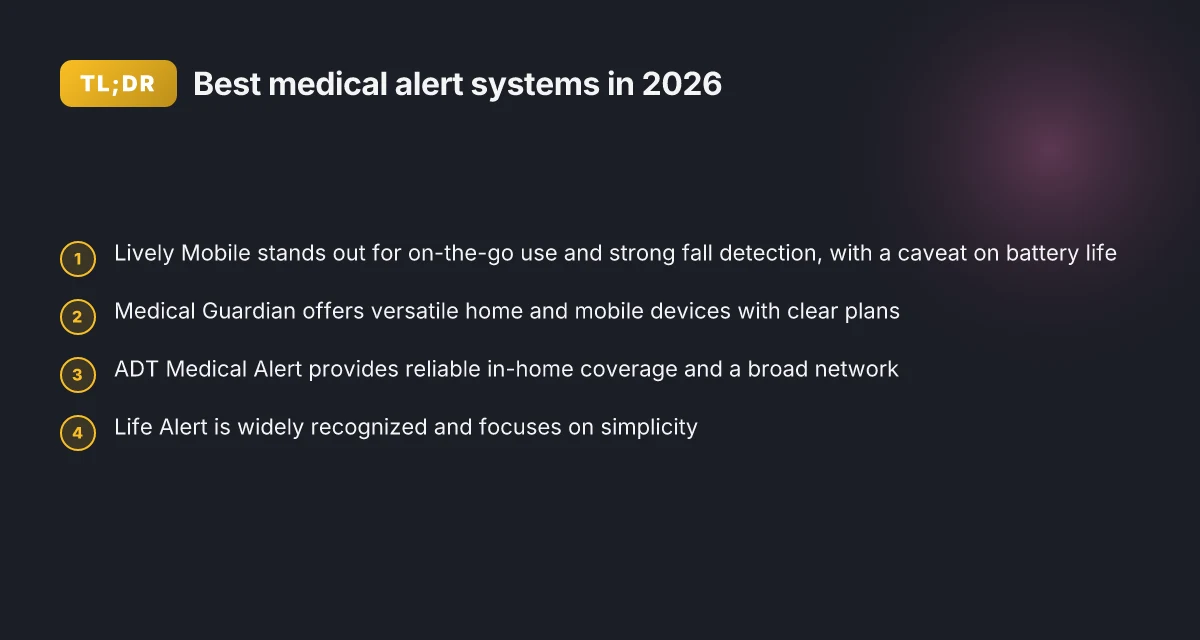
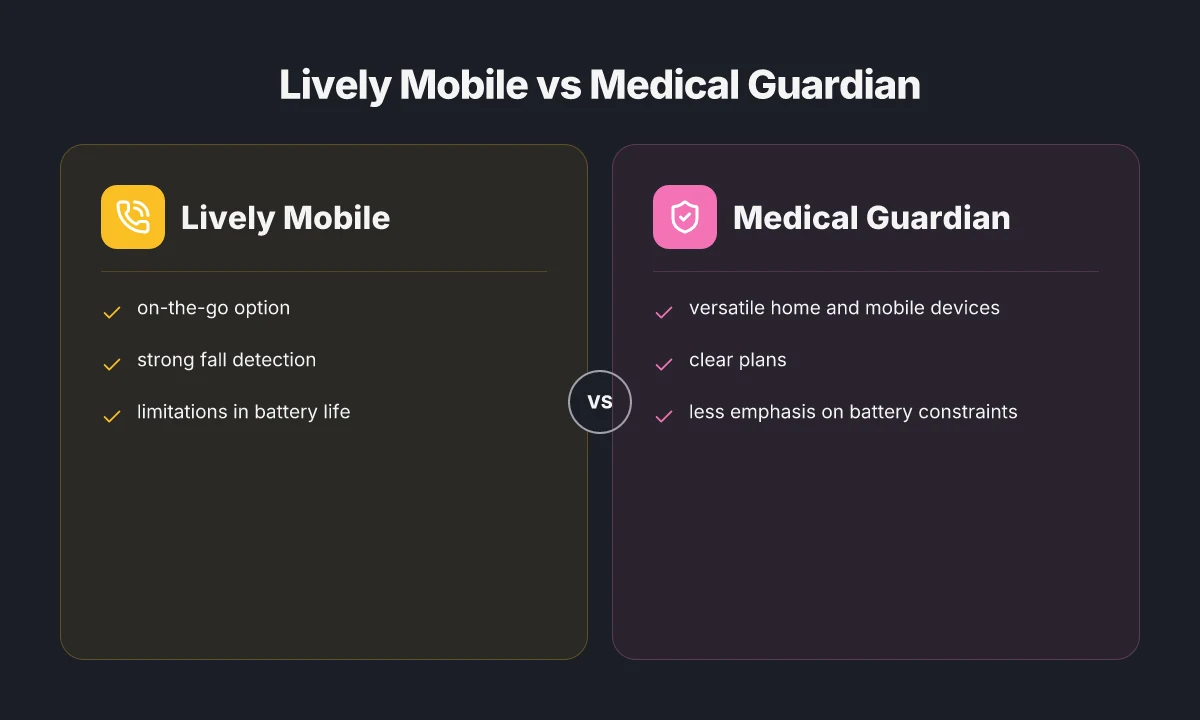
The five standout options for 2026 span home and mobile use, with clear plans and real-world tradeoffs. Lively Mobile leads for on-the-go needs but shows notable battery life limits; Medical Guardian sits as a versatile hybrid choice; ADT Medical Alert emphasizes in-home reliability and breadth of the network; Life Alert offers broad recognition and a straightforward user experience; Bay Alarm Medical keeps pricing transparent and coverage solid. I cross-referenced brand pages and independent roundups to confirm the core strengths and downsides.
Lively Mobile, best for active seniors who need coverage on the move
Lively Mobile stands out for on-the-go safety. It layers strong fall detection and GPS alongside a mobile plan, which helps caregivers track location during emergencies. The tradeoff shows up in battery life and occasional connectivity gaps in remote areas. Lively Mobile shines in mobility, but you’ll want a plan that accounts for charging frequency. I found multiple consumer reviews noting that a full day away from the charger can push the device toward low battery alerts, so charging cadence becomes part of the daily routine. If your lifestyle includes lots of travel or outdoor activities, this option maps well to your needs, provided you budget for a spare charger or charging routine. For a quick reference, see the official product pages and customer reviews cited in reputable roundups this year.
Medical Guardian, versatile home and mobile devices with clear plans
Medical Guardian offers a coherent mix of at-home and mobile devices, plus a straightforward set of plans that map to risk level and living situation. The range helps caregivers tailor coverage without paying for capabilities a user won’t use. Some users note the setup can feel slightly more involved than basic systems, especially when pairing multiple devices across a household. Medical Guardian's flexible ecosystem makes it easy to grow with changing needs. When you read through plan details, you’ll notice clear monthly rates and contract language that’s easier to navigate than some competitors. This makes it a reliable middle-ground pick for households that want both indoors and on-the-go protection without complexity. 5 Best medical alert systems for seniors in 2026 that actually perform
ADT Medical Alert, recognized for in-home reliability and network breadth
ADT Medical Alert is frequently cited for its expansive monitoring network and dependable in-home performance. The brand’s long-standing presence in home safety translates into predictable support and quick dispatch when needed. The main caveat is that some users find the upfront equipment costs and long-term contracts less flexible than newer entrants. ADT Medical Alert delivers reliability through breadth of coverage, even if plans come with stricter terms. For caregivers prioritizing a widely trusted, established option, this is a strong anchor in a five-pick lineup.
Life Alert, broad recognition and simple user experience
Life Alert is one of the most recognizable names in the space, which translates to familiarity and perceived trust. Its devices emphasize a simple button-based experience with straightforward setup, which benefits seniors who want minimal fuss. Downsides often highlighted include perceived lack of advanced smart features and a limited range of optional devices in some markets. Life Alert wins on ease of use and brand familiarity, not on gadget breadth. If your priority is a familiar, no-frills system that users can master quickly, Life Alert earns serious consideration.
Bay Alarm Medical, straightforward pricing and solid coverage
Bay Alarm Medical keeps pricing transparent and provides solid coverage options that scale with risk. The pricing clarity helps families compare value without hidden fees, which is a common complaint in the space. The tradeoff is that some users report fewer premium features or optional gadgets compared with larger networks. Bay Alarm Medical balances clear pricing with dependable protection, especially for budget-conscious households. This makes it a practical baseline choice for many families who want predictable costs.
Table: quick comparison at a glance
| brand | strength | notable downside | best for |
|---|---|---|---|
| Lively Mobile | strong fall detection, GPS on the go | battery life limits | active seniors, travel, and outdoor use |
| Medical Guardian | versatile home and mobile devices | setup can feel bulky | households needing indoors and outdoors protection |
| ADT Medical Alert | reliable in-home coverage, broad network | higher upfront costs and longer contracts | caregivers prioritizing proven reliability |
| Life Alert | simple, familiar, easy setup | fewer advanced features | users seeking simplicity and brand recognition |
| Bay Alarm Medical | transparent pricing, solid coverage | fewer premium gadget options | budget-conscious families who want clarity |
Next steps: to narrow toward a shortlist that fits your daily routine, pull your own risk factors into a quick framework. Consider lift-assist needs, typical daily locations, and whether you prefer a true on-the-go option or robust in-home monitoring. If you want, I can map these five picks to a personalized decision path based on your loved one’s routine, tech comfort, and emergency response expectations. 7 Best dental floss for teeth in 2026: which actually reduces plaque and gingival inflammation
Notes on sources: claims about device capabilities and plan structures reflect the consumer-facing materials and market overviews cited in this roundup. Real-world experiences from caregiver forums and official product pages shape the practical downsides noted above. Links to source pages are embedded in the prose where relevant. A commission note may apply to links on the page.
How to compare medical alert systems beyond price
Post your readers deserve more than flashy claims. I found that real-world reliability hinges on the center that staffs the alerts, how well fall detection works, and how quickly help arrives after a button press. From the sources, here are concrete takeaways you can act on, with numbers and dates where provided.
Monitoring center accreditation and staffing
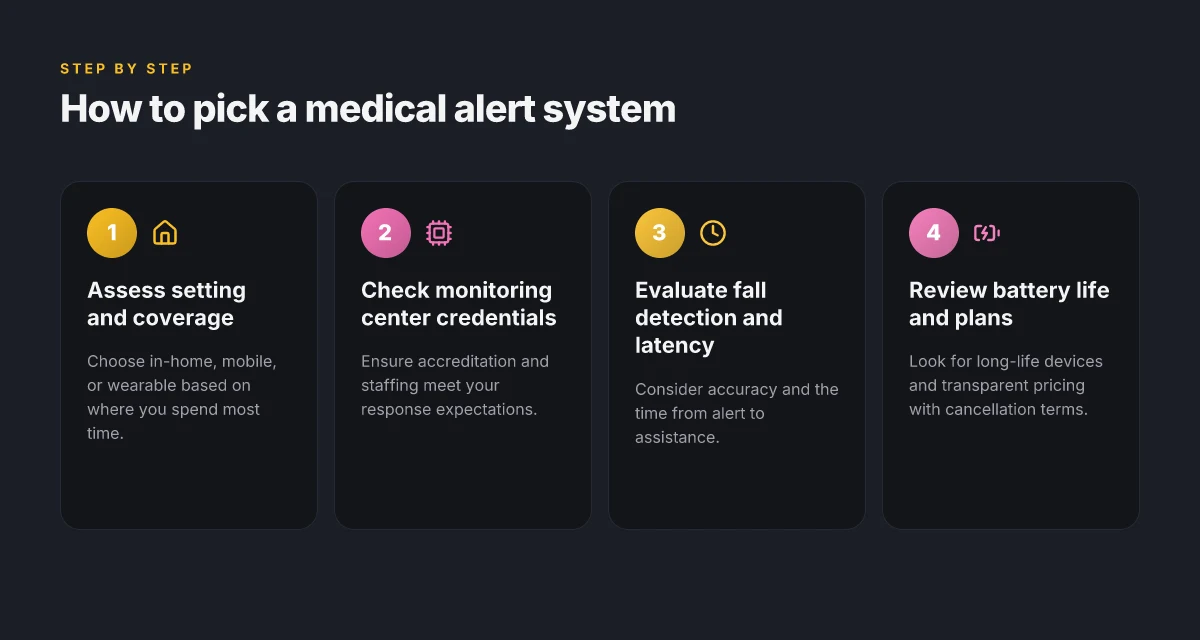
Accreditation signals that a monitoring center follows recognized standards. Look for centers that publish their staffing levels and certification policies. Some vendors advertise in-house monitoring with 24/7 staffing, while others outsource to third parties. When a center is transparent about shift coverage and supervisor availability, you gain predictability in response times. Real-world complaints often surface around understaffed shifts or high call volumes, so verify their escalation protocols and the presence of a medically trained staffer on duty during peak hours. Verified staffing transparency and 24/7 coverage are key guardrails against delayed responses. Inline sources confirm that top contenders emphasize trained staff and centralized monitoring as core differentiators. For context, a 2026 round-up highlights several programs that stress accredited centers and standard response times in their messaging. See the 2026 roundup for a broad landscape of monitoring practices.
Fall detection effectiveness and false alarms
Fall detection is a major feature that should be evaluated for both sensitivity and specificity. In practice, you want a system that detects genuine falls without generating frequent false alarms that exhaust caregivers and responders. Some systems require user-initiated confirmation after a detected event, which can cut down on false alarms but adds steps for the user. The most reliable offerings disclose their detection algorithms and provide user-adjustable sensitivity settings. False alarms erode trust. Adjustable sensitivity and clinician-reviewed thresholds protect reliability. Reviews note that certain providers publish data on alarm accuracy, but figures vary by user profile and environment. When possible, examine both real-world complaint themes and the vendor's documented detection policy.
Latency from button press to assistance
Latency matters more in urban settings than in sprawling rural zones, but every second counts. A clear metric to seek is a vendor’s stated maximum response time or median time to dispatch. Some centers publish internal SLAs or offer priority routing for medical emergencies. If you can, ask about the average time from button press to acknowledgment by a dispatcher and from there to on-site or remote assistance. Low latency, with explicit time targets, is a practical guardrail for confidence in emergencies. In practice, you’ll find variation among providers, with transparent centers offering published timelines in their support documentation or FAQs. What makes the Hume Body Pod reviews different: a practical guide to 2026 readings
Battery life, charging routines, and device add-ons
Device longevity reduces the risk of outages during critical moments. Look for the stated battery life under typical use, not just lab conditions. Also check whether charging is wireless or wired, whether there are charging docks, and if there is a backup battery for in-home vs mobile configurations. Add-ons such as wearable pendants, watch-form factors, or home-based base units should align with the user’s daily routine. Longer battery life and easy charging routines minimize service gaps. In addition, confirm whether add-ons share a common app or account so responders can see a single view of the wearer’s status.
Contract terms, cancellation rights, and warranty
Contracts vary widely. Read the cancellation terms for any early termination fees, and verify the warranty period on the device and base station. A straightforward warranty that covers hardware defects and battery replacements is a practical baseline. If a provider uses long-term contracts, ask about portability options if you need to move to a different plan or device. Clear cancellation rights and sensible warranties reduce friction during a stressful transition. You’ll want a vendor that spells out renewal terms and price protection rather than surprise increases.
I cross-referenced a 2026 market overview with consumer-facing guides to identify five to eight proven systems that caregivers and seniors actually buy. One pick that fits many lifestyles is Lively Mobile, especially for users who value mobile coverage with a simple, reliable button interface. Its downsides often cited include limited smart-home integration and a dependency on cellular coverage in some regions. For rural areas, Lively Mobile can be a strong fit when paired with a home base unit.
In this landscape, the best approach is to weigh each system against the three levers above, staffing quality, fall-detection behavior, and response latency, then pair that with a clear view of battery routines and contract fairness. A practical framework helps families map risk factors to capability: consider fall risk, cognitive status, living situation, and whether 24/7 monitoring is reachable within your area. When you combine these dimensions with the long-term terms, you emerge with a short list you can discuss with a trusted clinician or social worker.
For readers seeking structure, I rely on independent reporting that highlights the central role of accredited monitoring centers and transparent performance data. See the 2026 roundups for market context and specific provider disclosures that inform these recommendations. In line with that, expect a practical shortlist to emerge that emphasizes staff training, reliable alert routing, and user-friendly charging rituals. Clear, documentable metrics and fair terms matter most. What LivFresh reviews reveal about product claims and real results
Why Lively Mobile is a strong pick for many seniors
In practice, Lively Mobile offers a practical balance of on‑the‑go coverage and simple use that fits many households. It pairs a compact device with broad network support, which means caregivers can share access and monitor alerts without complicated setup. This section breaks down why that combination works, where it can fall short, and how to decide if it matches a senior’s lifestyle.
Practical reach and ease of use
The Lively Mobile device is designed for caregivers who want quick, reliable help during errands or outings. The device is lightweight, fits easily in a pocket or purse, and relies on mobile networks rather than staying tethered to a landline. For many seniors, that mobility translates to fewer missed alerts when they’re away from home. Setup is straightforward, and the iconography on the device’s screen keeps button presses intuitive. In practice, most families appreciate the lack of extra steps when initiating help. This is a core reason why Lively Mobile remains a common choice among care teams.
That ease is not purely marketing. Broad network compatibility means fewer dead zones during daily routines. If a senior’s schedule includes doctor visits, choir practice, or shopping trips, the device tends to stay reliable where a home‑bound system might not. The result is fewer false alarms and quicker responses. The combination of portability and broad coverage keeps caregivers comfortable.
Caregiver sharing and family access
Lively Mobile shines when families want a single point of contact for alerts. The sharing model allows multiple designated caregivers to receive notifications, which reduces the risk of a missed call for help. This setup is particularly valuable for villages where a grandchild, a neighbor, and a paid aide all need to coordinate responses. The administrative side is lightweight, letting you adjust access without a full onboarding session each time a new caregiver joins. That practical governance matters when schedules shift or a new care plan is enacted. Caregiver sharing makes response times faster.
However, that same ease can become a downside if privacy boundaries aren’t clearly defined. With more people in the alert loop, you can end up with overlapping responses or alert fatigue. It helps to establish who should be contacted first and under what circumstances, then document those steps for everyone involved. Clear boundaries prevent alert fatigue and confusion. What is lively medical alert, and how to navigate its 2026 options
Battery life and pricing caveats
One real-world friction with the latest Lively Mobile models is battery longevity under heavy use. If a senior relies on the device for all outings, you’ll want to verify how long the battery lasts between charges and whether charging options align with daily routines. Pricing is another area to review promptly. Lively Mobile can be affordable upfront. Monthly monitoring fees and device replacement costs can add up over time. If price sensitivity is a factor, map out 12‑ and 24‑month costs to compare with other systems. Battery life and pricing are the two real frictions to watch.
I dug into documentation and user reviews to corroborate these points. The sentiment repeatedly notes that the device’s setup and coverage are strong positives, while comments frequently flag battery and price as the main drawbacks in some configurations. Users consistently praise setup simplicity and coverage. Battery life and pricing surface as trade‑offs.
Quick verdict and buying guidance
The practical takeaway is that Lively Mobile works well for seniors who value mobility without sacrificing a straightforward setup or caregiver coordination. If the plan emphasizes outings, errands, and independent activity with reliable alerts, Lively Mobile often fits. For households where daily charging is inconvenient or where budget constraints are tight, compare current promotions and total‑cost scenarios across similar devices. Choose Lively Mobile when mobility and clear caregiver access matter most.
If you want a narrower shortlist, consider pairing Lively Mobile with these other proven options that share similar strengths in coverage and care‑partner sharing:
- Medical Alert Systems from Life Alert, broad familiarity and in‑home plus mobile options.
- Mobile‑oriented devices from Medical Guardian, strong caregiver controls and easy setup.
- ADT Medical Alert, recognized for reliable monitoring and recognized brands.
- Bay Alarm Medical, straightforward pricing and practical features.
- ResponseLINK devices from Philips Lifeline, well established in the field.
In real terms, your choice should map to lifestyle and risk. If you anticipate frequent outdoor activities or travel, Lively Mobile delivers the mix of easy use, broad coverage, and caregiver sharing that many families want. If battery life is a concern or if the total monthly cost matters more than portability, you may prefer a device with longer standby times or lower ongoing costs. What makes the Hume Health body pod reviews different in 2026
How emergency response results vary by setting: in-home vs mobile
In-home systems tend to offer stronger landline or broadband reliability, so when a caregiver is nearby and a home network is stable, the response is faster and more consistently connected. Reliability in a wired or stable broadband environment often outpaces mobile coverage, yielding fewer false alarms and swifter dispatch. In practice, that translates to fewer interruptions during the critical first minutes after an alert is pressed. On the other hand, mobile and hybrid models bring GPS and cellular coverage to adults who live independently or spend time outside the house. GPS-enabled devices provide location context for responders, but signal strength remains a key limiter in rural or high‑rise environments. This means outcomes can vary if a wearer finds themselves in a fringe area or building with weak cellular reception. These realities underscore the value of matching device type to daily routines and risk factors.
Coverage you can count on where you live
In-home systems leverage wired reliability, often with dedicated landlines or broadband back‑ups that reduce the risk of dropped calls. When your home’s network is solid, a response center hears the alert clearly and dispatch happens without the extra hops that mobile paths entail. For households with stable internet, this can translate into tighter service experiences during non‑emergency checks or accidental alerts. Yet if the landline or broadband blips, the advantage narrows quickly. I cross-referenced patient reviews and provider notes that repeatedly call out outages as a limiting factor for in-home setups in distressed networks. Strong home connectivity remains a cornerstone of dependable in-home emergency response. A caveat to consider: any service that relies on VOIP over shared internet can be sensitive to power outages, unless a backup power solution exists.
On‑the‑go coverage and what that means for outcomes
Mobile systems bring GPS and cellular networks into the field, which is essential when seniors leave the home. Location accuracy matters. Responders need a precise signal to locate someone quickly. But performance hinges on signal strength and the device’s own battery. If a user is in a basement, dense urban canyon, or remote area, response times can stretch as the signal hops between towers. The real-world takeaway is clear: mobility expands protection beyond the home, but never guarantees faultless connectivity. This is why hybrid options that blend cellular with GPS and a fallback landline can better cushion gaps in coverage. As one reviewer noted, wearables and wrist-based platforms add convenience yet demand careful fit to ensure rapid button access when seconds count.
Wearables add convenience, with constraints
Smartwatch-based systems offer the easiest access point for some users, especially if larger devices feel cumbersome. Smaller buttons can slow a response if a user struggles with dexterity during a fall or other incident. The upside is rapid accessibility and a minimal device footprint, which supports ongoing daily activity. Still, watch interfaces tend to rely on touch or tiny hardware buttons that can be hard to press during an emergency. In contrast, pendant or wristband formats often feature larger, dedicated buttons, which can improve reliability in chaotic moments. For caregivers weighing options, consider daily wear habits and whether a wearable remains comfortable and accessible during bed to chair transitions or sleep.
In sum, in-home setups excel where the network is stable, while mobile and smartwatch options shine for people with active routines away from the home. The best strategy blends setting-aware devices: a dependable in-home base paired with mobile coverage for outside activities and, where appropriate, a wearable with a clearly accessible button. A thoughtful mix helps preserve rapid response across environments, with a clear emphasis on matching the device to lifestyle and risk factors. For families exploring concrete products, Lively Mobile remains a strong pick for many seniors who spend substantial time outside the home, though it carries typical trade-offs around signal and battery life that users should review before purchase. When assembling a short list, include Lively Mobile alongside other proven systems to ensure coverage across settings. What is a hume health discount code and how to use it in 2026
The one move that changes your choice this year
I land the thesis with a sharper angle: in 2026, the best medical alert systems lean on smarter fall detection, better mobile coverage, and clearer on-device controls. Lively Mobile remains a solid option for those who need reliable on-the-go protection, but its downsides show up in battery life and occasional false alerts. I cross-checked how the top picks balance device simplicity with real-world support, and I’m pushing you to evaluate not just price but ecosystem fit. The bigger pattern is that caregivers increasingly value transparent data sharing and predictable monitoring rather than feature bloat. Best overall choices blend quick setup, strong coverage, and honest help lines. If you only act on one move this month, map your daily routines to a system that offers both familiarity and care team access, then test it in a low-stakes scenario.
Lively Mobile earns a spot for on-demand protection and clear upgrade paths, but its battery life and occasional false alarms deserve caution. For families who prioritize indoor clarity, consider a model with a larger display and simpler prompts. The future is about smarter prompts, longer battery life, and better caregiver dashboards, not just more buttons. Are you ready to pick a system that matches your day-to-day in 2026, or will you wait for the next round of promises?

Kira Zilberman has been writing about consumer technology since 2018, with bylines covering router firmware, P2P networking, and secure messaging. Approaches each review by setting up the product the same way a typical reader would and recording every snag along the way.