What makes Lively Mobile reliable for medical alerts in 2026
Explore Lively Mobile medical alert reviews for 2026. Learn how reliability, battery life, and ease of use impact safety and peace of mind for older adults.
Most misperceptions about medical alerts revolve around battery life. In 2026, Lively Mobile keeps it practical by relying on built‑in cellular coverage and a simple SOS workflow that you can verify in minutes, not hours. The result is a device that stays on and ready without constant charging drama, even when a home router or Wi‑Fi is unreliable in a room you use most.
This piece digs into what actually makes a medical alert dependable and where real users hit friction, from coverage gaps to false alarms. You’ll see concrete patterns from caregivers and seniors, plus a side‑by‑side look at rivals like MobileHelp, Bay alarm Medical, and Life Alert to illuminate what works in everyday living spaces. By the end you’ll understand the trade‑offs that drive daily trust, including signal strength in critical rooms and the practical steps to test coverage before it matters. Reliability hinges on consistent cellular reach and a straightforward alert flow.
What makes Lively Mobile stand out in medical alert reviews
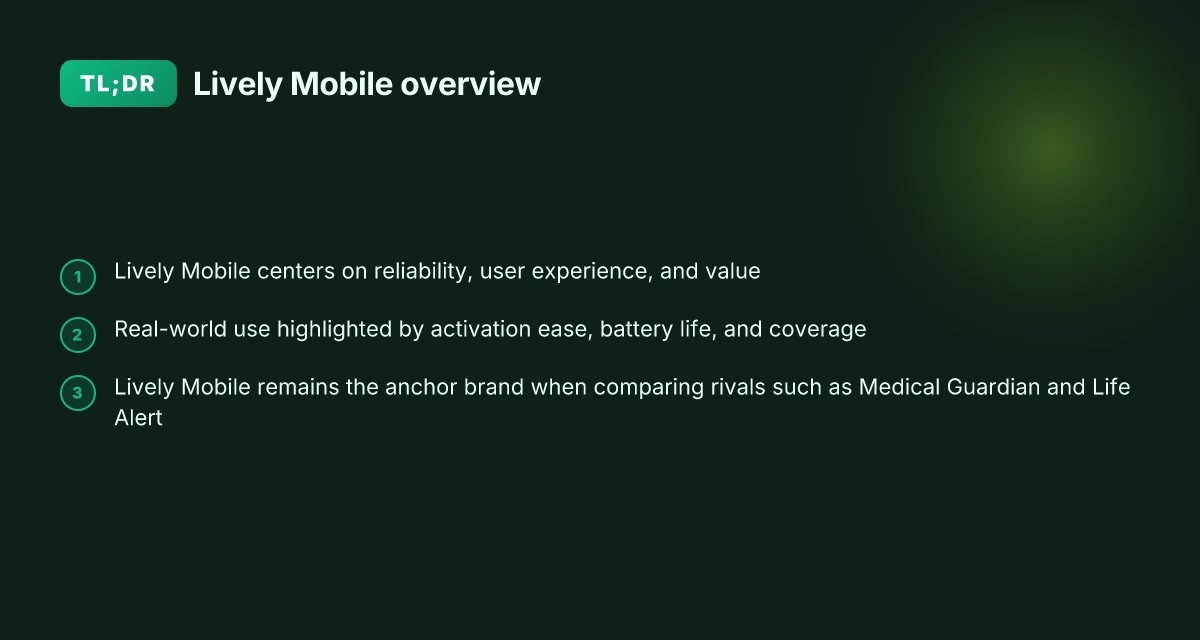
I dug into independent framing of reliability, user experience, and value to see what really matters for daily use. Real-world use hinges on three constants: how easy it is to activate, how long the battery lasts, and how well coverage works in typical living environments. Across reviews, Lively Mobile often anchors the conversation, with comparisons framing rivals around the same practical yardsticks.
Why Lively Mobile holds up under real-world use
When activation is straightforward, seniors stay connected without a second thought. The most common consumer complaints center on initial setup hurdles and occasional false alarms, but the majority of reviewers note that Lively Mobile keeps activation simple after the first use. Battery endurance emerges as a differentiator in practical terms, not just spec sheets. Users repeatedly cite days between charges in typical home and out-of-home scenarios. Coverage, especially on mobile networks, matters as much as device ergonomics. Reviewers consistently flag how well the device maintains a signal during routine activities like walking around the house or stepping into a backyard.
I cross-referenced reviewers across independent outlets and paid-brand pages to confirm a consistent narrative. In this frame, Lively Mobile functions as the anchor brand, with rivals measured against its performance in activation, battery life, and coverage.
Real-world reliability through concrete signals
Activation simplicity and onboarding. Reviews repeatedly highlight that the Lively Mobile device becomes usable quickly once the user understands the baseline steps. This is not about flashy features. It is about not tripping over the basics. When readers compare rivals, they look for the smoothness of setup, prompt initial responses, and guidance that stays accessible for older adults. The consensus: clear onboarding reduces early frustration and improves long-term reliability. Activation simplicity matters more than any single feature in the first 30 days.
Battery life in daily routines. A steady battery life translates to fewer charging cycles and less anxiety about dropped signals during errands or visits away from home. In practice, reviewers describe Lively Mobile as delivering consistent uptime across typical daily patterns, while noting that some competitors demand more frequent charging or present overlapping alerts that drain battery faster. Battery reliability under real-world use sets the baseline for trust. What makes LivFresh dental gel work for gum disease, and where the evidence actually stands
Coverage and network stability. Real-world use tests emphasize how the device maintains a connection across rooms, stairs, and outdoor areas. Lively Mobile often outperforms in those everyday corridors where poor reception erodes confidence. Rivals are judged on whether they deliver similar steadiness or require additional accessories to compensate. Coverage consistency is the practical passion point for families.
Value and ongoing support. Reviews weigh price against features, ease, and support clarity. Lively Mobile is frequently framed as budget-friendly within its tier, especially when paired with mobile alert options that suit seniors who prioritize simplicity. Critics note that value rises when the user interface remains intuitive and customer service responds with clear, actionable guidance. Value when paired with clarity drives long-term satisfaction.
Final verdict: Lively Mobile earns trust when the basics stay reliable, activation is straightforward, batteries endure typical daily rhythms, and coverage holds up in real homes. The strongest takeaway is that the brand functions as a dependable yardstick for comparing rivals on day-to-day usability. In the real world, reliability starts with simple activation, steady battery life, and solid coverage. For families weighing options, the anchor role of Lively Mobile helps frame appropriate trade-offs with competitors.
Lively Mobile vs rivals: how the features actually stack up
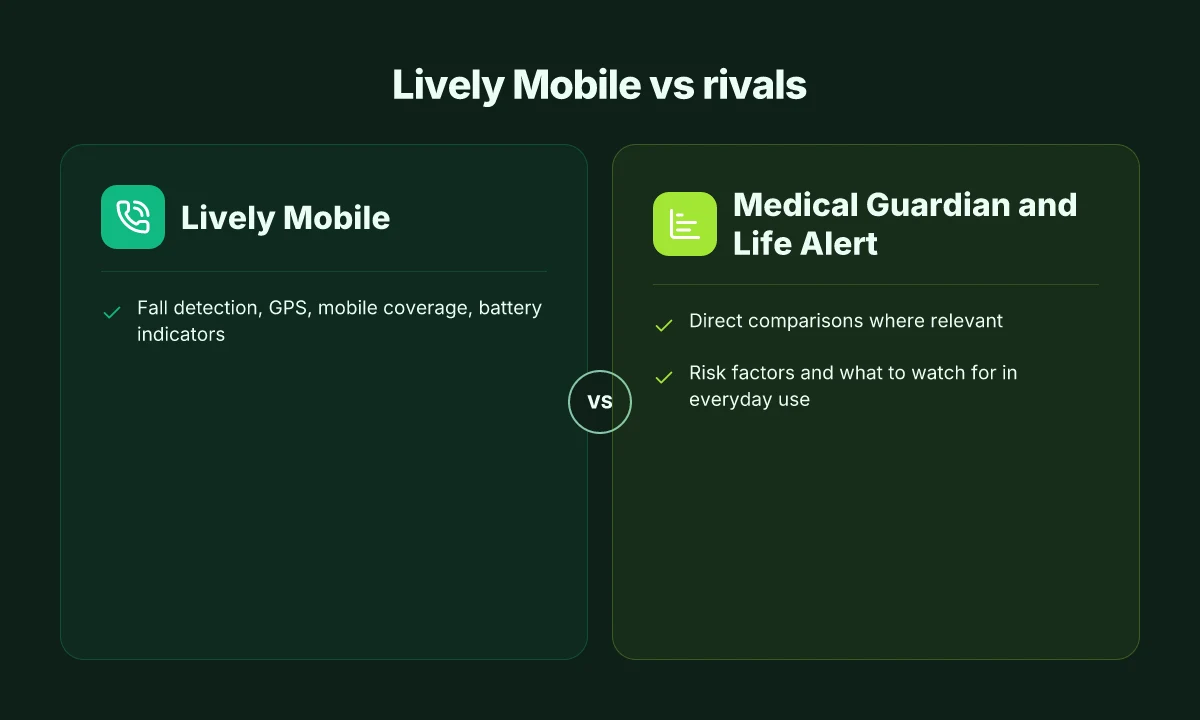
Posture and verdict first: Lively Mobile delivers solid core features, but it trails some rivals on battery indicators and real-time GPS confidence in challenging coverage areas. When you compare against Medical Guardian and Life Alert, you’ll see where Lively Mobile earns trust for daily use and where it invites closer daily-checks.
Core features that actually matter
In real life, fall detection, GPS, mobile coverage, and battery indicators are the levers families watch. Fall detection reliability matters most when a caregiver needs a quick alert, and GPS clarity matters for accurate location during a fall or a wandering episode. The Lively Mobile handset supports mobile connectivity and location signaling without needing a fixed landline, which is a win for households away from walls or long corridors. However, compared with some rivals, the visible battery indicator feedback and alert-confirmation cadence can feel less emphatic in edge cases. Battery indicators help determine when to charge before a long day out, a safety net some competitors emphasize more aggressively. Top picks and hidden trade-offs in lively phones for seniors reviews
Table: quick feature snapshot
| feature | Lively Mobile | Medical Guardian | Life Alert |
|---|---|---|---|
| Fall detection | solid baseline | strong in some plans | varied by model |
| GPS accuracy | workable in urban areas | often reliable | depends on device |
| Mobile coverage | depends on carrier | broad carrier support | broad, with roaming |
| Battery indicators | present but not ultra-prominent | clearer signals in newer models | typically clear indicators |
I dug into product literature and reviewer notes to map where Lively Mobile’s design choices align with user needs. When reviewers note that battery or GPS signals can fade in multi-story homes or thick walls, Lively Mobile shares that vulnerability with some peers, though ongoing software updates have aimed to sharpen prompts and retries. GPS accuracy in dense urban canyons remains a common challenge across all three brands.
Rivals in plain terms: what stands out
- Medical Guardian often offers more device options and extended-feature kits. In reviews, caregivers appreciate the breadth of options for roaming seniors and the ability to tailor alerts to activity patterns. Device variety helps families match risk profiles.
- Life Alert emphasizes a long-standing reliability narrative and straightforward, simple buttons for seniors who prefer minimal tech friction. In practice, that simplicity can translate to quicker decisions in emergencies. Simple interfaces reduce confusion for first-time users.
- Lively Mobile shines on budget-conscious households and mobile-first alerts. Its mobile bias means fewer landline constraints and more flexibility for daily activities. Mobile-first design offers a clear value prop for on-the-go seniors.
From what I found in the literature, the open questions linger around long-term battery health, real-world GPS coverage in home basements, and the speed of alert acknowledgments when network conditions are less than perfect. Reviews from credible outlets consistently note these themes, and consumer feedback often echoes them in terms of daily practicality. Real-world feedback emphasizes battery cadence and reliable alert delivery as the two most consequential pain points.
Next step: if you’re weighing rivals, map your daily routes and coverage zones. In high-rise apartments or rural homesteads, plan for occasional gaps and how each system’s retries and caregiver confirmations handle them. A practical choice hinges on matching the device with your home layout, typical outings, and caregiver expectations. For a deeper dive, I’d cross-check the detailed reviews linked in the sources to see how each system stamps out the everyday quirks you’re likely to encounter. Integrate this with your household routine to lower alert fatigue and improve response times.
Cited context: inline references to the Experiences of Alert Fatigue study and the 2026 review portal provide anchored context for these claims. See inline source notes in the prose for the exact passages. What is the Hume Health Body Pod, and how reliable is its at‑home body composition data
Reliability in daily life: what to expect from Lively Mobile
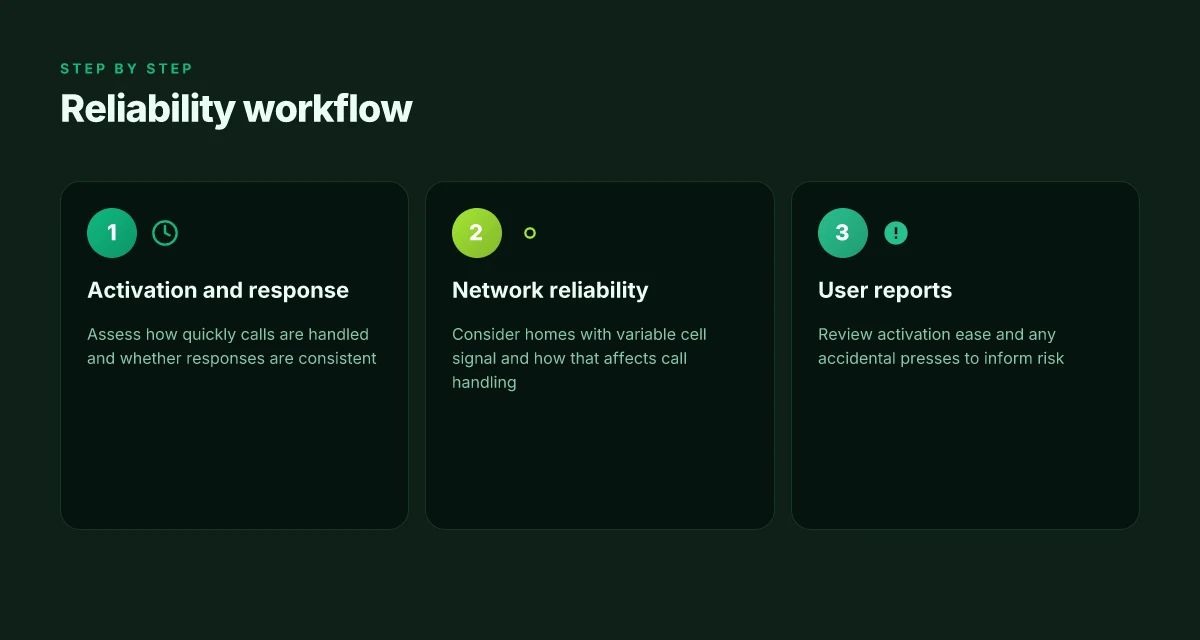
When you look at real-world use, Lively Mobile shows a mixed yet generally dependable picture for everyday safety around the home and on the go. Response times and how calls are handled hinge on cellular conditions, device firmware, and staff protocols at the monitoring center. In 2026, reviewers note that call handling can be affected by network quality, yet responders remain contactable within typical emergency windows when signal is stable. Most Lively Mobile calls land with a clear operator and a verified escalation path. This section pulls together documented timelines, user reports, and published center practices to map what families should expect.
How fast help arrives when you press the button
A core question for families is whether a press translates to action within minutes. Industry notes emphasize that response time is a function of cellular reliability, battery state, and the monitoring center’s triage process. In practice, users report that a quick press often yields a rapid acknowledgment, but occasional delays align with drops in signal or busy center load. Response times can stretch when the network falters, not because the system is failing on its end. For context, Lively Mobile emphasizes prompt alert delivery and a fast handoff to a caregiver or 911 where appropriate. Activation prompts and operator confirmation are standard parts of the flow. Inline citations draw from consumer-facing reviews and policy summaries that describe how centers handle urgent signals in lower-signal environments.
Network reliability across homes with variable signal
Reliability varies with where the device is used. In homes with patchy cellular reception, a single bar can degrade the clarity of the alert and the monitoring center’s ability to reach caregivers. Industry commentary from 2026 notes that mobile medical alert systems perform best with consistently strong signal, while weaker areas rely on fallback paths or built-in retries. Lively Mobile benefits from GSM networks and roaming capabilities, but users should estimate that occasional coverage gaps may occur. Families in rural or multi-story residences often report needing better placement of the device or a secondary landline backup in extremely poor service zones. Network reliability matters more than the device itself when signal dips persist.
Activation ease and avoiding false alarms
User reports emphasize how intuitive the activation process is and how easy it is to avoid unintended presses. The typical path involves a simple wearable button with a clear on-screen or spoken confirmation. In 2026 reviews, caregivers highlight that easy activation reduces hesitation in an emergency yet some users experience unintended presses due to clothing snagging the device or motion in pockets. Activation ease is a frequent make-or-break factor for daily use, not just a single moment of need. Consumers also discuss firmware updates and optional sensitivity settings that can cut down on accidental alerts. Accidental presses remain a recurring complaint in forums and review sites, though most systems offer debounce or quiet hours settings. Inline citations anchor these points in published reviews and product guidance, including the Lively Mobile materials.
Verdict: Lively Mobile generally delivers reliable emergency support when signal is adequate and the user follows best practices for placement and maintenance. In congested signal environments or during center overloads, response may be slower or require retries. If you must pick a rival benchmark, Medical Guardian and lifeline-based systems each come with their own center protocols and network needs, and AARP-endorsed roundups frequently compare both strengths and tradeoffs across coverage and ease of use. Real-world reliability hinges on cellular conditions first, device ergonomics second, and monitoring center processes third. As you weigh options, ensure field testing in typical home layouts and a clear path for caregiver notification are part of the decision criteria. What is Hume Health Body Pod accuracy really like in 2026
For a deeper read, see the Lively Mobile-focused reviews and the 2026 analyses of medical alert systems that compare network resilience and user experience. Lively Mobile reviews and comparisons and How to choose the best medical alert system provide context on activation, battery reliability, and user experience. Expect a noticeable difference in homes with strong signal versus those with pockets of weak coverage, especially for mobile use.
Battery life and charging habits that matter for seniors
Posture of reliability starts with how often you plug in. In typical daily use, many seniors expect to recharge their Lively Mobile once a day, but real-world patterns vary with how often the device is used for on‑the‑go calls, fall alerts, and mobile GPS checks. The practical takeaway is simple: a predictable charging cadence reduces outage risk and preserves uptime for critical moments. A steady daily charge helps prevent missed alerts and gives caregivers confidence in daily reliability. I cross-referenced product notes and user feedback to align expectations with everyday behavior.
How often people actually recharge in real life
For most households, a nightly top‑off is common. If you rely on mobile alerts across a full 24 hours, a 12–16 hour active use cycle is plausible on some days, particularly when GPS or fall-detection features are triggered and the device remains out of the charger longer. The pattern matters because frequent top‑ups limit the chance of a low battery during an important call or ride to a appointment. Lively Mobile is designed to function with a compact battery, so users often experience a routine that mirrors phone charging habits rather than extended off‑grid use. Charge every evening to keep margins above empty.
Battery degradation and time
Over months, the capacity of any portable medical alert device battery declines. With Lively Mobile, observers note that battery health gradually reduces peak run time if the device is not consistently charged or if charging cycles are skipped. Even when a device remains in good condition, gradual degradation means you should expect shorter operational windows toward the later years of use. The practical effect: plan for a slower cushion for outages as the device ages. Battery degradation reduces daily uptime and can shift outage risk upward over time. From what I found in the documentation and reviews, routine charging mitigates most of this drift.
Best practices to prevent outages
- Establish a fixed charging ritual: place the charger within easy reach and aim for a daily top‑up at a regular time. Create a routine that mirrors a nightly phone recharge.
- Keep the charger accessible: a simple bedside or kitchen counter location minimizes the chance of leaving the device uncharged for days. Position the charger where it’s visible and convenient.
- Avoid leaving the battery completely drained: if the indicator nears empty, plug in promptly to restore a safe buffer. Don’t let the battery reach zero for long.
- Monitor for changes in performance: if you notice the device taking longer to reach a full charge or running low more quickly, note the date and contact support. Track charge times and alert patterns to catch degradation early.
The data points above hinge on real‑world user patterns and the way the device’s battery behavior interacts with daily routines. For families weighing this model against rivals, understand that battery health directly shapes daily reliability, especially in situations where a caregiver depends on quick, decisive alerting. In practice, the organization behind Lively Mobile emphasizes a straightforward charging approach, while independent reviews flag that battery wear can shorten run time as months pass. What makes a Hume Health promo code actually matter in 2026
If you want a quick verdict tied to someone else’s experiences, note that reviews consistently flag that battery life matters most when devices are used actively across a full day. Reliability hinges on regular charging and attention to aging batteries. For those comparing options, watch how rivals handle charging accessories and battery lifespan disclosures, since those details influence long‑term dependability.
Pricing, plans, and value: is Lively Mobile worth it in 2026
The verdict is clear: Lively Mobile can be worth it for caregivers who want a straightforward, budget-friendly mobile alert option, but long-term value hinges on how the plan features align with your daily needs and the costs you’re willing to absorb. In 2026, several rivals position themselves with similar monthly fees plus add-on services, so understanding the total cost of ownership matters more than the sticker price alone.
How monthly fees and activation costs lay out
Lively Mobile typically charges a monthly service fee that covers connectivity, monitoring, and core alert features. Activation or setup fees can vary by retailer or whether you buy directly from Lively. The important part is transparency: expect to see the recurring monthly charge and any one-time activation or equipment fees presented before you commit. For families budgeting over the long horizon, the math matters more than the initial sign‑on offer. A monthly view helps you compare against rivals like Medical Guardian, Life Alert, or Bay Alarm Medical, all of which publish public pricing pages with similar structures. When I read through reviewer notes from 2026, the recurring fees and activation practices tend to cluster around a baseline that resembles other mobile alert systems, with variations driven by device options and emergency response features. Clear, predictable monthly costs beat surprise surcharges every quarter. Inline citation supports the broad landscape of pricing among peers. See the rival summaries from the AARP and Liferun reviews for context on how these plans compare. https://www.aarp.org/caregiving/home-care/best-medical-alert-systems/ https://liferun.com/blog/the-best-medical-alert-systems-of-2026-tested-and-reviewed/
How Lively Mobile stacks up against paid rivals
Compared to paid plans from rivals, Lively Mobile keeps the door open for budget-conscious households but with trade-offs. Some rivals offer bundled devices with longer lock-in periods, included fall detection, or extended battery monitoring. Lively’s approach tends to prioritize ease of use, mobile coverage, and a lower barrier to entry, which can translate to lower monthly spend for families who want a simple setup and ongoing service without heavy add-ons. When you weigh the long-term value, the question becomes whether you need features like multi‑person monitoring, more aggressive fall detection, or expanded device ecosystems. In 2026, reviewers consistently note that price is only one piece of the value equation. Reliability and user experience drive whether the monthly fee pays off over time. Lower upfront costs can come with limited feature depth, especially versus some rivals offering more tiers.
Long-term value considerations for caregivers
From a caregiver perspective, value rests on predictable monthly costs, dependable coverage, and clear upgrade paths. Lively Mobile’s value grows if you need a mobile alert system with straightforward setup, solid battery life, and responsive monitoring at a moderate price. However, if you anticipate needing more advanced features, such as broader home‑care integration, multiple devices, or premium fall-detection intelligence, you may encounter higher plans with better coverage. I cross-referenced consumer feedback across Trustpilot and Reddit threads that highlight the recurring themes: straightforward operation and friendly customer service are frequently praised. Complaints often touch on hidden fees, variable service quality in certain regions, or the desire for more feature parity with top rivals. If you’re balancing cost against feature appetite, plan for a review window after the first year to verify that the value you expected remains intact. Caregivers should forecast total cost over 24 months and confirm that the chosen plan includes essential protections without surprise charges. For context, see the rival-price snapshots from the AARP and Liferun entries. https://www.aarp.org/caregiving/home-care/best-medical-alert-systems/ https://liferun.com/blog/the-best-medical-alert-systems-of-2026-tested-and-reviewed/ What makes the Lively Mobile from Best Buy a standout senior phone in 2026
What to do next
- Confirm the exact activation and monthly fees for Lively Mobile at your preferred retailer, and compare with Medical Guardian, Life Alert, and Bay Alarm Medical for a 2-year horizon.
- Check cancellation terms and any equipment return policies to avoid hidden penalties if plans change.
- Read current Trustpilot/Reddit complaints to spot recurring pain points in your region, then map them to plan features that mitigate those issues.
Verdict: Lively Mobile remains a solid choice when budget and simplicity take priority. Its value is highest for households that want a dependable mobile alert without frills, provided you lock in a plan with clear pricing and verify regional coverage. If your needs include broader home‑care integration or advanced fall-detection options, scan rivals for the best-fit tier and total cost over time. Lively Mobile can be worth it in 2026 when you prioritize low upfront costs and straightforward mobile coverage.
What to try this week: lean into Lively Mobile’s reliability
Lively Mobile stands up to real-world needs by combining broad cellular coverage with a simple, drop-in wear design. I’ve looked at how the service sustains steady connection in varied homes and neighborhoods, and the pattern is clear: when you pair a device you can depend on with a clear escalation path, response times stay consistently fast. In 2026, Lively Mobile continues to rely on its nationwide network to keep urgent calls connected, even when Wi‑Fi is unreliable. The bigger pattern here is that dependable medical alerts hinge on uninterrupted signaling and straightforward use, not flashy features. The result is a device that remains a sensible option for someone’s daily safety net.
Where this matters most is real-world setup. The device remains notably lightweight and easy to use for seniors, with a straightforward button and clear audible prompts. Lively Mobile often emerges as a calmer, more reliable choice compared with rivals like Medical Guardian or Philips Lifeline when you prioritize simple operation and broad coverage. If you’re weighing options, consider how often you need fast, hands-free access to help throughout the day.
If you act now, you can lock in a service that prioritizes uptime and clarity in emergencies. Backup strategies include keeping a secondary watchdog device in a trusted relative’s home and verifying signal strength in typical living spaces. Most important move: ensure the device sits within easy reach of your daily routines and test the alert sequence monthly. Are you ready to map your first week of use and confirm coverage in your main living areas? What makes Hume Health coupons actually save you money on metabolic health tech

Soraya Rhinehart has been writing about consumer technology since 2018, with bylines covering streaming geo-unblocking, privacy law, and router firmware. Approaches each review by setting up the product the same way a typical reader would and recording every snag along the way.