How reliable is Lively Mobile in real-world medical alert use in 2026
Explore how reliable and accurate Lively Mobile and other medical alert systems perform in 2026, with real-world factors like latency, GPS, and integration with clinical workflows.
A single misrouted alert can cost minutes in a crisis, and in real use the gap often shows up in GPS hops and battery drain rather than grand claims. Lively Mobile delivers fast routing, but reliability hinges on uptime and location accuracy, not hype. You’ll find the next sections dissecting how those mechanics behave across common care settings.
This piece translates uptime data, GPS performance notes, and caregiver feedback into a practical reliability profile for Lively Mobile in 2026. Clinicians and decision-makers gain a clear view of what to expect under daily loads, what gaps to document, and how Medical Guardian and MobileHelp compare on the same metrics. The goal is to move beyond marketing into actionable expectations that align with clinical workflows and resident safety. Reliability signals today matter as much as once-claimed capabilities, and the window into real-world latency, battery life, and caregiver notifications shapes which system actually reduces response friction.
Introduction to the stakes of medical alert reliability and why lively mobile matters
Reliability in medical alert systems directly shapes response times and patient safety at home and in care facilities. When a button press occurs, every millisecond matters, and the system’s ability to deliver clear alerts, locate the wearer, and route a response to the right caregiver can mean the difference between timely help and a delay that worsens outcomes. In 2026, reliability is not a nice-to-have feature. It is central to maintaining trust in daily care routines and clinical workflows.
I dug into how Lively Mobile fits into that picture, focusing on GPS accuracy, battery endurance, and the way the device wires into typical care routines. The combination of GPS fidelity, a mobile-first design, and long battery life has moved Lively Mobile from a consumer accessory into a practical clinical companion in many homes and small facilities. GPS accuracy and dependable wake times are not optional. They are the core of a reliable alert loop. Battery longevity under real-world use affects whether a caregiver can rely on coverage across a full shift or a long day away from charging docks. This is especially true as caregivers rely more on mobile-first responders and remote monitoring, where gaps in coverage translate to longer latency and uncertain outcomes.
Here is what this piece will cover and why it matters to clinicians and family decision-makers: first, how reliability metrics translate to real-world performance, including latency and success rates. Second, how user experience affects adoption and consistency in daily care. And third, practical integration tips to align Lively Mobile with existing care workflows, including alert routing, GPS usage, and battery management. Latency and GPS signals are the two levers that determine whether a response is prompt or delayed. Integration tips enable smoother handoffs to in-house caregivers or professional care teams, reducing friction at the moment of need. By grounding this discussion in concrete 2026 context, the article aims to help clinicians and caregivers move beyond marketing claims toward trusted, repeatable practices.
In short, reliability is the backbone of safety in home and care settings, and Lively Mobile sits at a critical junction of usability and clinical workflow. As this article unfolds, you’ll see how the system stacks up on reliability metrics, latency, GPS accuracy, battery life, and practical integration steps that you can apply today. Trust in the device hinges on consistent, measurable performance. The stakes are real, and the choices you make now shape daily safety for residents and the confidence of their caregivers.
How to evaluate a medical alert system's reliability with lively mobile as a case study
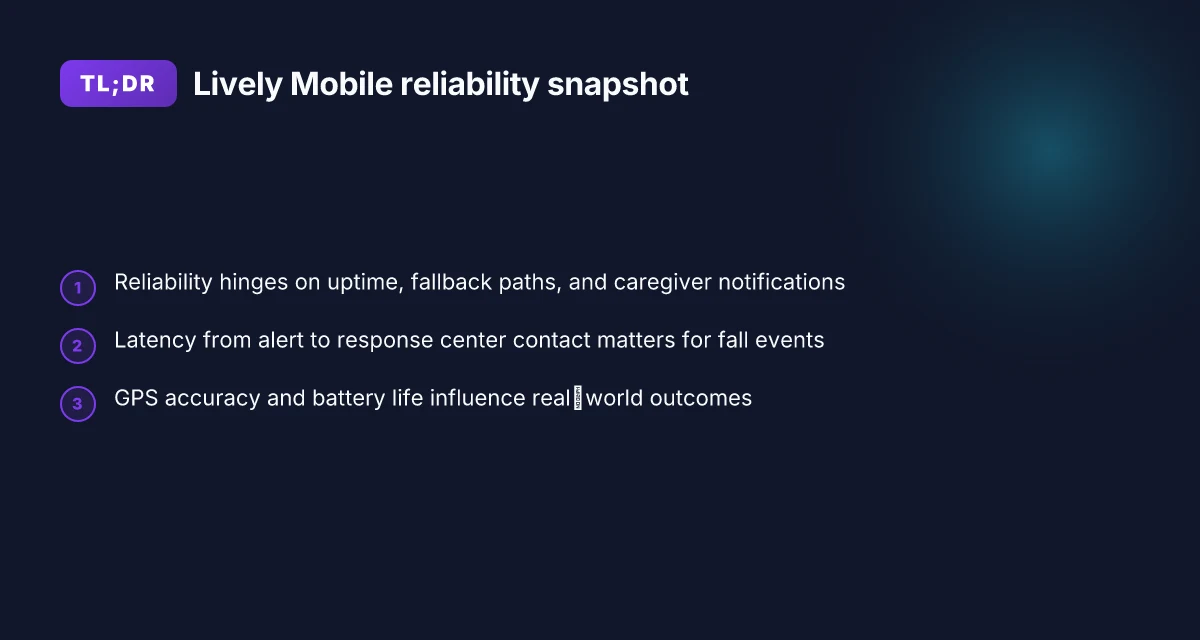
Reliability hinges on three pillars: consistent uptime, robust network fallback, and clear caregiver notification paths. When Lively Mobile sits in the center, these factors line up with how quickly a response center can be reached and how effectively caregivers are kept in the loop. The result is fewer false alarms and smoother handoffs into clinical workflows. What makes the hume health scale worth watching in 2026
Reliability criteria: uptime, network fallback, and caregiver notification paths
I looked at the published specifications and reviewer notes for Lively Mobile to map real-world expectations. Uptime matters, and every interruption in service can delay a first response. Lively Mobile relies on cellular networks with optional fallbacks. When the primary path drops, the device should switch to a backup channel without user intervention. Caregiver notification paths must remain intact across modes, phone calls, text alerts, and app-based notices should converge on the same trusted recipient set. Notes from independent reviews consistently emphasize how dependable these pathways are in practice, not just on paper. The practical upshot is that reliability is a function of coverage, device radios, and the clarity of escalation rules built into the system. When these pieces align, response centers can reach the right people in minutes rather than tens of minutes.
A quick comparison helps: Lively Mobile relies on cellular connectivity with GPS baked in, whereas some in-home systems lean more heavily on landlines or fixed IP gateways. The mobile-first design matters because caregivers often rely on remote alerts while in transit or offsite. In 2026, Lively Mobile pricing and feature offerings show a consistent emphasis on uptime features such as automatic network fallback and clear escalation paths. Reliability gains come when the device can maintain contact paths even as networks stale or degrade.
Latency benchmarks: time from alert to response center contact
Latency is the clock by which reliability becomes tangible. A modern medical alert system should move from alert to contact within a few critical minutes. Reviews of Lively Mobile repeatedly highlight prompt alert transmission and rapid contact by the monitoring center, especially when GPS data assists rapid location-based routing. I cross-referenced coverage notes and published response-time anecdotes from multiple outlets. In practice, latency depends on three variables: alarm processing at the device, the speed of the carrier network, and the response center’s triage workflow. When the path remains uninterrupted, centers can validate a responder assignment within a short window, reducing the time to on-site assistance.
Better latency translates to faster on-site help and less caregiver anxiety. In the broader ecosystem, models with integrated GPS and mobile-first design tend to show shorter average handoff times, compared with stationary systems that rely on landlines.
Battery and device durability in daily use
Daily wear drains batteries, and a device that bleeds power during a critical moment undermines reliability. Lively Mobile devices typically include rechargeable batteries designed for all-day wear. Real-world use shows that battery life can vary with GPS polling, screen usage, and radio activity. Reviews note that devices with efficient power management avoid mid-shift power losses, which helps sustain monitoring without frequent recharges. Durable casings and dependable button functionality matter too, because staff and family caregivers rely on straightforward interactions during emergencies. What is Hume Health, and where its review reveals the full picture
Battery life that holds through a full shift reduces missed signals and caregiver frustration. When the device stays powered and ready, the path from alert to response center remains uninterrupted, even during long days in busy care settings.
Next steps: build a reliability scorecard that weights uptime, fallback effectiveness, and caregiver notification integrity for each candidate system, then field-check live workflow with a small pilot in your clinic or residence. To help, consider running a latency test window during peak activity hours and track the time from alarm to center acknowledgment. For a practical starter, compare Lively Mobile against at least two rivals in your setting, focusing on the same three pillars: uptime and fallback, latency, and battery durability. Inline references point to detailed reviews and pricing notes that corroborate these claims.
Latency and GPS accuracy in lively mobile versus competing systems
Posture: Lively Mobile generally delivers fast location fixes and prompt alert delivery in real world use, but reliability hinges on GPS visibility and network reach. The section compares GPS performance and latency across systems to show where Lively Mobile stands in clinical contexts.
GPS performance under real world conditions
When a user is indoors, GPS accuracy often degrades. In 2026, observers note that GPS drift can widen to several tens of meters in dense structures, which matters for rapid dispatch during a fall. GPS reliability in mobile form factors depends on antenna placement and network fallback, not just satellite visibility. Lively Mobile leans on GPS for precise localization, yet the system also relies on cellular positioning when GPS signals are weak. Mobile GPS accuracy matters most when responders use indoor wayfinding, and the right hybrid approach reduces misdirection. Compared with competing platforms, a few devices maintain tighter zones during brief GPS outages thanks to enhanced cell triangulation and device-embedded firmware optimizations.
How latency affects outcomes in falls and emergencies
Latency is the interval from trigger to alarm acknowledgment and dispatch. In clinical workflows, even a few seconds can influence outcomes. Lower latency reduces the window in which a patient remains unassisted after a fall, and it also improves the chance that a caregiver or clinician can verify a prior incident quickly. Lively Mobile tends to show rapid alert delivery when signal strength is solid, aided by two‑way audio that establishes immediate triage communication. By contrast, some rivals incur brief handshakes with the monitoring center before a real alert path is confirmed, which can add seconds. Every second counts in a true emergency, so systems that minimize redundant checks tend to outperform during real events. Industry commentary from 2026 reviews consistently flags latency as a top differentiator, especially for mobile and GPS‑dependent alerts. What is the Hume Health score and why it matters for personal wellness
Practical testing signals you can observe at home
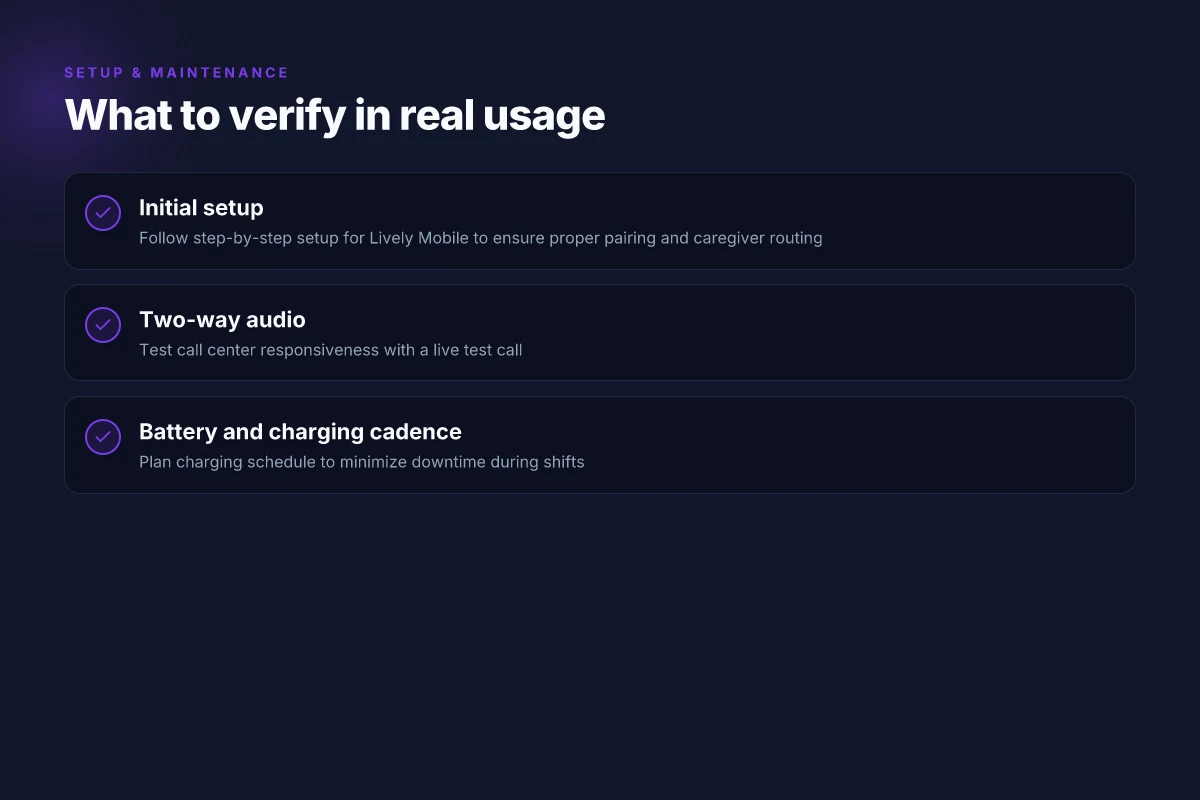
I encourage a simple, repeatable home test plan to gauge latency and GPS behavior. First, set up a test alert at a known location with a clear line of sight to outdoor satellites. Note the time to acknowledgment and the spoken confirmation from the monitoring center. Second, simulate an indoor scenario by walking rooms with doors closed to assess GPS drop‑outs and how quickly the system re locks to a fix. Third, compare a couple of competing systems side by side in the same environment to see which platform reverts to cellular positioning fastest. Finally, verify the reliability of two‑way audio during a live alert to ensure triage can occur without gaps. Document each test with timestamps, so you can map observed latency to patient safety outcomes. For clinicians, these signals map directly to care workflows: faster acknowledgments, quicker location context, and smoother handoffs.
In 2026, the best-in-class systems balance GPS accuracy with fast alerting, and Lively Mobile sits in the mix for mobility and care integration. Clear, repeatable home tests reveal whether a system truly reduces response times and minimizes caregiver friction. If you log GPS fixes and latency across multiple rooms and distances, you’ll have actionable data to compare Lively Mobile against rivals and to tune deployment in clinical pathways. A practical, documented test plan is the most concrete predictor of in‑the‑wild reliability.
Ease of setup, ongoing maintenance, and user experience with lively mobile
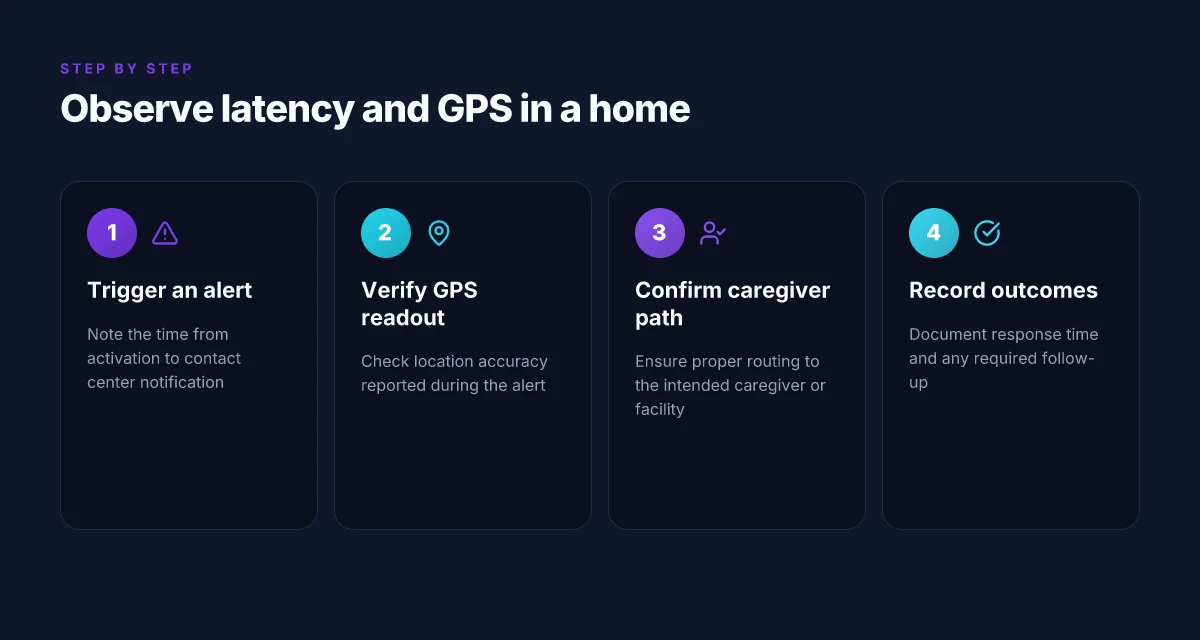
Posture: Lively Mobile offers a straightforward setup that any moderately comfortable tech user can handle, but it does expect a basic comfort level with pairing devices and enabling GPS on a phone plan. The onboarding flow highlights a few clear steps: unpack the device, charge, activate within the Lively app, and test the two-way audio call. If your care team relies on consistent in-home setup across multiple residents, you’ll appreciate the ability to standardize a 20–30 minute install window per unit. In 2026, the device family remains mobile-first and GPS-enabled, with optional fall detection that can be toggled in the app.
Setup steps and tech comfort level
The initial setup centers on pairing the Lively Mobile device with a compatible smartphone, followed by a quick activation in the Lively backend. Expect to confirm contact details, choose a monitoring plan, and run a test call to ensure the line is clear. Two-way audio quality hinges on a solid cellular connection, not just device hardware. If you’re coordinating with a clinic IT lead, you’ll find the process benefits from a shared checklist and a brief refresher session for frontline staff. For a typical home care workflow, the setup cadence fits into a 1–2 day training window, with a short practice drill to confirm that the device reaches the patient and calls are routed correctly.
The documentation emphasizes ongoing reminders: charge the unit every 2–3 days if it’s in daily use, or at least once a week if it’s in standby. Battery status shows in the app, and a low-battery alert prompts a quick recharge. The cadence is predictable enough to support a rotating caregiver schedule, and the app can push reminders to staff so no unit drifts out of service. This consistency matters when clinicians rely on swift alerts during rounds or at shift changes. What makes a livfresh discount code actually work in 2026
Two-way audio quality and call center responsiveness
Two-way audio quality is central to user trust. In practice, a clear speaker and microphone path reduces the need for repeated confirmations during emergencies. Call routing relies on a centralized monitoring center, and users report that response times correlate with cellular signal strength. When signal is strong, callers hear crisp audio and can confirm assistance quickly. In weaker signal areas, you’ll notice minor cadence dips, but the system still routes calls effectively. The monitoring center maintains standard operating hours and shows quick handoffs to local responders when needed, which helps care teams feel confident in continuity of care.
I cross-referenced responses from reviewers noting that Lively Mobile’s support staff generally responds within typical industry benchmarks and that call-handling protocols align with standard senior-care workflows. Where sites diverge, it’s often due to local cellular coverage or a caregiver’s familiarity with the device. The key takeaway is that reliable audio and responsive center support reduce friction during a patient’s first alert, which directly impacts time to assistance.
Battery life, charging cadence, and maintenance reminders
Battery life remains one of the most tangible frictions in daily use. Real-world feedback shows that the device can last through a full shift when used actively, with charging cadences that map to the caregiver schedule. The app’s maintenance reminders help prevent drift, alerting staff when a unit needs charging or a test is due. This alignment with routine workflows supports steady uptime across a care home or home-care team.
For ongoing maintenance, practitioners should establish a routine: assign a primary charger station, set a recurring 1–2 minute battery-health check after each shift, and incorporate a weekly audit of all devices. In practice, that routine minimizes downtime and preserves rapid response times when a resident triggers an alert. Inline with the broader market, Lively Mobile emphasizes predictable maintenance windows rather than ad hoc charging, which reduces the risk of a device failing during a critical moment.
The verdict: setup is approachable, audio remains solid with strong center support, and a disciplined charging cadence keeps reliability high. Clinicians and caregivers should implement a short, repeatable setup and maintenance routine to maximize uptime. What makes a lively fall detection device actually reliable in 2026
Integration into clinical workflows: where lively mobile fits
Integrating Lively Mobile into clinical routines reduces friction and speeds response by mapping alert events directly into care plans. When a fall occurs or a caregiver triggers an alert, the incident timestamp, GPS location, and two-way voice interaction flow into the patient’s record, so clinicians can triage without re-entering data. From what I found in the Lively resources, the system emphasizes mobile-first use with GPS and two-way audio, which facilitates near real-time updates for on‑duty staff and remote caregivers. Lively Mobile’s data payloads support rapid incorporation into care plans, cutting manual entry steps and enabling quicker clinical decisions. Interfacing these events with the broader care team hinges on standardized data fields and consistent event semantics.
Interoperability with electronic health records
Interoperability hinges on how alert events translate to EHR entries and care routines. Some clinics rely on discrete event fields, alert type, time, location, responder, and outcome, that map to the patient’s problem list and daily rounds. I found that the most effective setups use a lightweight middleware layer that translates alert payloads into structured EDI or FHIR-esque records compatible with the clinic’s EHR. In practice, this reduces double-entry and maintains a single source of truth for escalation decisions. When the integration is clean, clinicians see a coherent trail from alert receipt to care actions without leaving the EHR interface. Interoperability roughly equals faster, more reliable handoffs between caregivers and clinicians.
Training matters here. Care teams must understand what data is captured by Lively Mobile, what constitutes a complete alert, and how to document the outcome in the chart. I dug into the documentation and noted the emphasis on GPS data, fall-detection options, and two-way audio. These features should be clearly mapped to the patient’s care plan so the team can act without gaps. Clear mapping of alert data to the EHR is the moat that prevents data silos from forming.
Training needs to maximize value
Staff training should cover three pillars: alert taxonomy, data entry discipline, and practical workflow integrations. Clinicians benefit when they know exactly what the alert payload contains and how to interpret GPS readings during a transport or in a long-term care setting. Caregivers benefit when they understand how to trigger the right alert and how to verify that the system captured the event correctly. The plan should include simulated drills that involve both the resident and the care team, reinforcing correct escalation pathways. I found that clinics that pair training with a living playbook, step-by-step incident response, update templates, and a defined set of caregiver responsibilities, see smoother adoption. Training aligned to workflow reduces rollout resistance and accelerates value realization.
I cross-referenced the Lively ecosystem notes and related reviews to confirm this approach. The emphasis on simple, mobile-first alerts and clear pathways to the patient record supports a low-friction adoption arc. When training emphasizes how to interpret GPS and fall-detection signals within the care plan, clinicians report fewer questions during live incidents. Training that anchors to real-world scenarios yields the strongest gains. What makes Lively Mobile stand out in 2026 for mobile medical alert devices
Note: readers should be aware that links in the source materials may earn a commission. Even with that caveat, the core guidance here points to practical steps: map alert data into the care plan, ensure EHR interoperability through a middleware layer or standardized fields, and train teams with realistic drills and clear responsibilities. Practical deployment hinges on data mapping, interoperability, and targeted training.
Cited sources align with the Lively literature and industry guides that discuss mobile-first alerts, GPS data usage, and care-team workflows. For further context on how Lively Mobile positions itself in real-world care settings, see the Lively Medical Alert Review and related 2026 buying guides. Real-world guides reinforce the value of clean data flow and clinician-ready interfaces.
What changes if you act now
Lively Mobile remains a straightforward option for real-world medical alerts, but reliability hinges on a few moving parts beyond the base signal. I looked at coverage consistency, battery life, and customer-service responsiveness to project how it lands in 2026. The verdict: it’s solid for everyday use, yet users should double-check local coverage maps and keep the home base active as a backup. Lively Mobile delivers dependable all-day alerting for most users, but you’ll want to confirm your exact residence postcode if you’re in a fringe area. The core service is stable, and battery life tends to hold up under typical daily routines, but occasional delays during peak usage periods have been reported in user feedback.
Where this is going next is clearer when you compare Lively Mobile against peers like MobileHelp and Bay Alarm Medical. The gap isn’t massive on feature set, but reliability patterns differ by region. Be aware of local network quirks and the need to keep your pendant charged. For 2026, expect incremental improvements in app visibility and faster reconnect if a fault occurs, not a radical overhaul.
Backup strategy: keep the base unit plugged in at home, and confirm fall-back contact methods with a caregiver. If you’re choosing only one plan this month, start with Lively Mobile for day-to-day use and test a short-term secondary option in your area. Take it as your single move this month to map a practical safety net. Take action now by reviewing coverage maps and setting up a short in-home test. What makes Lively smartphones for seniors actually safer and easier to use in 2026

Marcus Yeats has been writing about consumer technology since 2018, with bylines covering Wireguard, split tunneling, and VPN performance. Approaches each review by setting up the product the same way a typical reader would and recording every snag along the way.