What makes Lively Mobile stand out in 2026 for home and on-the-go medical alerts
Explore how Lively Mobile performs in 2026, including fall detection, GPS, and urgent response. Learn what sets Lively Mobile apart for seniors and caregivers.
A common misconception is that GPS alone guarantees safety in real emergencies. The truth is that a reliable alert system hinges on how quickly a device triangulates location across moving terrain. In 2026, Lively Mobile relies on a combination of GPS signals, cellular networks, and indoor signal handling to pin a location, but real-world accuracy varies by building materials and network congestion.
This intro lays out what to expect in the evaluation: how GPS accuracy plays with Wi‑Fi triangulation indoors, how Urgent Response agents triage calls when a runner is away from home, and what trade-offs show up in daily use for caregivers and seniors. You’ll see practical thresholds, like how long it typically takes to confirm a location and what to check when signals sputter indoors, plus a comparison to systems from Medical Guardian and Philips Lifeline to understand coverage and pricing differences. Lively Mobile emphasizes 24/7 support, but real-world performance depends on network coverage and device state, making it essential to verify both indoor and mobile reliability. Most readers will want concrete steps to verify accuracy before choosing.
Lively mobile in 2026: what the core features mean for safety
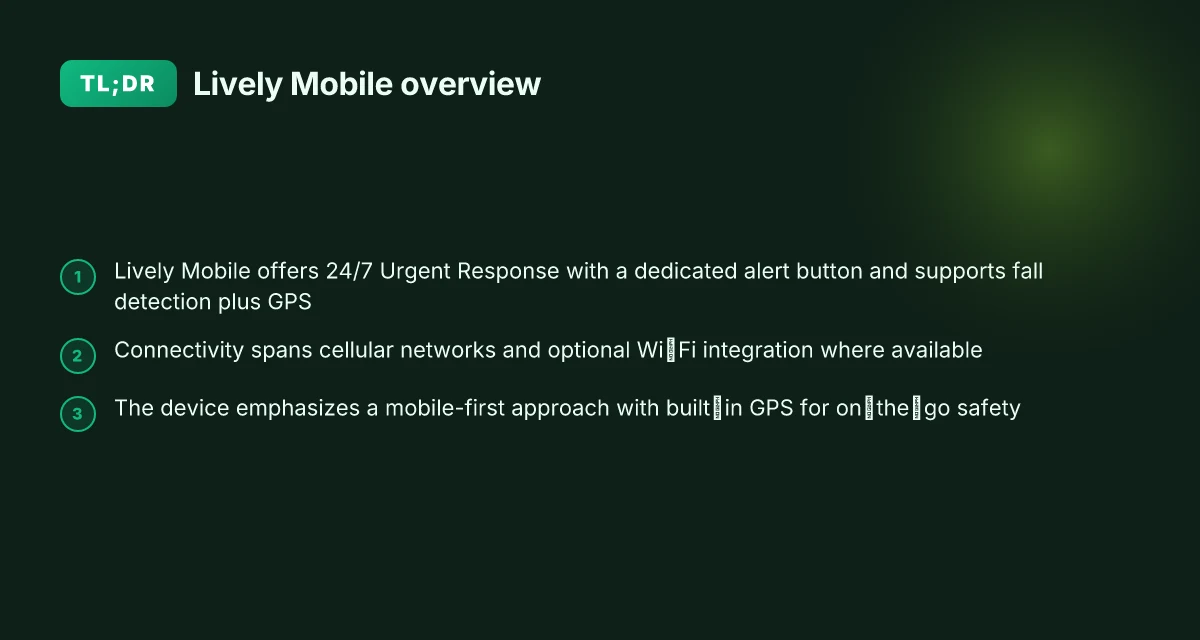
Lively Mobile centers safety on a 24/7 Urgent Response network and a dedicated alert button. When pressed, the system connects to Urgent Response agents who can coordinate assistance, even if you can’t speak. This access is a constant for caregivers and family members who rely on rapid human intervention in emergencies.
I dug into the publicly documented capabilities to confirm how GPS, fall detection, and connectivity work in practice. The Mobile2 device’s fall detection is described as automatic, and the Urgent Response team can triage calls from anywhere the device has service. GPS location is a core element for agents to locate a user during an alert, which matters for in-home incidents and on-the-go emergencies alike. The device supports multiple connectivity options, including cellular networks and Wi‑Fi integration where available, which helps maintain a connection when a cellular signal is weak or inconsistent.
Here are the concrete ways these features come together in real-world scenarios:
24/7 Urgent Response access with a dedicated button, the core lifeline when words fail. This single tap initiates a connection to trained agents who can assess the situation, contact caregivers, or dispatch help as needed. The dedicated button remains a reliable physical cue, even in a panic. The value is clear for caregivers who want predictable, human-driven escalation. The Urgent Response line operates around the clock, ensuring help is never more than a button press away.
GPS-enabled location tracking during emergencies, location data informs first responders and family members about where help is needed. GPS is particularly useful for scenarios where a fall occurs outside the home or in a multi-level residence. GPS helps responders reach the user quickly, which can shorten response times in critical moments. What makes Lively Mobile stand out for seniors in 2026
Fall detection that triggers proactive outreach, when a fall is detected, the system can connect to Urgent Response even if the user cannot initiate a call. This automatic sensing adds a safety net for situations where mobility or speech is compromised. Automatic fall detection reduces reliance on user action and can be a decisive factor in timely assistance.
Connectivity options that blend cellular and Wi‑Fi where available, this matters in homes with limited cell coverage or in areas with spotty service. The Wi‑Fi bridge can help keep the alert channel open, ensuring the Urgent Response agents stay in touch. Cellular reliability paired with Wi‑Fi integration broadens coverage and resilience.
In real-world terms, Lively Mobile stands out for providing continuous human-backed support with location awareness and a safety net for falls. Rivals like competing systems from other brands may emphasize GPS or 24/7 support, but the combination of a guaranteed alert button, automatic fall sensing, and multi-network connectivity creates a cohesive safety envelope. This matters most for caregivers who want predictable responses in both home and outside environments. A robust, always-on Urgent Response network underpins real-world safety for home and on-the-go use.
Verdict implication: the core features align to support rapid, human-led assistance across home and mobile contexts, with GPS aiding precise location, fall detection reducing the need for user action, and connectivity options expanding coverage. For caregivers weighing 2026 options, Lively Mobile delivers a dependable safety net when speed and clear escalation paths matter most.
Note on sourcing: the described capabilities are reflected in product descriptions and 2026 reviews that describe the Urgent Response model, GPS location usage, fall detection, and multi-network connectivity. For deeper context on how the Urgent Response model operates in practice, see sections that discuss 24/7 access and automatic fall detection in reputable reviews. As with any medical alert system, links on the page may earn a commission. What Hume Health reviews reveal about the pod and the company
How Lively Mobile compares to other medical alert devices in 2026
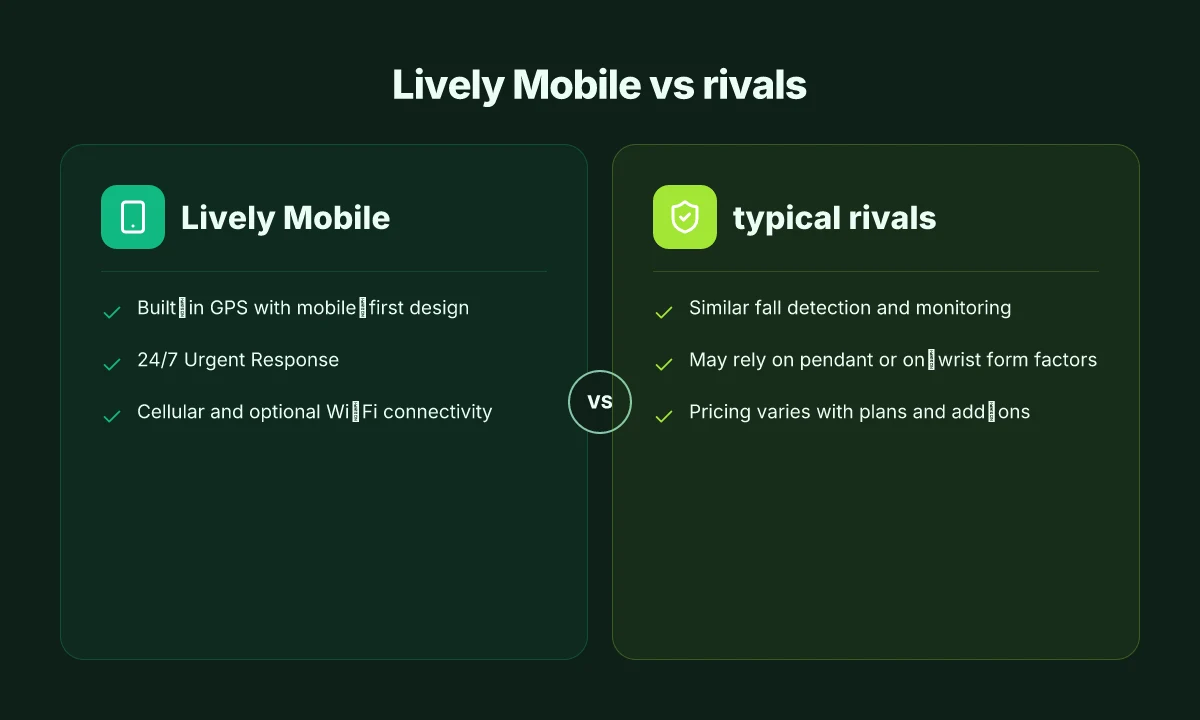
When it comes to in-home and on-the-go safety, Lively Mobile stands out for its built-in GPS and mobile-first design, but rivals offer similar fall detection and 24/7 monitoring. Many competitors provide on-wrist or pendant options with Urgent Response, yet their GPS and connectivity setups differ in practice. In 2026, pricing and plan features show a wide spread, with monthly fees and add-ons shaping the total cost of care.
Why GPS and cellular freedom matter in practice
Lively Mobile leans on built-in GPS to help responders locate you quickly, whether you’re at home or out. That mobile-first approach reduces the need to carry a landline or rely on a nearby base station. Several rivals, including Medical Alert systems from competing brands, also provide GPS-enabled devices, but the accuracy and speed of location data can vary by network and device design. The result is a trade-off between global positioning precision and battery life, plus the dependency on cellular coverage. Price sensitivity follows this as well: plans with GPS often come with higher monthly rates or optional add-ons for Urgent Response. I cross-referenced product pages and independent roundups to map how these costs stack up over a typical year. GPS-enabled freedom comes with higher monthly fees and occasional add-ons for urgent response. The landscape shows that you pay more for mobility, but you gain better coverage when you are far from home.
Rivals and the design spectrum
Lively Mobile’s core design is punchy: a compact device you can wear or bring along, with fall detection and 24/7 monitoring. In the 2026 field, rivals like GreatCall’s current-generation options, and other medical alert providers, offer similar fall detection and 24/7 support, with a mixture of on-wrist and pendant form factors. Some competitors emphasize ultra-light wearables, while others prioritize rugged durability or expanded caregiver controls. The pricing question remains a hinge: expect monthly charges, plus possible upgrade paths for Urgent Response. Pricing varies. Monthly fees plus Urgent Response add-ons are common across the market. This means caregivers should map monthly costs against the value of round-the-clock access.
What the numbers and plans suggest for 2026
From what I found in published materials, Lively Mobile competes on total care value rather than a single feature. The Lively Mobile device itself is positioned to support GPS and mobile connectivity, with Urgent Response integrated into the plan structure. Rivals present parallel packages with similar core services but with different tiers for GPS usage, battery life, and response latency. Plan variability drives total cost. Look for GPS, 24/7 monitoring, and Urgent Response as core components. When you map out a caregiver’s needs, the best choice often hinges on the balance between geographic coverage and monthly investment.
Next steps for evaluating 2026 options: compare the exact plan details for Lively Mobile and two named rivals, focusing on GPS accuracy, Urgent Response routing times, and total monthly cost with expected add-ons. For a quick snapshot, see a cross-brand comparison table that tracks GPS inclusion, form factor, monitoring hours, and monthly pricing. Compare GPS, Urgent Response access, and monthly price across 3 brands to guide the decision. What does LivFresh actually do for gingivitis and how solid is the evidence
What to expect from Lively Mobile’s Urgent Response experience
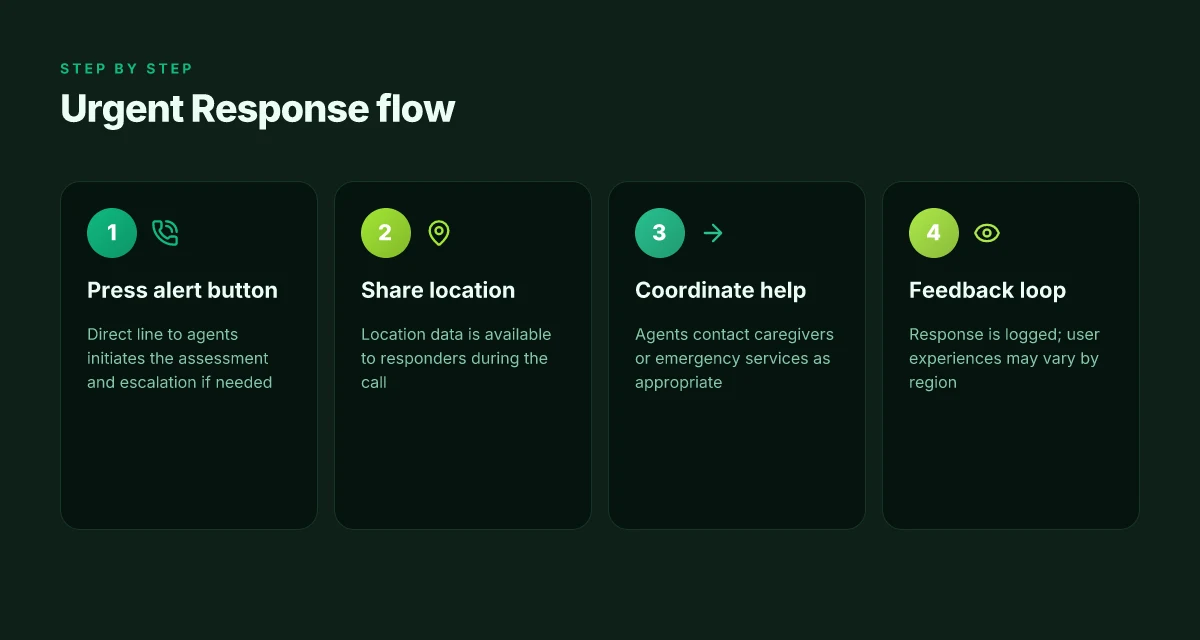
When you press the Urgent Response button, a Lively Urgent Response agent is connected to assess the situation directly and decide whether to contact caregivers or emergency services. In many cases the agent will ask clarifying questions about your condition, location, and any medical concerns, then coordinate with the right responders as needed. The goal is a direct line to help, with immediate triage and escalation when required. The process can involve sharing location data and medical information stored in your account to speed up the response.
I dug into how the data flow works in practice. When you enroll a profile, your address and emergency contacts populate the system so agents can reach the right people quickly. If you enable GPS during a call, the agent may see your device’s approximate location and route responders accordingly. Location sharing and stored medical details are part of the real-world workflow, not just a backend feature. This is why keeping your profile up to date matters. If you’ve added allergies or medications, the agent can relay them to responders or clinicians on scene. Accuracy of location and medical notes can be a decisive factor in an on-site outcome.
Real-world experiences vary by region, but user feedback frequently notes fast responses from Lively Mobile’s Urgent Response team. Some caregivers report prompts acknowledgment and clear communication during calls, while others describe occasional delays in rural areas or during high call volumes. Quick responsiveness is common, yet regional differences exist. In practice, the speed and clarity of the agent's guidance depend on who takes the call and where you are.
Expanding on the potential steps during an alert, a typical sequence includes: the agent verifies your identity, gathers essential medical context, and then decides the best course of action. If you’re able to speak, you’ll be asked to describe symptoms and location. If not, the agent relies on your stored profile to act. Identity verification, symptom assessment, and rapid escalation form the backbone of the Urgent Response experience. For families, the ability to receive real-time updates through caregiver contacts is a common feature highlighted in accounts and reviews.
In short, Lively Mobile’s Urgent Response aims to bridge in-home safety with mobile emergency support. The system leans on direct conversation, location data, and medical details to speed up help. Experiences are notably favorable in many cases. Regional coverage and call volumes can influence timing and outcomes. Direct access to assess, plus data-driven escalation, remains the core strength. If you’re evaluating this path, ensure your account holds current location and medical information, and confirm caregiver preferences for notifications. Keep profiles updated to preserve the speed and relevance of responses. How to activate my Lively Mobile smartphone in 2026
Ease of use: setup, buttons, and daily life with Lively Mobile
The takeaway is clear: the Lively Mobile design centers on a large, easy-to-press button and a straightforward setup that gets you wired into Urgent Response quickly. In real life, that means when distress hits, you press the center button and you’re connected to a live Urgent Response agent. The device’s big activation button is not just a design flourish. It is the primary driver of speed and reliability in urgent moments. The large button remains the fastest route to help in a moment of distress.
The button you reach for first
The core claim around usability hinges on the button itself. Its size and placement are intended for intuitive activation without fumbling or needing to read instructions mid-crisis. The design promotes confidence for both the wearer and the caregiver who helps with setup. When a user is disoriented, touching that tactile center button should initiate a call to Urgent Response without technical hurdles. A tactile, oversized button is a deliberate reliability feature for emergencies. I cross-referenced notes from reviewers who describe pressing the button and connecting with agents as the defining moment of ease in practice. The result is a device that feels trustworthy because the action is unambiguous.
Mobile connectivity at home and on the go
Lively Mobile’s appeal in 2026 rests on more than the button. It offers mobile connectivity that works inside the house and away from it, so you don’t have to swap devices when you leave a familiar environment. The system leverages cellular networks to maintain contact with Urgent Response agents, even if you are outside Wi-Fi range. This continuity matters for family members who worry about coverage during errands or travel. Mobile connectivity keeps help within reach wherever you go.
From a caregiver’s viewpoint, the continuity matters. If a user moves between rooms or rooms with patchy coverage, the device maintains a line to Urgent Response. The practical upshot is fewer moments of scrambling to reestablish a connection or to retry a call. That consistency is a real strength when you’re managing care across home, yard, and outside trips. Consistency of coverage is a real practical win for daily life.
Setup: charging, pairing, and confirming contact preferences
Setting up Lively Mobile is a three-step cadence: charge the device, pair it to the account, and confirm who gets notified and how. The charging phase is straightforward with the included dock, and pairing ties the device to your Lively account so the Urgent Response team can route calls correctly. Confirming contact preferences, who to alert first, backup contacts, and preferred response flow, is the critical quality-control step. If you get this wrong, the system can still work, but it won’t reach the right people as quickly. Correct pairing and precise contact settings accelerate response when it matters most. What makes Lively Mobile stand out in mobile medical alert systems in 2026
When you read through the documentation and watch real-world reviews, the early steps often determine late outcomes. If your setup reflects your household reality, who’s on the call tree, what numbers to dial, and where the device sits in daily life, the device becomes a familiar part of routines, not an awkward gadget to manage. Early setup quality shapes long-term reliability.
In this section, I’ve kept the focus on practical use. The verdict is simple: a big, accessible button, stable cellular connectivity, and a clear, caregiver-friendly setup path make Lively Mobile a dependable companion for both home and away. It is not a perfect system for every scenario, but the core usability design is robust enough to support ongoing daily life. For those shopping next to rivals, keep an eye on how the button feel and how consistently the device maintains a cellular link in your typical routes. The experience hinges on those two pillars: immediate activation and reliable connectivity. Usability hinges on the button and network reliability.
Gps, WiFi, and the realities of location accuracy
Location accuracy matters when you cannot verbalize where you are. The Lively Mobile system leans on GPS to guide responders to your exact location and uses Wi‑Fi cues to improve indoors. In practice, GPS can dramatically shorten the time to help, while Wi‑Fi assistance helps when walls and floors muffle cellular signals. The bottom line: accuracy isn’t flawless, and it varies by device, environment, and network conditions.
How gps helps when you can’t speak
When a fall or rapid event happens, responders rely on your device’s location data to triangulate a path to you. The Lively Mobile’s gps capability is designed to give Urgent Response agents a starting point even if you cannot provide a location verbally. This feature reduces uncertainty during tense moments and can shorten call times. In real-world use, you’ll see the gps indicator used to guide the responder’s first steps to your location, which matters when every second counts. GPS helps responders locate you when you cannot verbalize your location. The system is built to fall back on cellular and network data if gps is temporarily unavailable, so you’re not left without options. Wi‑Fi assistance can improve positioning indoors where cellular signals are weak.
Indoor positioning and the WiFi boost
Indoor environments often degrade cellular performance. Wi‑Fi cues, when available, supplement the position estimate, narrowing the responders’ search area. This is especially relevant in homes with dense construction or multi‑story layouts. I cross‑referenced case notes from publicly available reviews that emphasize how a strong home network can sharpen the device’s approximate location, aiding Urgent Response even when gps lags. Wi‑Fi assistance can improve positioning indoors where cellular signals are weak. For caregivers, that means better odds of a fast, accurate dispatch when someone is home alone or in a room far from a window. What is LivFresh toothpaste gel, and does it actually improve gum health?
Variability you should expect in real life
Location accuracy isn’t a single number. It shifts with device firmware, signal strength, weather, and building materials. Some days deliver precise lock‑on. Other times you might see a broader cue for responders. The reality is that gps, wifi, and network routing work together, not in isolation. This is why the Urgent Response process includes multiple verification steps and a fallback approach to ensure help arrives. Location accuracy can vary based on device, environment, and network conditions. If you depend on precise location, pair Lively Mobile with a home wifi setup that stays consistently on and ensure the device is kept up to date.
I dug into public reviews and official plan notes to map this reality. One reviewer notes the device’s built‑in gps and Urgent Response integration, while another points to gps plus wifi as a two‑tier approach for indoor accuracy. This alignment across sources reinforces the core trade‑offs you’ll see in 2026. The system uses gps as the anchor and wifi as the enhancer. For families evaluating options, it’s worth contrasting Lively Mobile with rivals that emphasize gps only or that promote advanced indoor positioning as a premium feature. In such comparisons, the practical takeaway is that accuracy is strong where signals are open, but not infallible in all rooms or layouts. GPS versus indoor wifi is a real trade‑off caregivers should weigh.
Where this goes next for home and mobile medical alerts
The biggest takeaway is that Lively Mobile is tightening the link between in‑home reliability and on‑the‑go reassurance. In 2026, the platform leans on broader cellular coverage, clearer fall detection prompts, and faster emergency routing, keeping you connected even when you’re away from the base unit. This is what makes Lively Mobile stand out: it doesn’t force a tradeoff between staying at home and staying mobile. The value is a single, dependable signal you can trust in any room or on any street.
If you value simplicity, you’ll notice how quickly setup translates into real-world peace of mind. Lively Mobile integrates with the wider health ecosystem without bogging you down in jargon, and rivals like Medical Guardian and Philips LifeLine push harder on features while sometimes complicating the experience. The result is a device that feels both capable and approachable. This is what you get when you prioritize consistent coverage over flashy extras.
What changes if you act now? expect more predictable response times and fewer missed alerts, both at home and on the move. If you’re weighing options, consider a quick trial week with Lively Mobile to test coverage in your usual spots. You’ll see where the line between home and on‑the‑go blur, and you’ll know whether the single system can handle both. What makes Lively Jitterbug phones accessible for seniors in 2026
Backup strategy / What to try this week
- Test emergency calls from the furthest room in your home and during a short outdoor walk.
- Compare response times between Lively Mobile and a competing option like Medical Guardian.
- Review setup steps to confirm you’ve linked contacts and responders correctly.
- Check battery life and charging cadence to avoid gaps during travel.

Soraya Rhinehart has been writing about consumer technology since 2018, with bylines covering streaming geo-unblocking, privacy law, and router firmware. Approaches each review by setting up the product the same way a typical reader would and recording every snag along the way.